
Google Workspace Marketplace


Inkable Docs & Slides: AI accessibility compliance
Inkable for Google Docs™ & Google Slides™ is an AI add-on that auto-fixes accessibility issues in Docs & Slides, helping you meet WCAG & PDF/UA standards and create tagged, accessible PDFs with ease.
Разработчик:
Данные обновлены:9 октября 2026 г.
Совместимо с:

44 тыс.+



Общие сведения
INKABLE DOCS — GOOGLE DOCS™ & GOOGLE SLIDES™ ACCESSIBILITY CHECKER


The most comprehensive accessibility tool for Google Docs™ and Google Slides™. Check, analyze, and fix accessibility issues in real-time with AI-powered insights. Move faster toward WCAG-aware workflows and content that’s inclusive by default.

🚀 WHY INKABLE DOCS?
Inkable Docs uses advanced AI to scan your files for barriers, turning complex findings into clear recommendations.

With Inkable Docs, you can:
●  Analyze structure: Check headings, organization, and deck flow.
●  Audit alt text: Instantly identify missing descriptions for images.
●  Prevent rework: Catch basics before they become expensive compliance issues.
●  Jump to issues: Navigate directly to the problem area inside your file.
●  Build inclusively: Make accessibility a day-one habit, not a panic.

✨ MAIN FEATURES & BENEFITS
Comprehensive Analysis
■  AI-Powered Intelligence: Deep scans for both Docs and Slides.
■  Heading Hierarchy: Ensure logical structure for screen readers.
■  Media Assessment: Identify what breaks PDF exports and reader flows.
■  Severity Detection: Prioritize fixes based on the impact on the user.

Smart Recommendations
■  Actionable Guidance: No jargon—just clear steps on what to fix and why.
■  Contextual Alt Text: AI-driven suggestions for images and visuals.
■  Priority Ranking: Focus on the most critical compliance issues first.

Seamless Integration
■  Native Workflow: Works entirely inside Google Docs™ and Google Slides™.
■  One-Click Checks: Rapid iteration loops for fast-moving teams.
■  Click-to-Jump: Stop hunting for errors; click to go to the exact spot.

🛠 USE CASES
✅  Education — Course packs, assignments, and lecture slides.
✅  Corporate — Memos, HR policies, and internal sales decks.
✅  Government — Citizen-facing documents and public materials.
✅  Marketing — Inclusive one-pagers and pitch decks.
✅  Non-Profit — Advocacy documents and fundraising materials.

⏱ GETTING STARTED (FAST)
1) Install the Inkable Docs add-on.

2) Sign up via the Inkable Docs web app to authenticate.

3) Open any Doc or Slide deck and click "Launch."

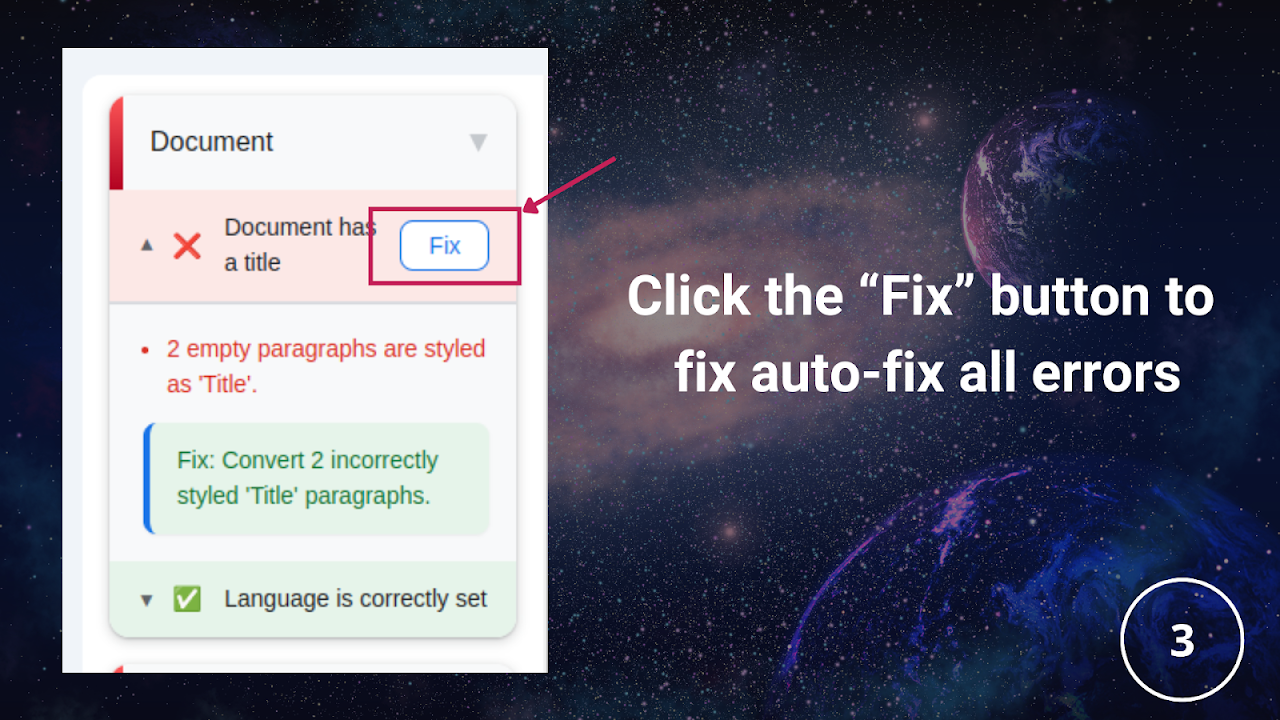
4) Run a one-click accessibility check.

5) Review results and apply improvements with confidence.

THE INKABLE DOCS ADVANTAGE
→ AI-powered analysis for deeper insights.
→ Docs + Slides native for a familiar workflow.
→ Real-time feedback to prevent "oops" moments.
→ Standards-aware (WCAG) for better tagged PDFs.

Transform how you create. Make inclusive publishing feel inevitable, not optional.

Google Workspace™, Google Docs™, Google Slides™, and Google Drive™ are trademarks of Google LLC.
Дополнительная информация
sell
ЦеныПриложение бесплатно, но для использования некоторых функций необходима лицензия.
code
Разработчик
email
Поддержка
lock
Политика конфиденциальности
description
Условия использования
flag
ЖалобаПожаловаться




Поиск
Очистить поле поиска
Закрыть поиск
Приложения Google
Главное меню