
Google Workspace Marketplace


Insert icons for Slides 👌
Insert 1800+ icons in Google Slides. Available in all colors.
Listing updated:১৭ এপ্রিল, ২০২৩
Works with:
১৯ লা+


এক নজরে
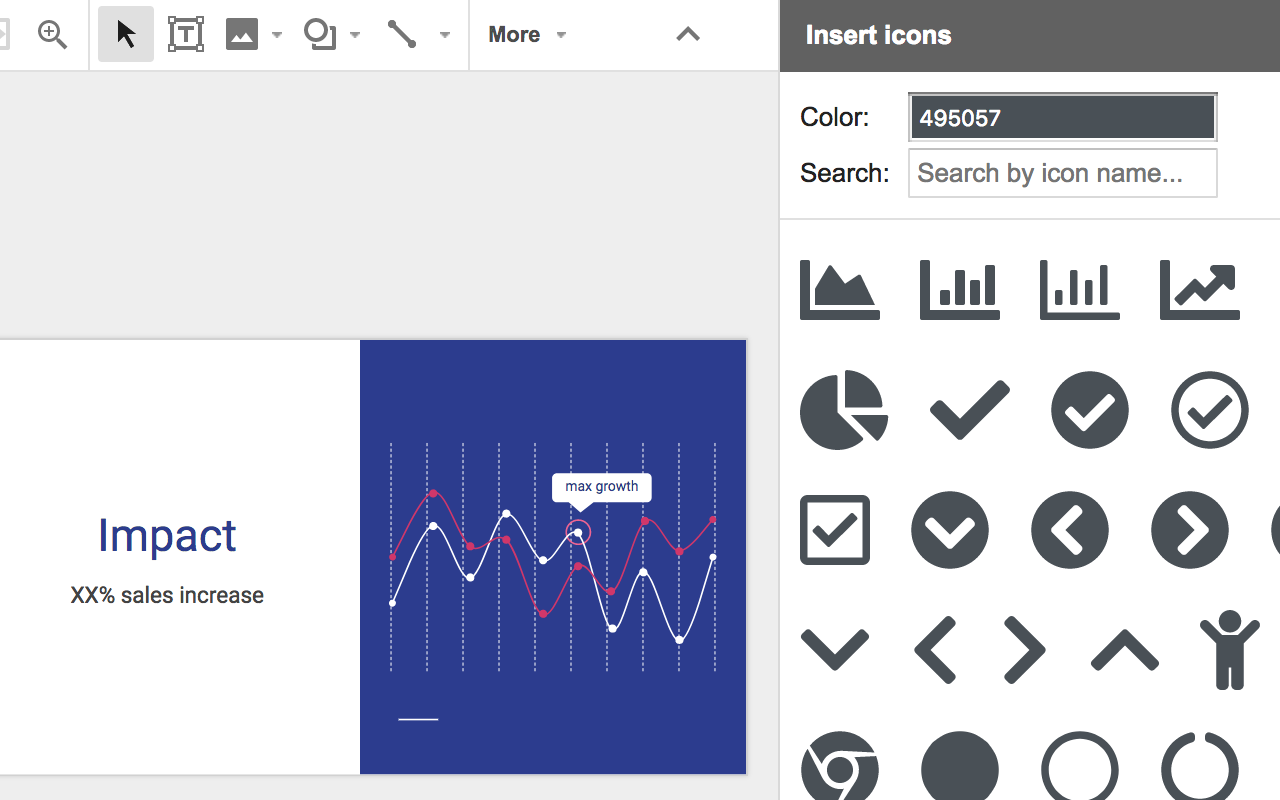
Browse 1800+ free icons from Font Awesome & Google Material Design directly in Google Slides. You can choose any color you want and the icons are imported in your slides with a transparent background.
A very simple way to choose the perfect icons to illustrate your presentation.

For now, 2 icon set are available via this add-on, for a total of more than 1800 icons:
- 900+ icons from Font Awesome - https://fontawesome.com/icons
- 900+ icons from Google Material Design - https://material.io/icons/

Once you selected an icon and added it in your slide, right-click and select "Format options" to drop a shadow, add a reflexion and much more.

Insert Icons also exists for Google Docs and Google Sheets!
https://gsuite.google.com/marketplace/app/insert_icons_for_docs/928492285297
https://gsuite.google.com/marketplace/app/insert_icons_for_sheets/1079010486796

You may also want to try our other add-ons:
- Mergo: Send 2000+ personalized emails / day with Gmail. Track opens & responses. Follow up.
- Folgo: Bulk actions in Google Drive. Copy, transfer, inspect folders (with subfolders & files).
- Publigo: Create PDFs and documents from Google Sheet rows & Google Form submissions.

Insert Icons was created by Romain Vialard, Scriptit.
Romain is also the creator of Yet Another Mail Merge (YAMM), Awesome Table & Form Publisher. He created Awesome Gapps, the company maintaining those products, but he is not involved in it anymore.
Romain is a member of the Google Developer Expert (GDE) program and has been working on Google Apps Script and Google APIs for more than 10 years.
Additional information
sell
Pricingফ্রি
code
Developer
Trader status unspecified
email
সমর্থন
lock
গোপনীয়তা নীতি
description
পরিষেবার শর্তাদি
flag
রিপোর্ট করুনFlag as inappropriate



সার্চ করুন
সার্চ মুছুন
সার্চ বন্ধ করুন
Google অ্যাপ্লিকেশানগুলি
প্রধান মেনু