
Google Workspace Marketplace

Insert Special Characters: Symbols & Emoji
Insert special characters into your spreadsheet with this easy-to-use add-on. Choose from any special characters, including arrows, math symbols, emojis, currency symbols, and more.
Fortegnelse opdateret:27. november 2026
Fungerer sammen med:
33 t+



Oversigt
Insert symbols, emoji and special characters into Google Sheets™ cells: arrows, check marks, currency signs, math symbols, Greek letters, accented letters, Roman numerals and more.

HOW IT WORKS
1. Open Extensions → Insert Special Characters → Open App.
2. Search by name ("arrow", "check", "euro") or browse by category.
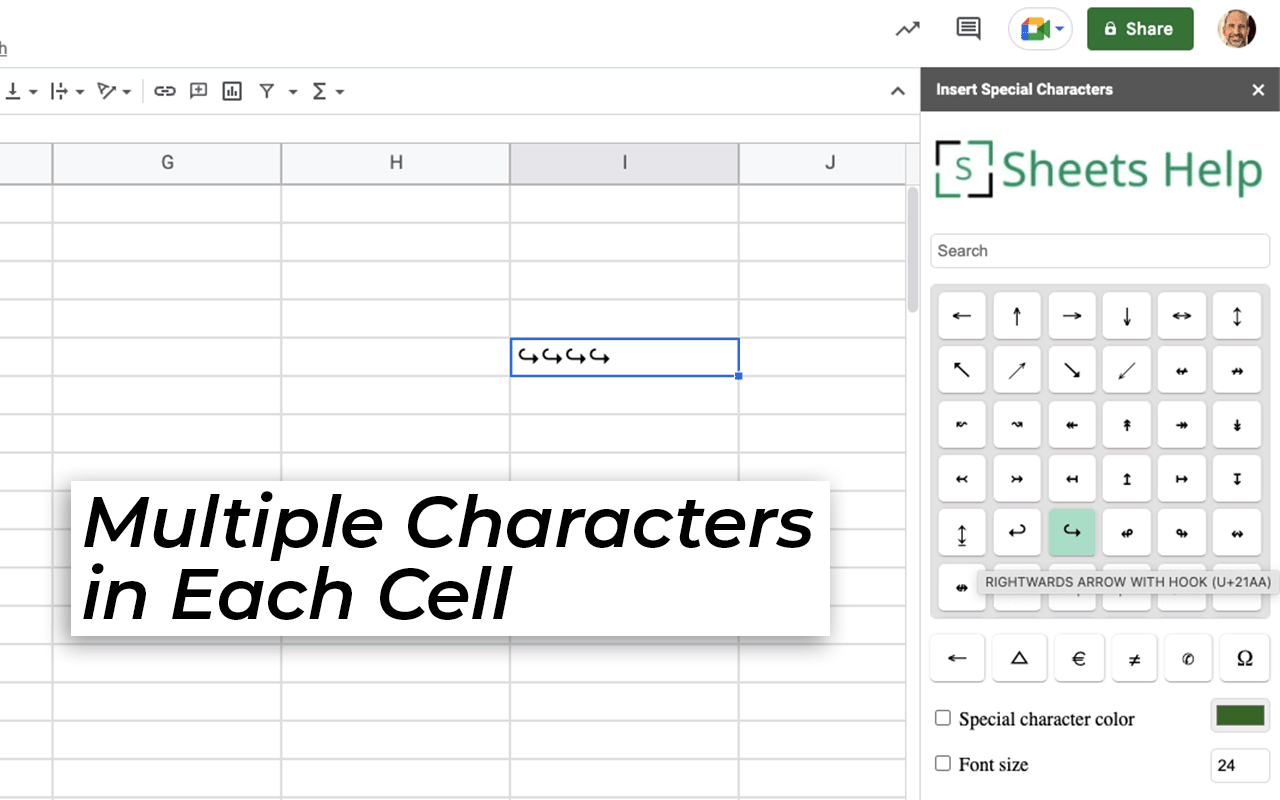
3. Click a character. It's added to the end of whatever is already in the selected cell, so you can build up several characters in one cell.

WHAT'S INSIDE
• 3,600+ characters in 10 categories: Emoji, Arrows, Math, Currency, Greek and Coptic, Latin (accented letters), Geometric shapes, Dingbats, Technical (including Roman numerals Ⅰ Ⅱ Ⅲ) and Miscellaneous
• Search across every character by name
• A "Recently used" row for the ones you reach for again

Examples: ← ↣ ↱ · △ ◍ ◱ · € ₨ ₮ · 🐨 🔥 ✅ · ∏ √ ∫ · ά ϭ · Ⅳ Ⅻ

PRICING
Free: insert any character into one cell at a time, as often as you like, with no time limit.
Full version, $9 per year: choose the color and size of each character, and insert into many cells at once. The first 7 days include everything.

—
Google Sheets™ is a trademark of Google LLC. Insert Special Characters is an independent add-on and is not endorsed by or affiliated with Google LLC.Yderligere oplysninger
sell
PrisUden beregning med betalingsfunktioner
code
Udvikler
email
lock
Privatlivspolitik
description
Servicevilkår
flag
RapportRapportér som upassende




Søgning
Ryd søgning
Luk søgning
Google-apps
Hovedmenu