
Google Workspace Marketplace

Insert Special Characters: Symbols & Emoji
Insert special characters into your spreadsheet with this easy-to-use add-on. Choose from any special characters, including arrows, math symbols, emojis, currency symbols, and more.
应用详情更新日期:2026年11月27日
适用于:
3万+



概览
Insert symbols, emoji and special characters into Google Sheets™ cells: arrows, check marks, currency signs, math symbols, Greek letters, accented letters, Roman numerals and more.

HOW IT WORKS
1. Open Extensions → Insert Special Characters → Open App.
2. Search by name ("arrow", "check", "euro") or browse by category.
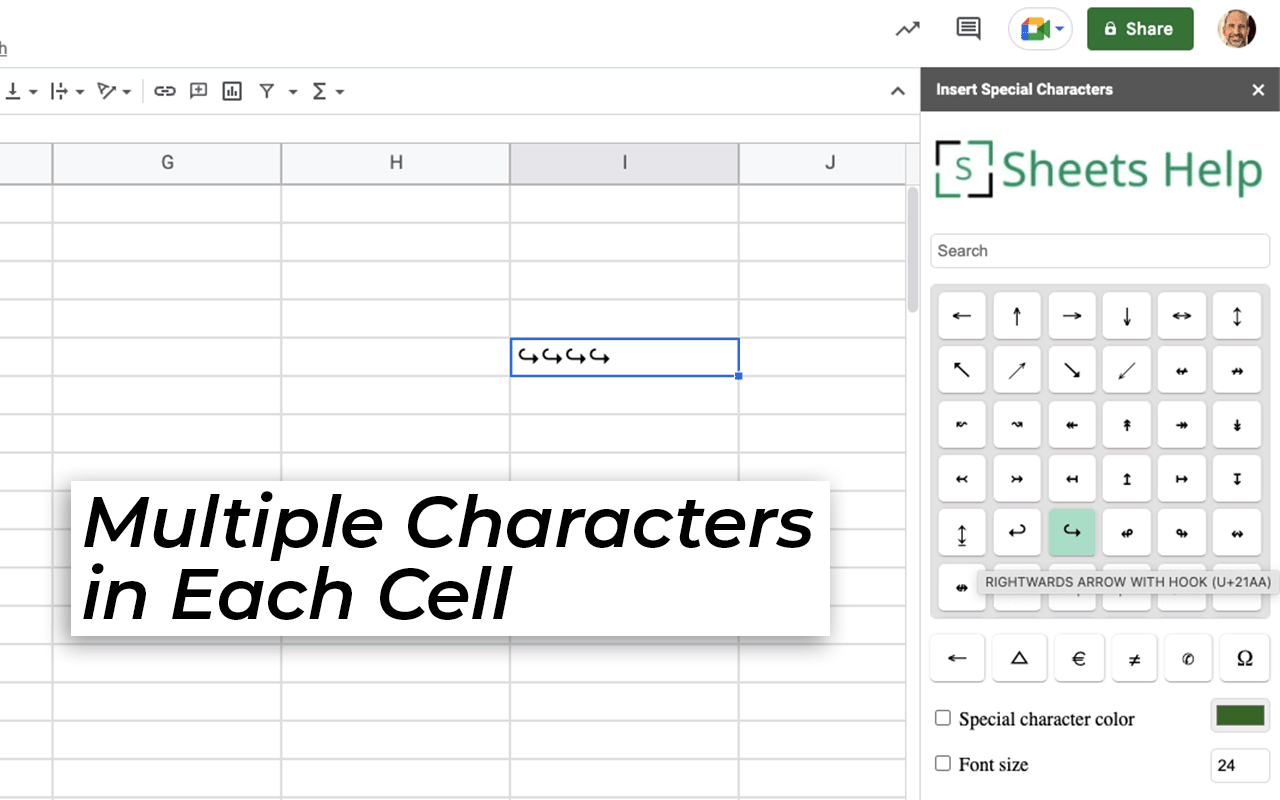
3. Click a character. It's added to the end of whatever is already in the selected cell, so you can build up several characters in one cell.

WHAT'S INSIDE
• 3,600+ characters in 10 categories: Emoji, Arrows, Math, Currency, Greek and Coptic, Latin (accented letters), Geometric shapes, Dingbats, Technical (including Roman numerals Ⅰ Ⅱ Ⅲ) and Miscellaneous
• Search across every character by name
• A "Recently used" row for the ones you reach for again

Examples: ← ↣ ↱ · △ ◍ ◱ · € ₨ ₮ · 🐨 🔥 ✅ · ∏ √ ∫ · ά ϭ · Ⅳ Ⅻ

PRICING
Free: insert any character into one cell at a time, as often as you like, with no time limit.
Full version, $9 per year: choose the color and size of each character, and insert into many cells at once. The first 7 days include everything.

—
Google Sheets™ is a trademark of Google LLC. Insert Special Characters is an independent add-on and is not endorsed by or affiliated with Google LLC.其他信息




搜索
清除搜索内容
关闭搜索框
Google 应用
主菜单