
Google Workspace Marketplace


InstaMaps
26 location formulas for Google Sheets™. =GEOCODE fills coordinates for a whole column, =INSTAMAP turns it into a live map, plus drive times, routes and territories. Free — no API key, no setup.
Listingan diperbarui:24 September 2026
Berfungsi dengan:
971



Ringkasan
Your spreadsheet can geocode now. And route. And map.

InstaMaps adds 26 location formulas to Google Sheets™ — spreadsheet functions that work like the ones you already know:

=GEOCODE(A2:A50) — addresses become latitude + longitude, spilled in next to your data
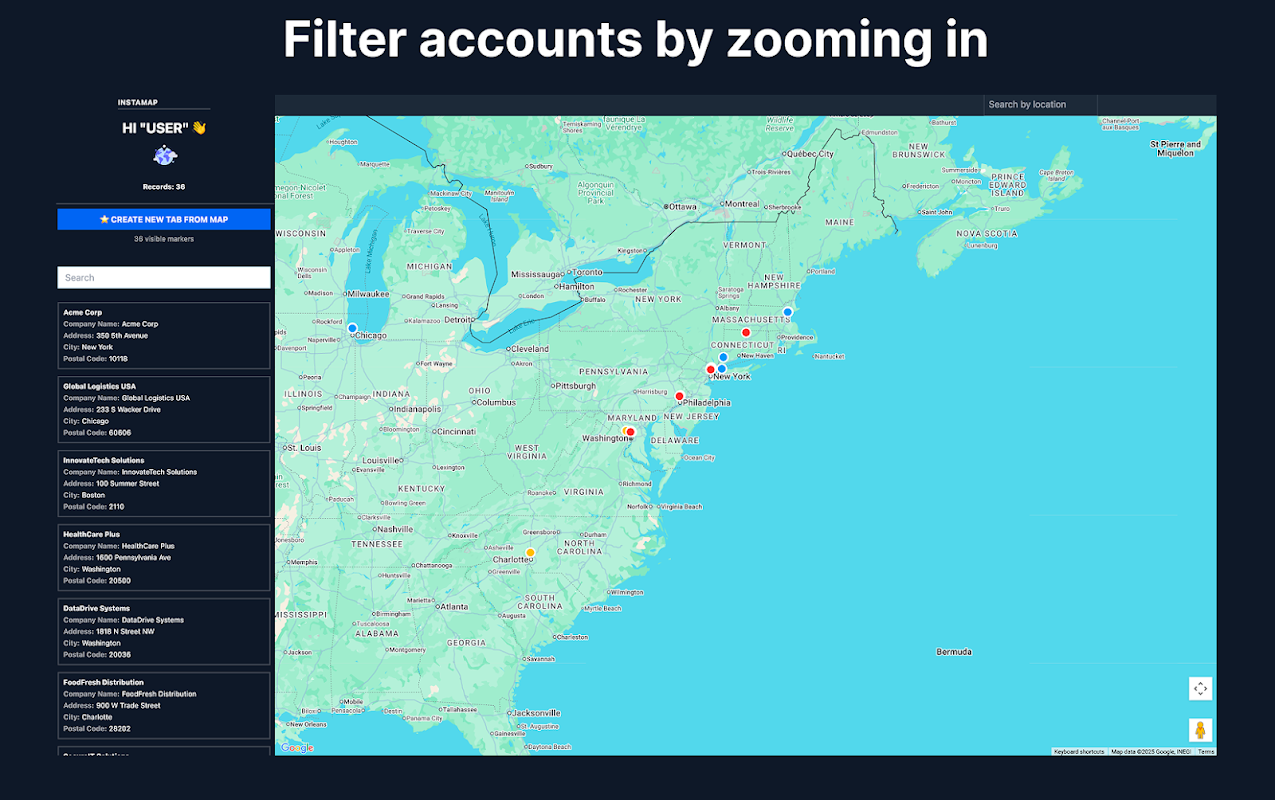
=INSTAMAP(A2:D50, "My map") — a live, shareable map appears in the cell, and it updates whenever your sheet changes
=TRAVEL_TIME(A2, B2) — real driving minutes on actual roads, not straight lines
=DISTANCE, =CLOSEST_TO, =WITHIN_RADIUS, =SORT_BY_DISTANCE — measure and rank anything by location
=VISIT_ORDER(A2:A20) — your stops in the right driving order; =ROUTE_LINK opens the whole run in Google Maps™
=TERRITORY(A2:A99, 4) — split any list into fair geographic zones
…plus address cleaning, postcode/city/state extraction, reverse geocoding, Street View™ and Waze™ links.

Because they're formulas, they compose: chain GEOCODE into DISTANCE into INSTAMAP and your sheet becomes a living dispatch board, farm map or delivery plan that rebuilds itself when a row changes. The sidebar's one-click "Build the workflow" writes the whole chain for you.

Built for people who run their day from a spreadsheet: field service dispatch, real estate farming and comps, sales territories, delivery runs, store locators.

Free to use — no API key, no billing account, no setup. Generous free tier; formulas like GEOCODE work on whole ranges. Your data stays in your sheet: maps you create are unlisted and only visible to people you give the link.

Install, type =GEOCODE( in any cell, and watch your sheet learn geography.
Informasi tambahan
sell
HargaTanpa biaya
code
Developer
email
Dukungan
lock
Kebijakan privasi
description
Persyaratan layanan
flag
LaporkanTandai sebagai tidak pantas





Telusuri
Hapus penelusuran
Tutup penelusuran
Aplikasi Google
Menu utama