
Google Workspace Marketplace


InstaMaps: Geocode, Maps & Route Planner
Geocode addresses to lat long, see them as pins on a map, and plan multi-stop routes in Google Sheets™. Plus drive time, mileage, distance, radius, ZIP code and territory formulas.
Deweloper:
Pozycja zaktualizowana:28 października 2026
Współpracuje z:
1 tys.+



Omówienie
Your spreadsheet can geocode now. And route. And map.

InstaMaps adds location formulas to Google Sheets™. They work like the spreadsheet functions you already know.

WHAT INSTAMAPS DOES IN YOUR SHEET

• Geocoder: turn a column of addresses into latitude and longitude (lat long / GPS coordinates), or turn coordinates back into addresses (reverse geocoding).
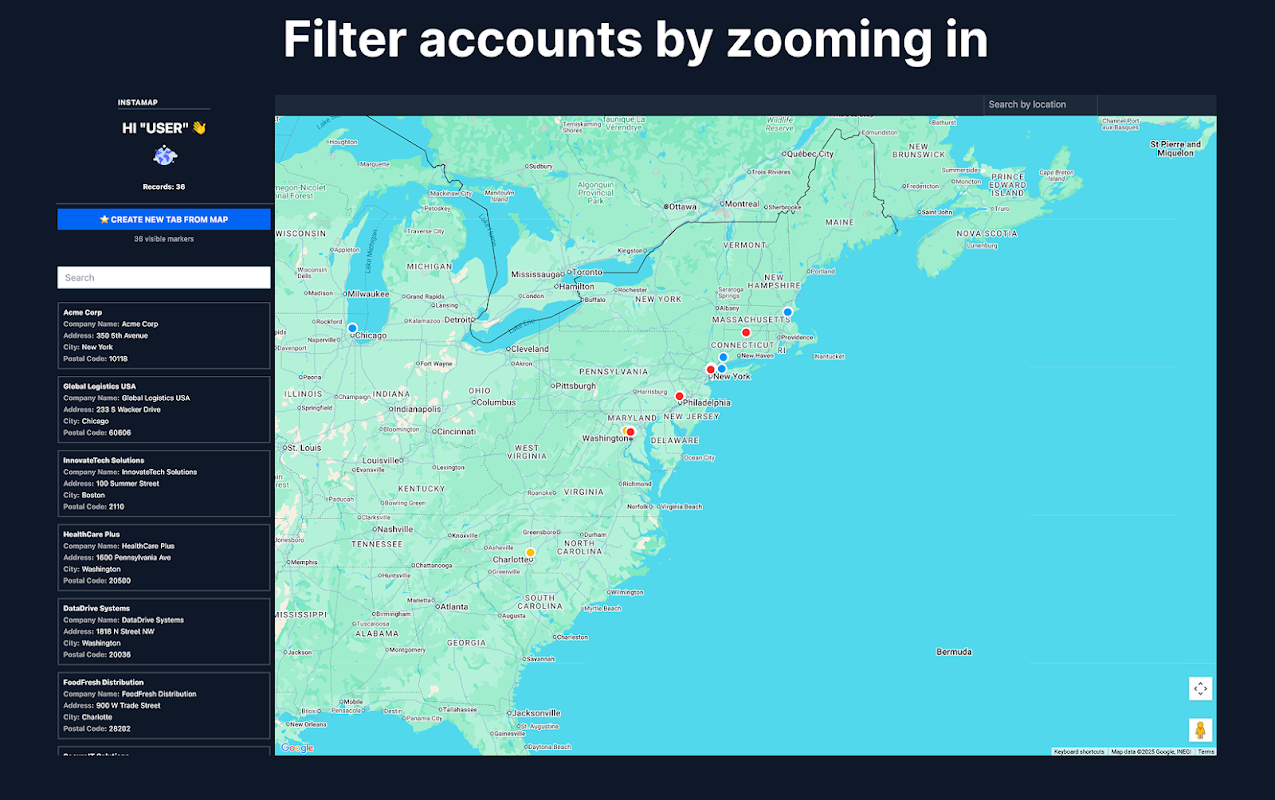
• Mapping: plot addresses on a map as pins and share the live map with a link. It updates when the sheet changes.
• Route planner: put your stops in driving order (multi-stop route optimization) and open the whole route in Google Maps™ with turn-by-turn directions.
• Distance calculator: road mileage and driving distance, drive time and travel time between any two places, or a full distance matrix.
• Radius search and store locator: find every row within a radius of a point, and the closest store, depot or rep to each customer.
• ZIP code, city, county and state from any address, plus address cleaning.
• Sales territory mapping: split a list into fair geographic territories.
• Risk at each address: flood zone (FEMA in the US, the Environment Agency in England), US natural-hazard ratings and UK recorded crime.

THE FORMULAS

=GEOCODE(A2:A50) — addresses become latitude + longitude, spilled in next to your data
=INSTAMAP(A2:D50, "My map") — a live, shareable map appears in the cell, and it updates whenever your sheet changes
=TRAVEL_TIME(A2, B2) — drive time / travel time in real driving minutes on actual roads, not straight lines
=DISTANCE, =DISTANCE_MATRIX — road mileage between two places, or a whole grid of them
=CLOSEST_TO, =WITHIN_RADIUS, =SORT_BY_DISTANCE — the closest location, every row within a radius, any list ranked by distance
=VISIT_ORDER(A2:A20) — your stops in the right driving order; =ROUTE_LINK opens the whole route in Google Maps™
=TERRITORY(A2:A99, 4) — split any list into fair geographic territories
=ZIP, =CITY, =COUNTY, =STATE — the ZIP code, postcode, city, county or state of any address
=FLOOD, =HAZARD, =CRIME — flood zone, natural-hazard rating and recorded crime at each address
…plus address cleaning, reverse geocoding, Street View™ and Waze™ links.

Because they're formulas, they compose: chain GEOCODE into DISTANCE into INSTAMAP and your sheet becomes a living dispatch board, farm map or delivery plan that rebuilds itself when a row changes. The sidebar's one-click "Build the workflow" writes the whole chain for you.

Built for people who run their day from a spreadsheet: field service dispatch, real estate farming and comps, sales territories, delivery routes, a store locator for your locations.

Free to use — no API key, no billing account, no setup. Generous free tier; formulas like GEOCODE work on whole ranges. Your data stays in your sheet: maps you create are unlisted and only visible to people you give the link.

Install, type =GEOCODE( in any cell, and watch your sheet learn geography.
Dodatkowe informacje
sell
CenyBezpłatna
code
Deweloper
email
lock
Polityka prywatności
description
Warunki korzystania z usługi
flag



Szukaj
Wyczyść wyszukiwanie
Zamknij wyszukiwanie
Aplikacje Google
Menu główne