
Google Workspace Marketplace


Jasper
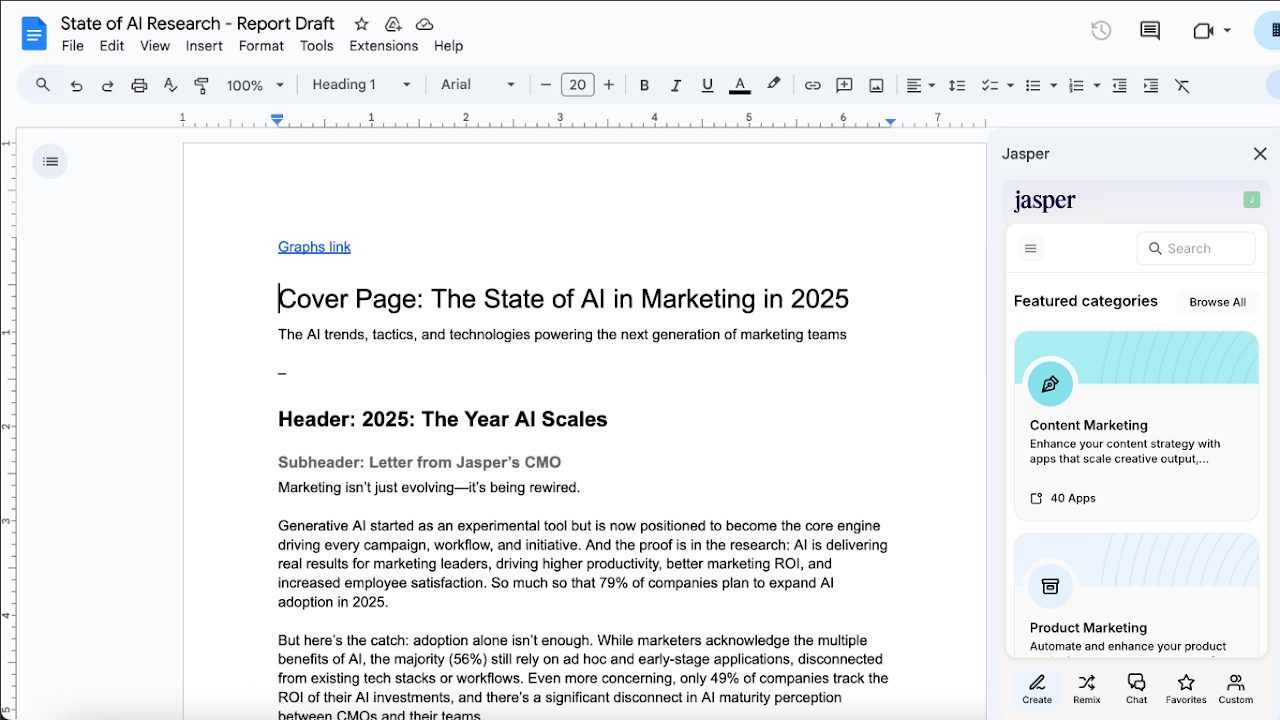
The Jasper Add-on brings Jasper into Google Docs™.
דף האפליקציה עודכן בתאריך:2 בספטמבר 2025
האפליקציה פועלת עם:
+28K
סקירה כללית
Unlock hassle-free content creation directly in Google Docs™ with the Jasper Add-On. Seamlessly integrated into your workflow, Jasper helps your team craft high-quality, on-brand content faster. Say goodbye to writer’s block and uninspired drafts. Jasper empowers you to create with confidence and ease.

★  What is Jasper?

Jasper is an AI content platform designed to help teams create, optimize, and scale high-quality content 10x faster.

★  Scale Content Marketing with Ease

Generate new ideas, repurpose existing content, and produce engaging material at scale - no need to hire additional writers.

★  Enhanced Productivity on Every Platform

Unleash creativity and efficiency simultaneously with access to Jasper’s 90+ templates, always right at your fingertips.

★  Optimize Content for Search

Create keyword-rich, plagiarism-free content that’s designed to rank, driving more traffic to your website.

★  Boost Ad Conversions

Write and test high-performing copy variations effortlessly, helping improve sales and maximize ROAS.

★  Overcome Writer’s Block

Struggling to start? Jasper provides creative prompts and instant drafts to keep ideas flowing smoothly.

The Jasper Add-On requires a paid Jasper subscription to unlock all features. Learn more at https://jasper.ai.
מידע נוסף



חיפוש
ניקוי החיפוש
סגירת החיפוש
אפליקציות Google
התפריט הראשי