
Google Workspace Marketplace


Kanbanchi: Project and Task Management
Task & Project management for Google Workspace™: Kanban, Gantt chart, Task board, Time tracking, Timeline, and Team dashboards in one app
Fiche mise à jour le :25 août 2026
Compatible avec :
4 M+




Présentation
Kanbanchi is a powerful Google project management tool that seamlessly integrates with Google Workspace™, including Google Drive™, Gmail™, Calendar™, Forms™, and more. Our Google task management solution features an intuitive Kanban board, Gantt Chart, Time Tracker, and more - designed specifically for Google users. The Google Kanban board visualizes workflows for your tasks and activities, letting teams collaborate in real-time and manage projects visually within the Google environment!

As the only project management tool natively integrated with Google Workspace™, Kanbanchi offers unmatched convenience. Sign up with your Google account and work with project boards stored directly in your Google Drive™, sharing them effortlessly with colleagues. Our Google task management tool provides flexible access permissions, Google Calendar™, Gmail™, and Forms integrations, and a familiar interface with no learning curve - simply deploy Kanbanchi to all your organization's users from the Google Admin Console™.

Security is paramount with our Google project management solution. Your files remain on YOUR Google Drive™ with authentication managed by Google - we never store your passwords. Boards are encrypted by default in Google Cloud™. Additionally, Kanbanchi's Google task management system is SOC2 Type II, ISO-27001, and CASA certified, GDPR and PCI DSS compliant, and follows HIPAA rules.

We ask for permission to access certain parts of your Google Drive™ because Kanbanchi doesn’t store data on its side. All your files and sensitive information will be stored on your Google Drive. However, the app should be able to operate this part of your Google Drive™.

Core functionality of our Google Workspace™ Kanban solution:

– Create and share unlimited project boards and cards in Google Workspace™
– Share internally and externally according to your company's Google policies
– Receive notifications about board updates
– Add events to Google Calendar™
– Attach files from Google Drive™ and Shared Drives
– Communicate with colleagues about tasks
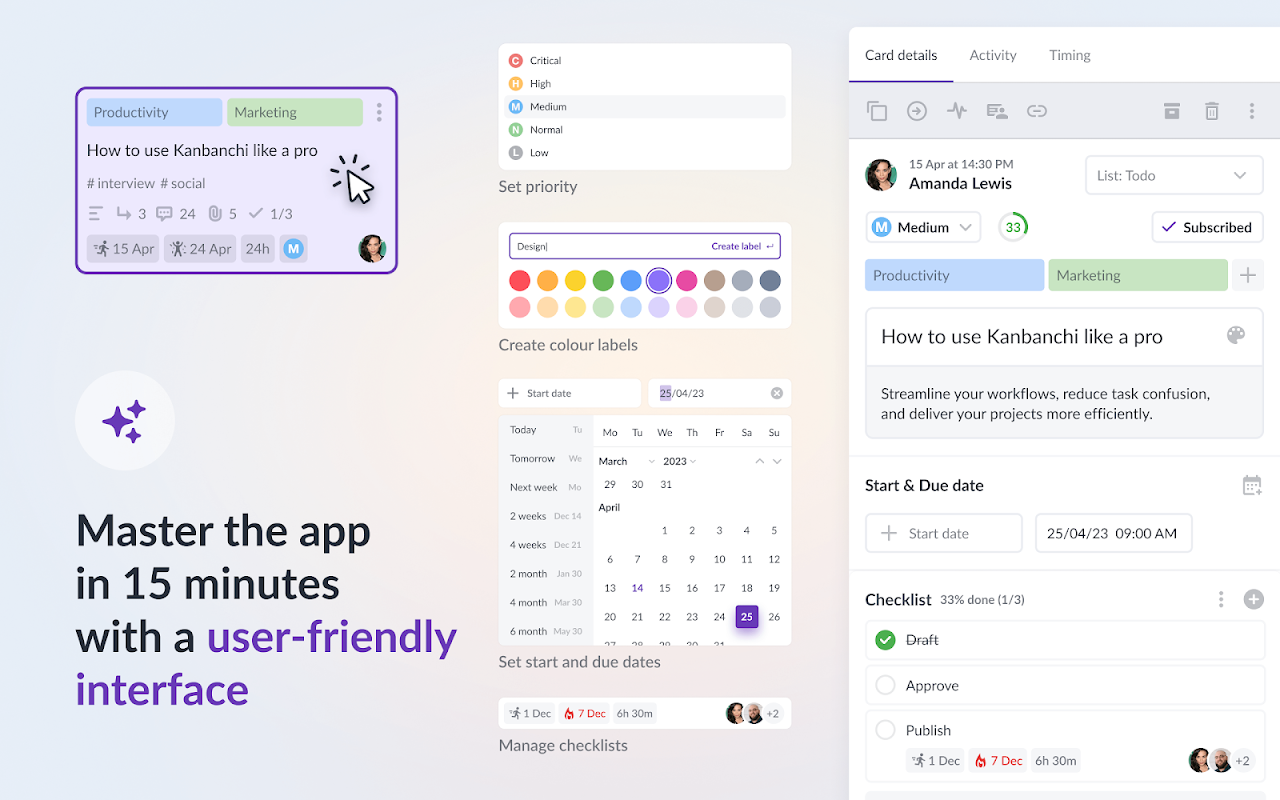
– Organize cards with text and color tags
– Sort and filter cards as needed
– Create boards as files in Google Drive™ (Shared Drives for Enterprise users)
– Launch Kanbanchi from any page with our Chrome extension to switch from browsing to planning instantly
– Work from your computer, mobile phone, or tablet
– Import your Trello Boards or import data from CSV

Advanced functionality in our Google project management tool:

— Gantt Chart for Google Project Management
Convert your Kanbanchi board to a Gantt Chart with one click. See how all your cards relate in time and plan project schedules visually.

— Time Tracker for Google Task Management
Track time directly in Kanbanchi—choose a card, start the timer, and monitor your team's progress in the Timing tab, where all user timing data is recorded.

— Building Reports for Google Project Tracking
Monitor team progress to adjust the workflow quickly. Check user performance to manage resources effectively within your Google task management system. Extract any data and connect it to your preferred reporting dashboard, like Google Looker Studio or else.

— Task Prioritization in Google Workspace™
Simplify work by prioritizing each task and sorting accordingly. Automate this process for better control in your Google project management workflow.

— Corporate Branding for Google Workspace™ Projects
Customize Kanbanchi's look by adding your company's logo and background images.

— Export to Google Sheets™
Export all board data, including assignments, dates, checklists, and comments, directly to Google Spreadsheets.

— Card Creation from Gmail™
Create new cards by emailing your board's unique address or installing our Gmail add-on to send information to any accessible board.

— Backups for Google Project Security
Back up important Kanbanchi boards for easy recovery, ensuring your project data is always safe.

— List View for Google Task Organization
View all cards in a scrollable list, quickly navigate from top to bottom, and filter as needed.

— Subcards for Detailed Google Task Management
Organize complex tasks by breaking them into subcards that can be assigned and tracked separately.

— Templates for Google Project Efficiency
Speed up workflows with our template gallery or create custom board templates. Create card templates to streamline repetitive tasks.

— Shared Drives Integration
Attach files from Shared Drives to cards; enterprise users can create boards directly in their Shared Drives.

— Swimlanes for Project Organization
Easily manage multiple projects on a single board by using swimlanes. This feature lets you visually separate and track tasks from different projects in one place, giving you a clear overview of all your work within your Google Workspace™ Kanban board.

Latest release:

- Added an image slider to view attachments without leaving the card.
- Added Kanbanchi to the Google Play Store.
- Improved card progress automation.

*Gmail™ is a trademark of Google LLC
*Google Workspace™ is a trademark of Google LLC
*Google Drive™ is a trademark of Google LLC
*Google Admin Console™ is a trademark of Google LLC
*Google Cloud™ is a trademark of Google LLC
*Google Calendar™ is a trademark of Google LLC
*Google Sheets™ is a trademark of Google LLC

Install Kanbanchi, the native Google Kanban board and project management tool for Google Workspace™, and start your free trial now!
Informations supplémentaires
sell
TarifsEssai sans frais
code
Développeur
email
Assistance
lock
Règles de confidentialité
description
Conditions d'utilisation
flag
SignalerSignaler comme inappropriée





Recherche
Effacer la recherche
Fermer le champ de recherche
Applications Google
Menu principal