
Google Workspace Marketplace


Keep It Confidential
Securely share rich text, image or video while keeping it confidential during view or download.
개발자:
호환 기기:
1만+



개요
Protect confidential information through a secure link.

What will this add-on do?

Replaces the content to be kept confidential with a secure link. Instead of providing the content to the world, or those that you are sharing information with, you provide a secure link to the content. Only those that you want to access the information may do so. This secure link can be stored within another-wise public file.

Main Features

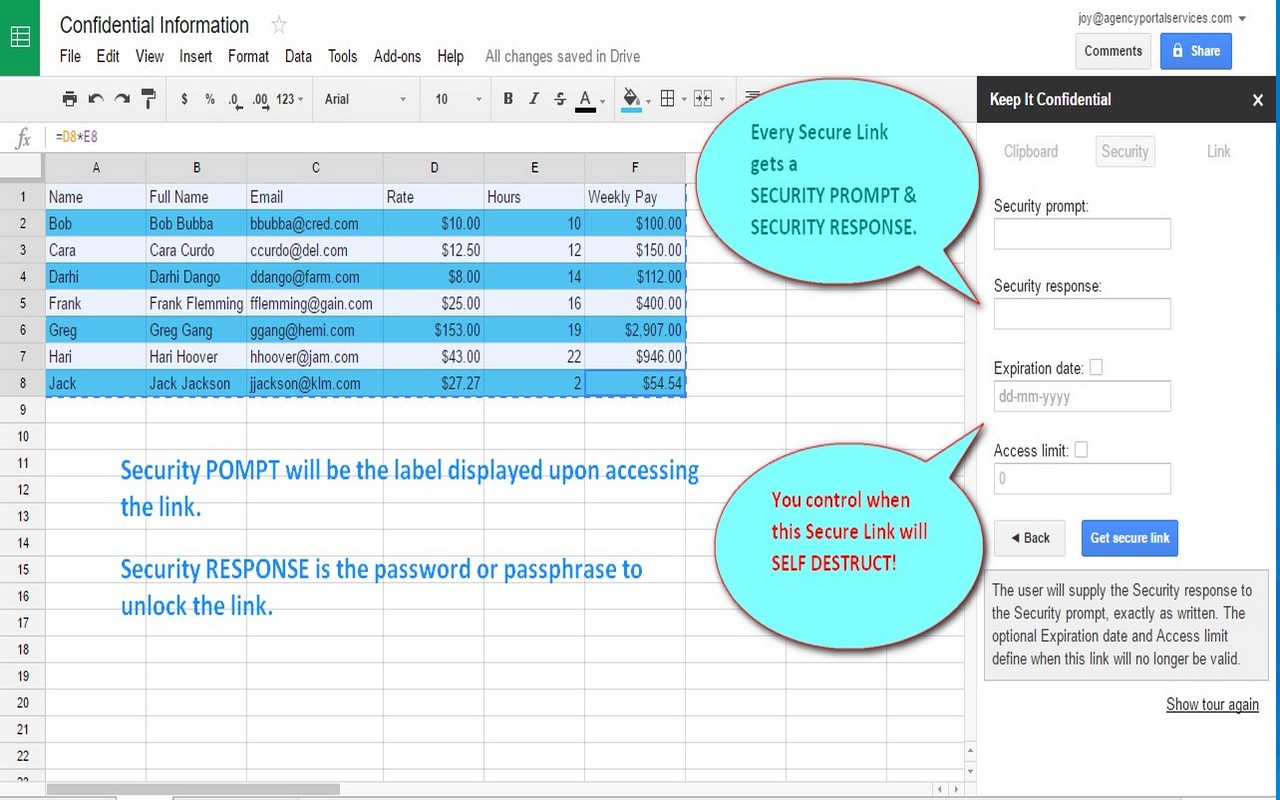
* Replace confidential information within a document with a secure, password protected, link, making parts of a document confidential while other parts remain revealed.
* Copy/Paste information from a document into a WYSIWYG editor, and secure this information.
* Create information in a WYSIWYG editor, and secure this information.
* Send a secure link to confidential information to another person, removing the threat of an email being hacked, hijacked, or forwarded.
* Create a secure, hidden link for files to be downloaded.
* Identify cells to be kept confidential and create a secure link for this information.
* Perform the operation on an external document, external content, or any part of a Google Doc or Sheet.
* Set an expiration date/time on the link.
* Set an access limit on the link.
* Remove the threat of confidential information being accessed by the public or prying eyes.

How can the Keep It Confidential Add-on be used?

Here are some of the cool ways to use the KIC Addon:
* Use in conjunction with a Mail Merge Add-on and send secure, confidential information.
* Use in conjunction with an ecommerce system and send secure licenses to the purchaser.
* Use in conjunction with an ecommerce system and send secure access to digital assets.
* Use in conjunction with a website and send secure access to digital assets.
* Use in conjunction with a video platform or Google Drive and create a pay-per-view system.
* Replace confidential information in a document with a secure link and send the document to others without the concern that the confidential information will be compromised.
* ...and so much more.

We would love to hear about the solutions you have used the Keep It Confidential Add-on!
추가정보


검색
검색어 지우기
검색 닫기
Google 앱
기본 메뉴