
Google Workspace Marketplace


KPIBees
Import data from databases, APIs, and files into Google Sheets™ with scheduled refreshes and automation
วันที่อัปเดตข้อมูล:12 พฤษภาคม 2569
ใช้งานได้กับ
253K+



ภาพรวม
Video tutorials: https://www.youtube.com/channel/UCC3HmpFen0McyRNoOzFFazA/videos

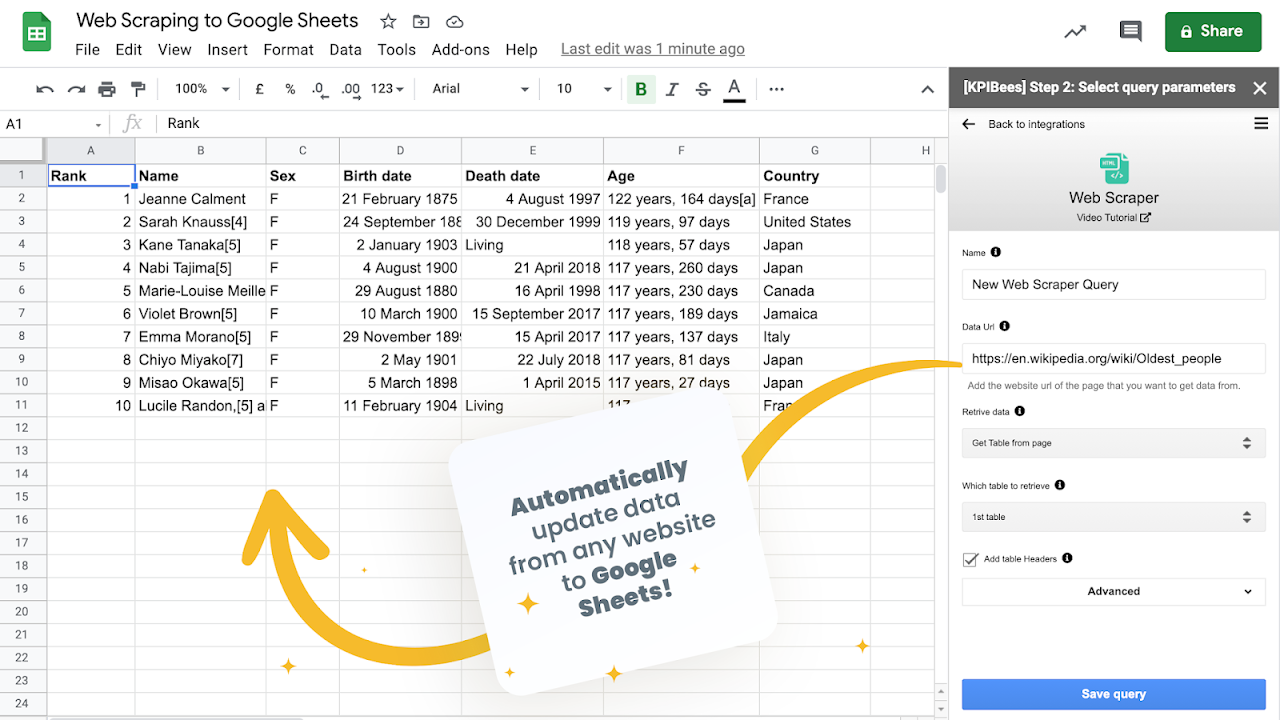
KPIBees brings external data into Google Sheets™ so you can build live dashboards and automate reporting. Connect databases, APIs, files, or websites, then schedule refreshes to keep your spreadsheets always up to date—no Apps Script required.

⇨ Use cases
  • Marketing & analytics reporting (weekly KPIs, campaign performance)
  • SEO & site monitoring (sitemaps, on-page tables, structured data)
  • Finance & ops (sales, inventory, P&L from your data warehouse)
  • Data engineering workflows (JSON/XML parsing, CSV pipelines)
  • Ad-hoc analysis directly in Sheets

⇨ What you can import
  • Databases: popular SQL engines such as MySQL, PostgreSQL, SQL Server, Oracle
  • APIs: REST endpoints returning JSON or XML (with JSONPath/XPath support)
  • Files: CSV/TSV from a URL or cloud storage
  • Web pages: import HTML tables and sitemaps

⇨ How it works
  1) Pick a data source
  2) Select the destination cell in your sheet
  3) Configure the query (fields, filters, parameters)
  4) Save & Run
  5) (Optional) Add a refresh schedule

Create and manage multiple queries per spreadsheet. Re-run or edit any query at any time.

⇨ Request integrations
Vote for new sources or suggest one: https://kpibees.typeform.com/to/lv7FP6

⇨ Legal
  • Terms of Use: https://kpibees.com/legal/terms-of-use/
  • Data Protection Agreement: https://kpibees.com/legal/data-protection-agreement/  (KPIBees is GDPR compliant)
  • Privacy Policy: https://kpibees.com/legal/privacy-policy/
ข้อมูลเพิ่มเติม
sell
ราคาไม่มีค่าใช้จ่ายและมีฟีเจอร์แบบชำระเงิน
code
นักพัฒนาซอฟต์แวร์
ไม่เป็นผู้ค้า
email
การสนับสนุน
lock
นโยบายความเป็นส่วนตัว
description
ข้อกำหนดในการให้บริการ
flag



ค้นหา
ล้างการค้นหา
ปิดการค้นหา
แอป Google
เมนูหลัก