
Google Workspace Marketplace

Learning Roadmaps
With Learning Roadmaps, you can easily create a graphic organizer with the activities you choose for an autonomous learning sequence for your students.
Listing updated:22 януари 2024 г.
Works with:
No reviews
410




Общ преглед
When you want to give your students a sequence of learning activities for them to accomplish with autonomy, Learning Roadmaps can help you create the graphic organizer.

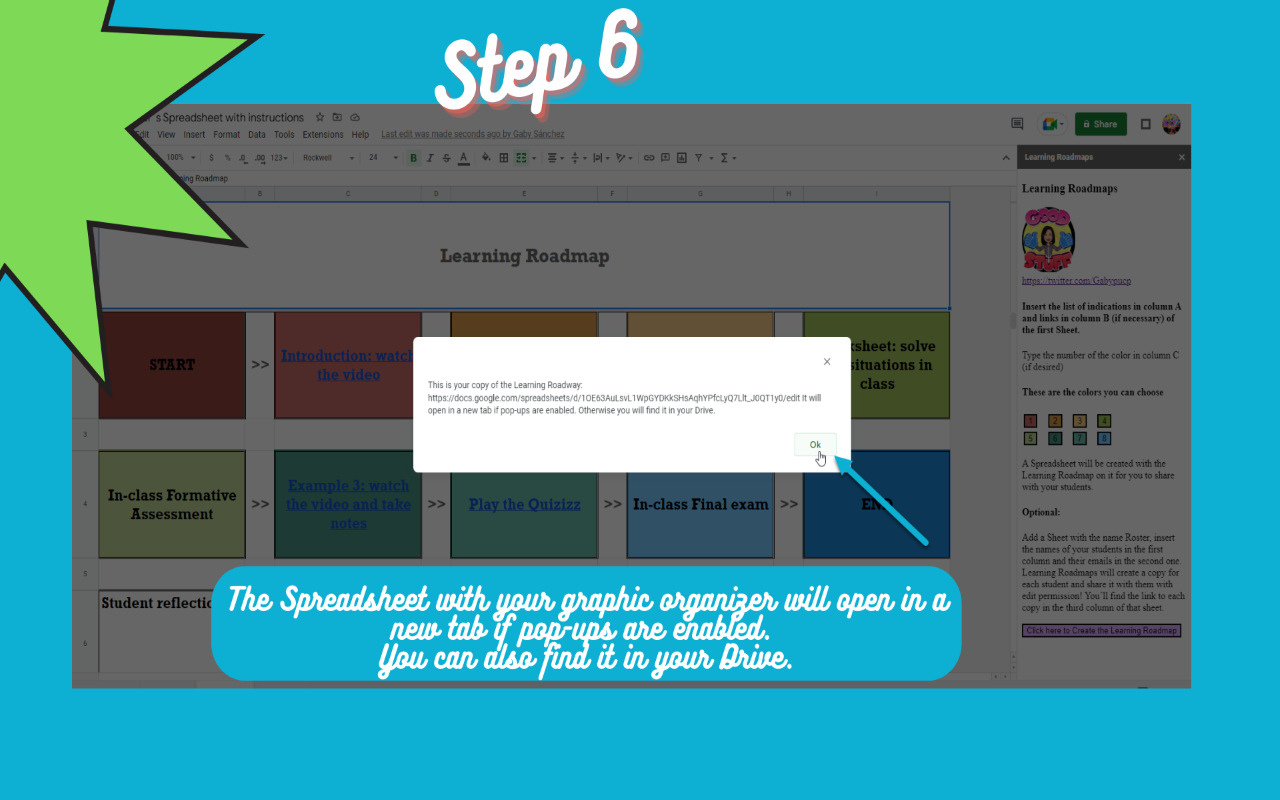
Just open a Spreadsheet, type your instructions in the first column of the first sheet.
In this sheet, you can also insert the links (optional) in the second column and choose the color for each step (optional) in the third one.
Learning Roadmaps will create a graphic organizer in a new Spreadsheet with your instructions to share with your students. You can print it or share the link with them.

It is also possible to create a copy for each student for them to receive the graphic organizer and write down their reflection and suggestions. For that, after writing the list of instructions in the first sheet, add a sheet called Roster, insert the names of your students in the first column and their emails in the second one. Learning Roadmaps will create a copy for each student and share it with them with edit permission! Students will be able to write their reflections, but won't be able to change your instructions.

Give Learning Roadmaps a try!

It collects no user´s data. Your Content is not collected nor accessible in any way by Learning Roadmaps.
Additional information
sell
PricingБез парично заплащане
code
Developer
Нетърговец
email
Поддръжка
lock
Декларация за поверителност
description
Общи условия
flag
Подаване на сигналFlag as inappropriate




Търсене
Изчистване на търсенето
Затваряне на търсенето
Приложения на Google
Главно меню