
Google Workspace Marketplace


LEVER Xpert
LEVER Xpert is a workflow automation tool for marketers. Safely bring advertising reports from Xpert Data Center into Google Sheets™ for immediate use. Protected through login-based authentication.
Door:
Vermelding geüpdatet:15 oktober 2026
Werkt met:
Geen reviews
140


Overzicht
Detailed Description
Securely connects to advertising data processed and protected per organization through organization-specific login authentication
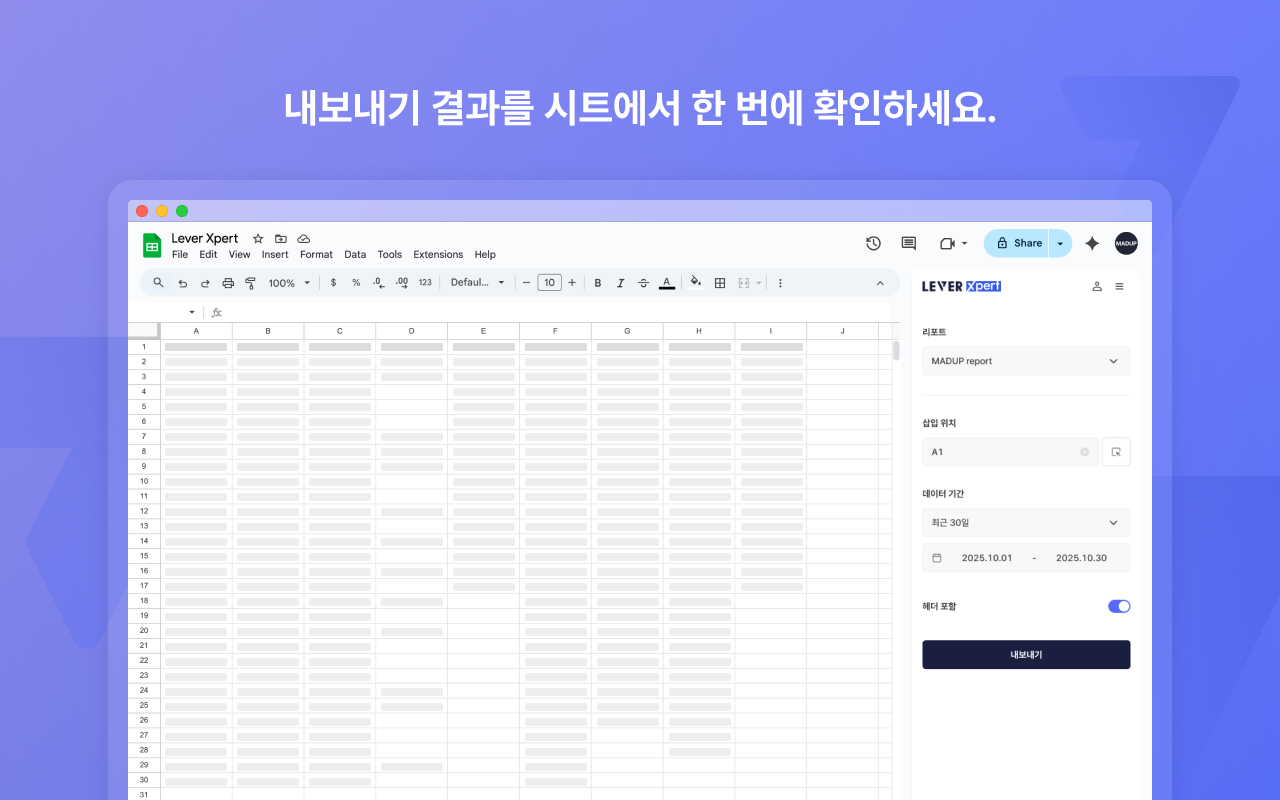
Easily extract advertising/marketing reports generated in LEVER Xpert’s Data Center by desired period and format
Automatic cell position input: Insert data at desired Google Sheets™ location with a single touch
Period settings (previous day, last week, custom, etc.) can be easily specified via calendar selection or dropdown
Simple selection of column name (header) inclusion and desired report name
Data syncs instantly to Google Sheets™ with a single click of the export button, allowing you to focus on core tasks without repetitive data entry and manual Excel work
Following Lever.me’s strict data security principles, all customer data is separated and isolated for processing without risk of external leakage
Intuitive UX/UI makes it easy for anyone to become familiar, and the automation features unique to Data Center and Sheet Connector make marketers’ time more valuable
Key Features and Benefits
Pull reports from Lever Xpert Data Center in real-time according to desired conditions
User-friendly extension integrated with Google Sheets™
Maximize data processing and analysis workflow efficiency without repetitive downloads and manual work
Enhanced security: Provides safe marketing collaboration environment through login authentication and data isolation
Meer informatie
sell
KostenKosteloos
code
Ontwikkelaar
email
Support
lock
Privacybeleid
description
Servicevoorwaarden
flag
RapportMarkeren als ongepast





Zoeken
Zoekopdracht wissen
Zoekfunctie sluiten
Google-apps
Hoofdmenu