
Google Workspace Marketplace
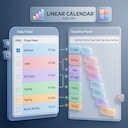

Linear Calendar
Visualize schedule busyness and master your timeline directly in Google Sheets without leaving your project
Разработчик:
Данные обновлены:8 сентября 2026 г.
Совместимо с:
9

Общие сведения
Linear Calendar & Task Sync transforms your flat Google Sheets task list into an interactive, visual timeline layout. Designed for project managers, freelancers, and teams who want clear workload visibility without the bloat of external management platforms.

Key Features
📅 Instant Visual Timeline: Automatically generates tiled timeline "busyblocks" directly within spreadsheet cells based on task dates and estimates.

🔄 Two-Way Task Sync: Highlight and select empty time-blocks directly in the calendar grid to automatically create or update task rows in your primary table.

🎨 Smart Project Color-Coding: Dynamically colors tasks and corresponding calendar blocks by project for effortless, high-level visual tracking.

⚡ Zero External Overhead: Works entirely inside Google Sheets—no third-party accounts, APIs, or complex external integrations required.

🧠 Smart Date Resolution: Infers start or end dates automatically using task hour estimates and existing row parameters.

How It Works
Initialize: Set up your project headers with a single click.

Visualize: Refresh the calendar to map out your upcoming days into tiled, color-coded rows.

Adjust & Sync: Select cells in your timeline to dynamically update your task start and end dates in real time.

Stop guessing your team's capacity—visualize overlap, prevent burnout, and keep projects moving on schedule directly within your spreadsheet.
Дополнительная информация
sell
ЦеныБесплатно
code
Разработчик
Не продавец
email
Поддержка
lock
Политика конфиденциальности
description
Условия использования
flag
ЖалобаПожаловаться




Поиск
Очистить поле поиска
Закрыть поиск
Приложения Google
Главное меню