
Google Workspace Marketplace


LogixFlow
No-code platform to design custom logistics and warehouse solutions or use ready-to-use apps.
Gawa ng:
Na-update ang listing noong:Hulyo 27, 2026
Gumagana sa:
Walang review
1K+



Pangkalahatang-ideya
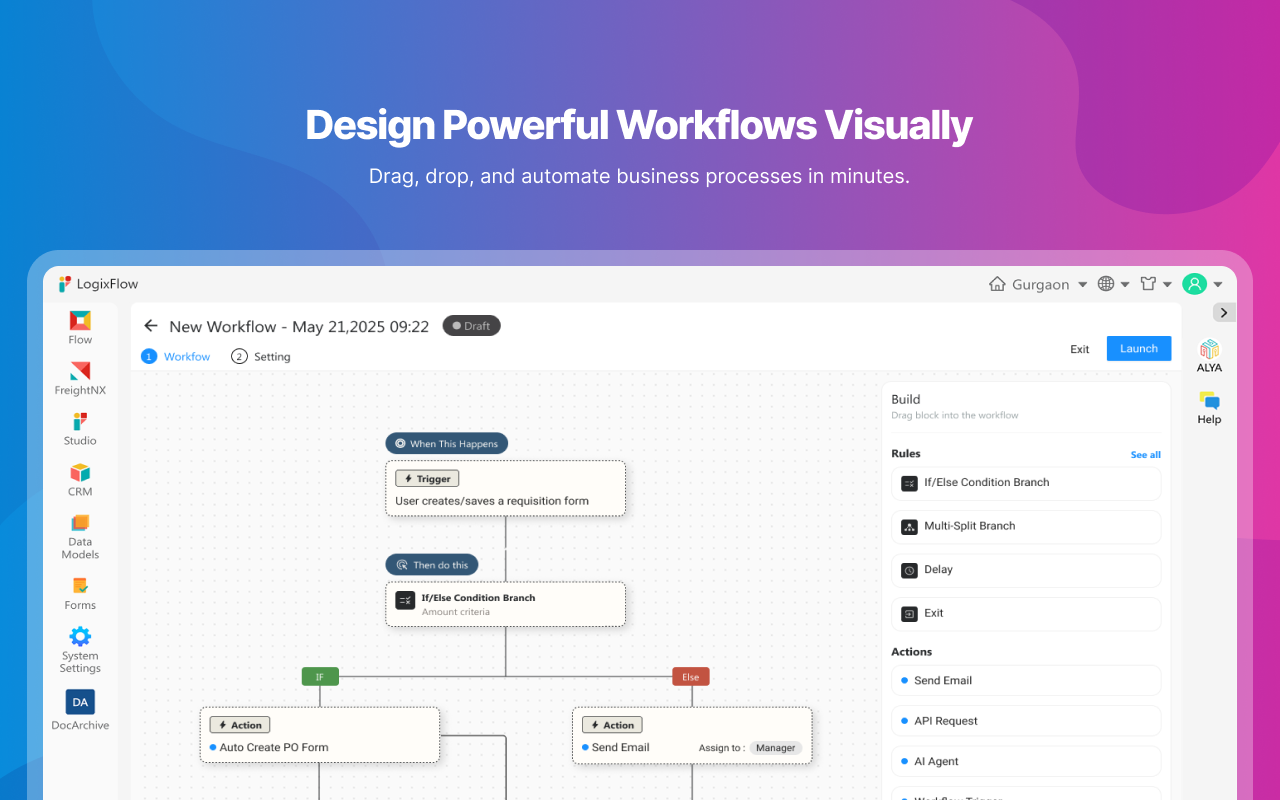
LogixFlow is a powerful no-code workflow automation and application platform purpose-built for logistics, warehousing, freight forwarding, and supply chain management.
Whether you need to design custom operational workflows using our intuitive no-code visual builder or launch immediately with pre-built applications, LogixFlow eliminates technical complexity and connects your physical operations directly to Google Workspace™.
Pre-Built & Ready-to-Use Applications
Jumpstart your operations in minutes with built-in, industry-tailored applications:
Transport Management System: TMS for shippers to centrally manage all their carriers. Full visibility from the Load Creation to Delivery.
Freight Forwarding System: End-to-end shipment management, docket creation, and invoice automation.
First & Last-Mile Delivery Management: Driver allocation, delivery route execution, and status tracking.
Logistics Document Management: Smart document workspace for waybills, dockets, and proof-of-delivery processing.
Logistics CRM & Sales Automation: Manage leads, generate quotes, and track customer relationships built specifically for logistics providers.
Key No-Code & Logistics Capabilities
Drag-and-Drop Form & App Builder: Easily construct custom data fields, conditional logic, complex formulas, and approval workflows without writing a single line of code.
Custom Operational Workflows: Automate pick/pack/ship operations, dock scheduling, load assignments, and asset management.
Role-Based Access & Visibility: Restrict access across operating units, departments, or external partners.
Google Workspace™ Integration Features
1. Export to Google Sheets™
Users can export workflow data and records directly from LogixFlow to Google Sheets™. During export, users can:
Create a new Google Sheet™ or select an existing sheet using Google’s™ file picker.
Export selected records and business data.
Enable Live Sync to automatically keep Google Sheets™ updated whenever records are modified in LogixFlow.
Example: When a shipment status changes from “In Transit” to “Delivered” in LogixFlow, the corresponding row in Google Sheets™ is automatically updated.
2. Google Chat™ Notifications
LogixFlow integrates with Google Chat™ through its Automation Builder, allowing organizations to send automated notifications based on workflow events. Supported actions include:
Direct messages to specific users.
Automated alerts when records are created, updated, approved, or assigned.
Operational notifications for logistics, support, HR, and business process workflows.
Example: When a load is assigned to a driver, LogixFlow can automatically send a Google Chat™ notification informing the assigned user.
Key Benefits
Eliminate manual data entry and spreadsheet bottlenecks.
Keep Google Sheets™ synchronized with live warehouse and logistics operations in real time.
Improve team collaboration across desk and field teams through automated Google Chat™ notifications.
Increase operational visibility, process accuracy, and efficiency.
LogixFlow securely accesses only the Google Workspace™ resources authorized by the user and performs actions solely to deliver the requested integration functionality.
Karagdagang impormasyon
sell
PagpepresyoLibre
code
Developer
email
Suporta
lock
Patakaran sa privacy
description
Mga tuntunin ng serbisyo
flag


Search
I-clear ang paghahanap
Isara ang paghahanap
Mga app ng Google
Pangunahing menu