
Google Workspace Marketplace


LogixFlow
No-code platform to design custom logistics and warehouse solutions or use ready-to-use apps.
デベロッパー:
リスト更新日:2026年7月27日
対応デバイス:
レビューはありません
1374+



概要
LogixFlow is a powerful no-code workflow automation and application platform purpose-built for logistics, warehousing, freight forwarding, and supply chain management.
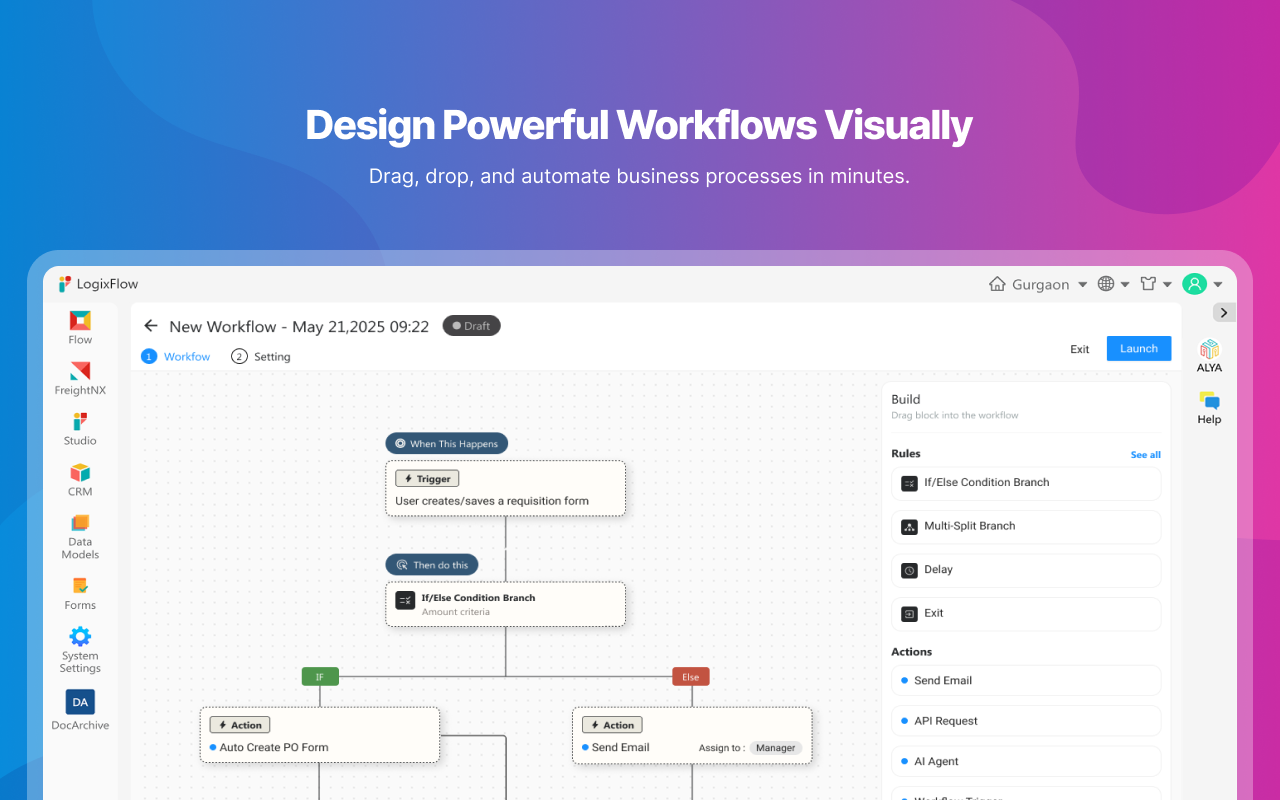
Whether you need to design custom operational workflows using our intuitive no-code visual builder or launch immediately with pre-built applications, LogixFlow eliminates technical complexity and connects your physical operations directly to Google Workspace™.
Pre-Built & Ready-to-Use Applications
Jumpstart your operations in minutes with built-in, industry-tailored applications:
Transport Management System: TMS for shippers to centrally manage all their carriers. Full visibility from the Load Creation to Delivery.
Freight Forwarding System: End-to-end shipment management, docket creation, and invoice automation.
First & Last-Mile Delivery Management: Driver allocation, delivery route execution, and status tracking.
Logistics Document Management: Smart document workspace for waybills, dockets, and proof-of-delivery processing.
Logistics CRM & Sales Automation: Manage leads, generate quotes, and track customer relationships built specifically for logistics providers.
Key No-Code & Logistics Capabilities
Drag-and-Drop Form & App Builder: Easily construct custom data fields, conditional logic, complex formulas, and approval workflows without writing a single line of code.
Custom Operational Workflows: Automate pick/pack/ship operations, dock scheduling, load assignments, and asset management.
Role-Based Access & Visibility: Restrict access across operating units, departments, or external partners.
Google Workspace™ Integration Features
1. Export to Google Sheets™
Users can export workflow data and records directly from LogixFlow to Google Sheets™. During export, users can:
Create a new Google Sheet™ or select an existing sheet using Google’s™ file picker.
Export selected records and business data.
Enable Live Sync to automatically keep Google Sheets™ updated whenever records are modified in LogixFlow.
Example: When a shipment status changes from “In Transit” to “Delivered” in LogixFlow, the corresponding row in Google Sheets™ is automatically updated.
2. Google Chat™ Notifications
LogixFlow integrates with Google Chat™ through its Automation Builder, allowing organizations to send automated notifications based on workflow events. Supported actions include:
Direct messages to specific users.
Automated alerts when records are created, updated, approved, or assigned.
Operational notifications for logistics, support, HR, and business process workflows.
Example: When a load is assigned to a driver, LogixFlow can automatically send a Google Chat™ notification informing the assigned user.
Key Benefits
Eliminate manual data entry and spreadsheet bottlenecks.
Keep Google Sheets™ synchronized with live warehouse and logistics operations in real time.
Improve team collaboration across desk and field teams through automated Google Chat™ notifications.
Increase operational visibility, process accuracy, and efficiency.
LogixFlow securely accesses only the Google Workspace™ resources authorized by the user and performs actions solely to deliver the requested integration functionality.
詳細情報


検索
検索をクリア
検索を終了
Google アプリ
メインメニュー