
Google Workspace Marketplace


Mail2Cal
Turn any email into a Google Calendar™ event instantly using AI. Automatically extract dates, times, attachments and details with zero manual typing.
Oppføring oppdatert:22. mars 2026
Fungerer med:
1k+


Oversikt
Transform your inbox into your schedule in seconds. Mail2Cal is an AI-powered assistant built for Gmail™ that automatically scans your emails for meeting requests, deadlines, and appointments, turning them into Google Calendar™ events with a single click.

Stop switching tabs, copying and pasting text, and manually typing out event details. Let AI handle the data entry so you can manage your time directly from your inbox.


Key Features:

🔹 AI Data Extraction: Automatically detects dates, times, locations, and context from your emails, even if they are written in natural language.

🔹 INSTANT AI PARSING
Leverages cutting-edge AI to precisely identify dates, time zones, physical or virtual locations, and relevant meeting descriptions from unstructured email text.

🔹 ONE-CLICK EVENT GENERATION
Review the seamlessly extracted data in the Gmail sidebar and create the Google Calendar™ event instantly. No context switching required.

🔹 UNIVERSAL ACCESS
Fully compatible with Gmail™ on Desktop (Web) and Mobile (Android/iOS) for scheduling on the go.

🔹 SMART ATTACHMENT HANDLING
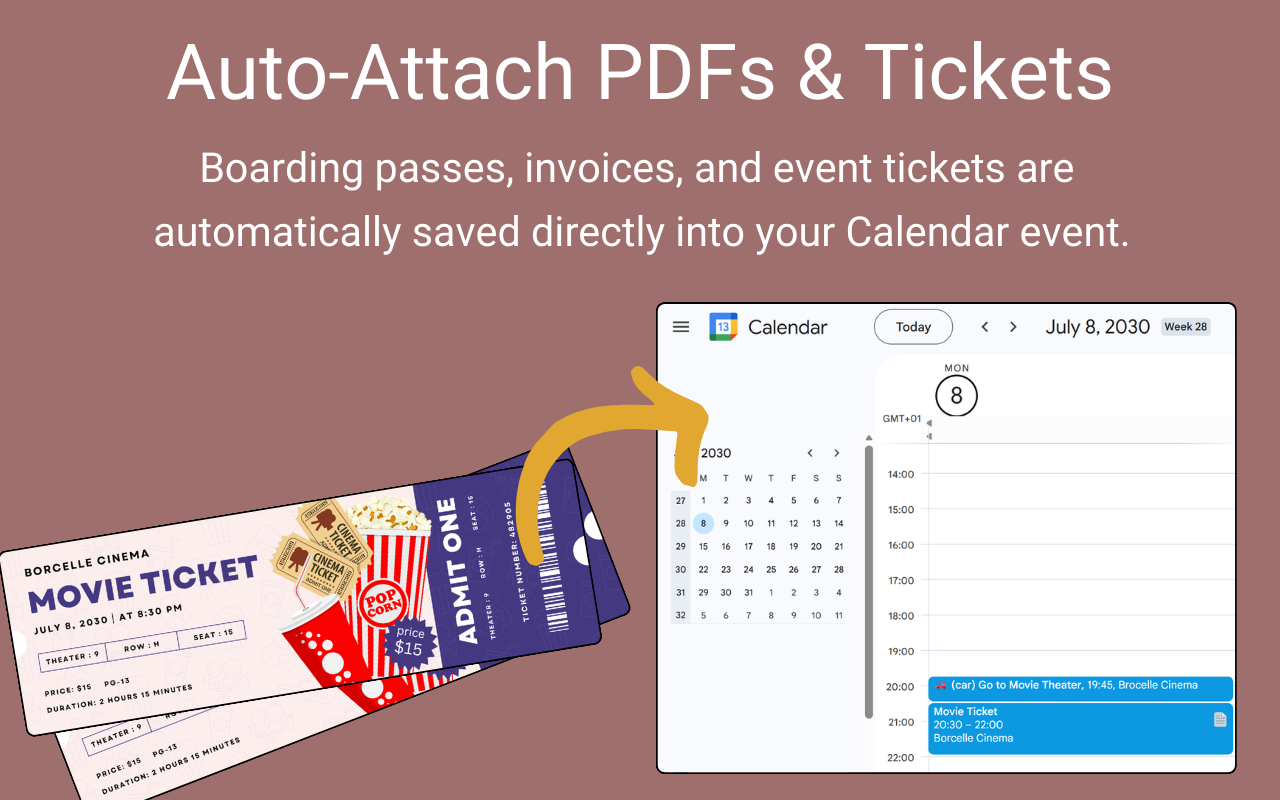
Automatically detects important email attachments, saves them securely to your Google Drive™, and links them directly to the new calendar event.

🔹 CONTEXTUAL ACCURACY
Understands conversational scheduling (e.g., "let's meet next Tuesday at 3 PM") and multilingual emails, formatting them correctly based on your settings.

🔹 FRICTIONLESS UI
Operates 100% within the native Gmail™ environment. No external apps needed.

🔹 IDEAL FOR
Sales professionals, project managers, executive assistants, busy parents, and anyone looking to optimize their daily workflow by automating tedious manual data entry.


🔒 100% PRIVACY FIRST APPROACH 🔒

We’ve built this tool with privacy and security in mind. Here is exactly how your data is handled:

✅ GOOGLE-CERTIFIED SECURITY
This app has been strictly validated by Google. All permissions and data access are managed and encrypted directly by Google’s own servers.

✅ ZERO DATA STORAGE
We don’t have databases to store your emails or calendar events. We literally cannot see or access your information because we don't save it at any point.

✅ NO DATA COLLECTION
We don't have your data, so we can't sell it, we can't leak it, and we can't use it. Period.

✅ NO AI TRAINING
Your email content is processed through secure enterprise-grade APIs. Google does not use data processed via these official APIs to train its global AI models, ensuring your private communications remain yours alone.

✅ ONLY WHEN YOU CLICK
The app only acts on the specific email you have open when you actively use the tool. It never "scans" your account or runs in the background.

In short: Your emails stay in your Gmail™, your events stay in your Calendar, and we stay out of the middle.


Resources & Support:
🌐 Website: https://zinkforge.com/mail2cal
📧 Support: support@zinkforge.com


Google Workspace™, Gmail™, Google Calendar™, and Google Drive™ are trademarks of Google LLC.
Tilleggsinformasjon
sell
PriserUten kostnad
code
Utvikler
Ikke næringsdrivende
email
Brukerstøtte
lock
Personvernregler
description
Vilkår for bruk
flag
RapportérRapporter som upassende






Søk
Slett søket
Lukk søkefunksjonen
Google-apper
Hovedmeny