Inbox to structured data email scraping
Listing updated:November 25, 2025
Works with:
144
Overview
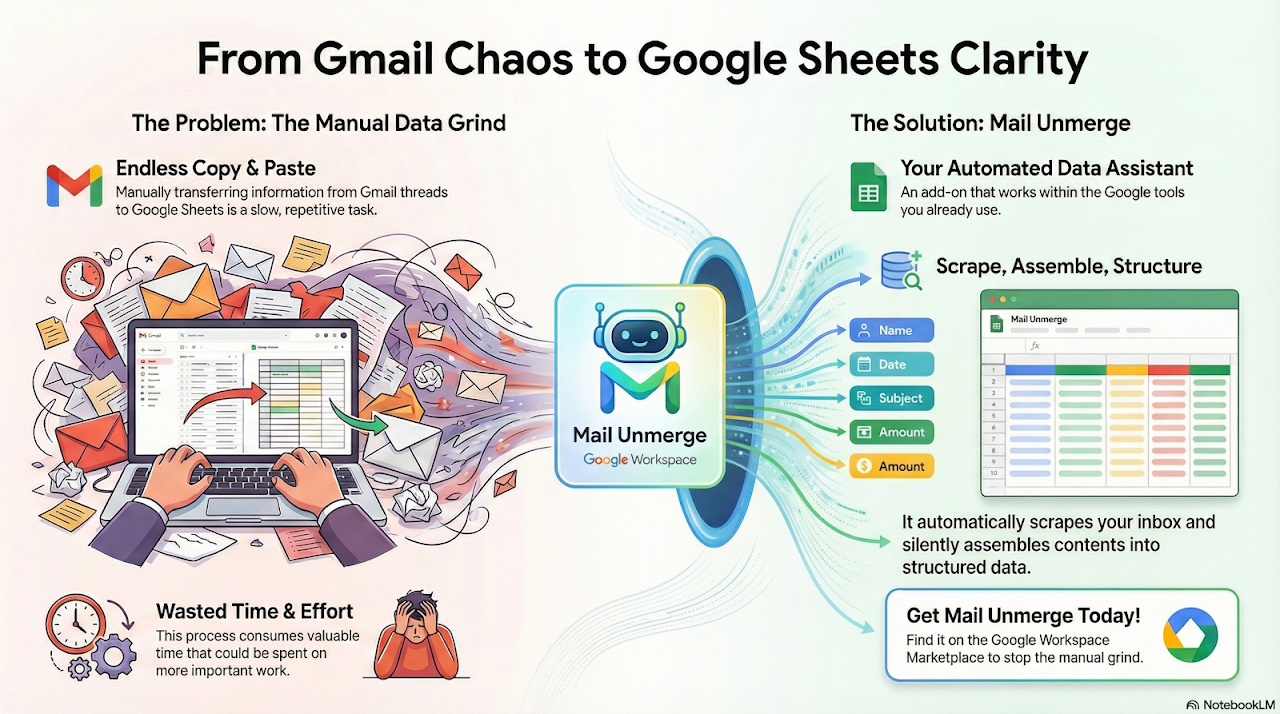
Introducing Mail Unmerge, the SheetsTM editor add-on that simplifies email data handling. With Mail Unmerge, effortlessly scrape and process emails to streamline your workflows and save valuable time.

Set up multiple email search and text scraping use cases with ease. Define your target emails by specifying status (read/unread) and location (inbox/labels). Utilize GmailTM search strings to pinpoint emails based on subjects and content, tailoring the scraping process to your needs.

Take complete control over how you handle scraped emails. Mark them read/unread, move them out of the inbox, or keep them there—customize the process to suit your workflow and preferences.

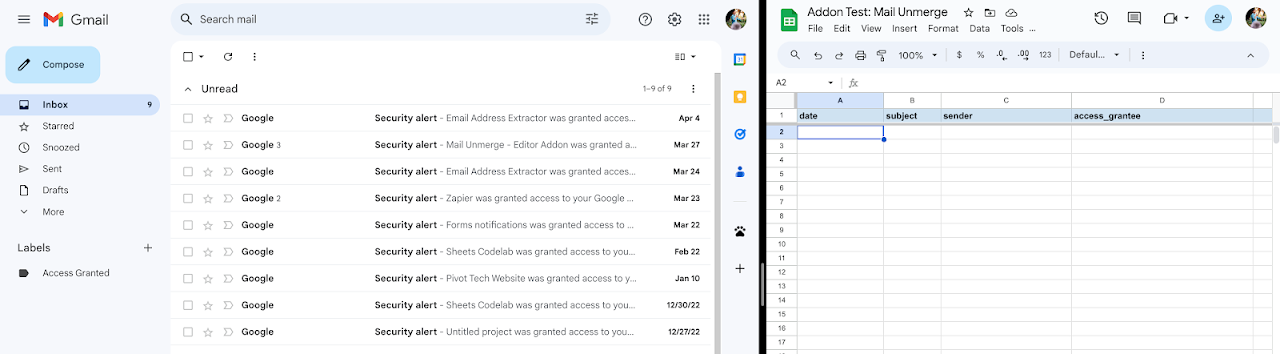
Once parameters are set, Mail Unmerge automatically scours your inbox hourly, extracting key information like received time, subject lines, and senders. The data is then organized and summarized in a Google SheetsTM tab, providing a structured overview of your scraped emails. Extract custom text, such as order numbers or customer details, specific to your use case.

Mail Unmerge is designed to boost productivity by automating email scraping, freeing up time for strategic tasks. Make informed decisions based on accurate and up-to-date data, without the hassle of manual data entry.

Unlock the true potential of your email data with Mail Unmerge. Try it today and experience enhanced efficiency, accuracy, and productivity in your email management workflow.
Additional information
PricingFree of charge
Privacy policy
Terms of service
Mail Unmerge will ask for the permissions shown below. Learn more
Mail Unmerge will need access to your Google account
This will allow Mail Unmerge to :
See, edit, create, and delete all your Google Sheets spreadsheets
Read, compose, and send emails from your Gmail account
Display and run third-party web content in prompts and sidebars inside Google applications
Allow this application to run when you are not present
See your primary Google Account email address
See your personal info, including any personal info you've made publicly available
Reviews
Language:
Sort by:
Google doesn't verify reviews or ratings. Learn more about reviews
Profile Picture
nida jafri
May 28, 2024
Mail Unmerge is incredible! I wouldn’t be able to survive without this automation during scheduling candidates. You can say good bye to copy pasting candidate names from one sheet to another, candidate data, making unnecessary updates. This tool can replace all of that and more being your one source of truth. It keeps you organized. It removes the anxiety of all the manual work involved. The script runs at the back seamlessly adding to your personal tracker with all the fields being completed without a worry in the world. I would highly recommend this to users who who have to maintain personal tracker for candidates in the recruiting world!
Is this review helpful?
Yes
No
Profile Picture
Gemma Stephens
May 15, 2024
Absolutely transformative for our team's productivity, collaboration, and data management. This app has streamlined our workflow, making project organization effortless and data collection incredibly efficient.
Is this review helpful?
Yes
No
Profile Picture
Khurram Jamali
May 27, 2024
Great tool for productivity increase for any repetitive task. Particularly useful when you are dealing with candidates of any sort (hires, vendors, etc.) and also quite useful to track internal tasks
Is this review helpful?
Yes
No
Profile Picture
Jenn Islam
May 17, 2024
So beyond helpful for our team's productivity, organization, and efficiency. I only wish I discovered it sooner - would've saved so much time and frustration!! Thank you to the team that built this!!
Is this review helpful?
Yes
No
Profile Picture
A User of Mail Unmerge
May 15, 2024
Complete game changer for my team's workflow, organization, and data collection. Would rate it 100 stars if that was an option!
Is this review helpful?
Yes
No
1-5 of 5
Search
Clear search
Close search
Google apps
Main menu