
Google Workspace Marketplace


Mailtuck
Save the email you're reading - with its attachments - into a Notion database.
Eintrag aktualisiert:2. September 2026
Kompatibel mit:
Keine Rezensionen
2



Überblick
Reading an email you want to keep? Press one button and it becomes a page in your Notion database - subject, message text, and the attachments too.

WHY ANOTHER ONE
Most Gmail-to-Notion tools were built before Notion's API could upload files at all. They either drop attachments or paste a link that expires. Mailtuck uploads the file into the page, so the thing you actually needed is still there next year.

WHAT YOU GET
- One-click save from the message you have open
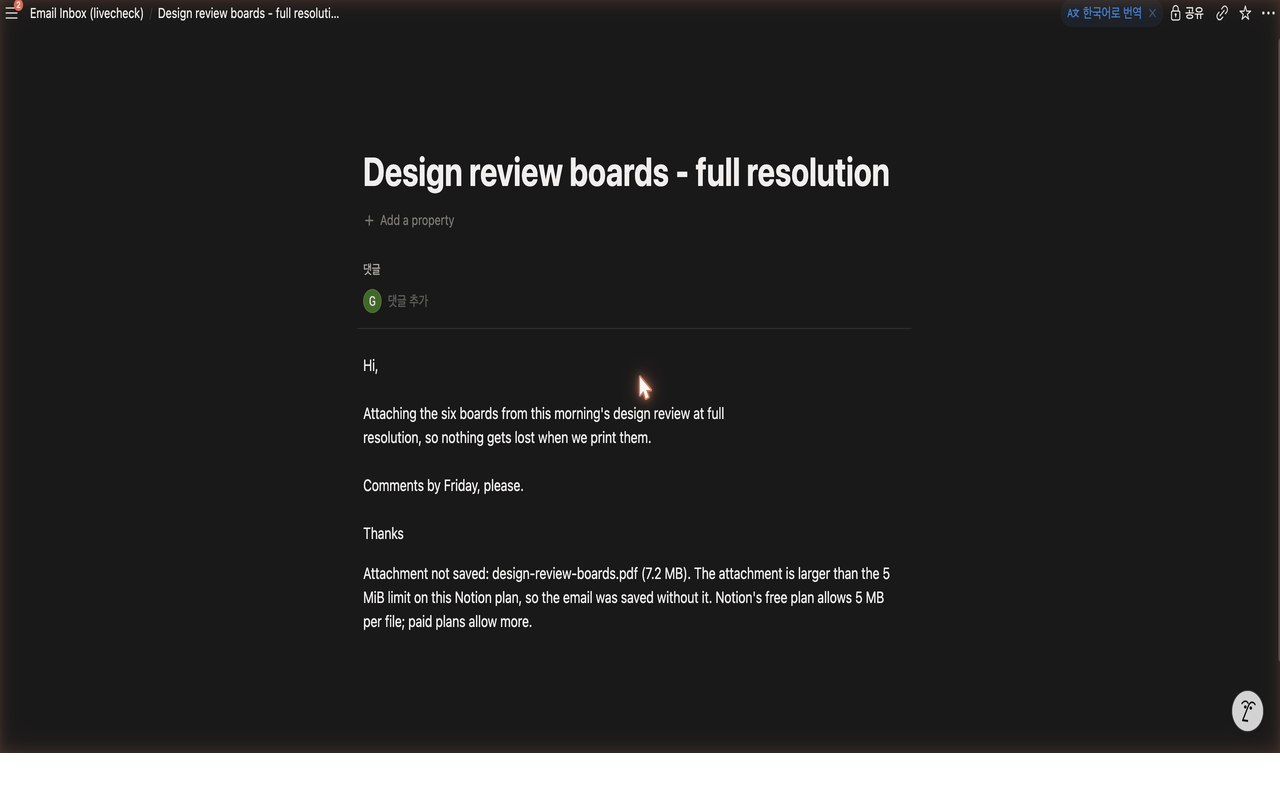
- Attachments uploaded into the Notion page itself
- Pick any database you have connected; the title, sender and date map to its columns
- Files too large for your Notion plan are named in the page with the reason, never dropped in silence
- Errors written as instructions, not error codes

WHAT MAILTUCK CANNOT SEE
It reads only the message you have open, using Google's narrow contextual permission. It has no access to the rest of your mailbox, your Drive, your contacts, or your calendar. Your Notion token is stored per user inside Google's own add-on storage; we run no server that could hold it.

BEFORE YOU INSTALL
Press Connect Notion once and choose your workspace - there is no key to copy. Then open the database you want to use in Notion and grant it access there. Notion hides every database from every add-on until you do this.

Mailtuck is an independent product and is not affiliated with, endorsed by, or sponsored by Google or Notion Labs.
Weitere Informationen
sell
PreiseKostenlos mit kostenpflichtigen Funktionen
code
Entwickler
Kein Händler
email
lock
Datenschutzerklärung
description
Nutzungsbedingungen
flag
MeldenAls unangemessen melden



Suche
Suche löschen
Suche schließen
Google-Apps
Hauptmenü