
Google Workspace Marketplace

Markdown Notes
Markdown Notes extends Google Sheets™ to make it easy to capture and visualize your ideas in markdown, a lightweight markup language that is easy to read and write.
デベロッパー:
リスト更新日:2023年2月13日
対応デバイス:
5434+




概要
Introducing Markdown Notes for Google Sheets™ add-on! This powerful tool lets you add notes to your Google Sheets™ cells using the popular markdown syntax. Whether you need to add comments, explanations, or reminders to your data, this add-on has got you covered.

Key Features:

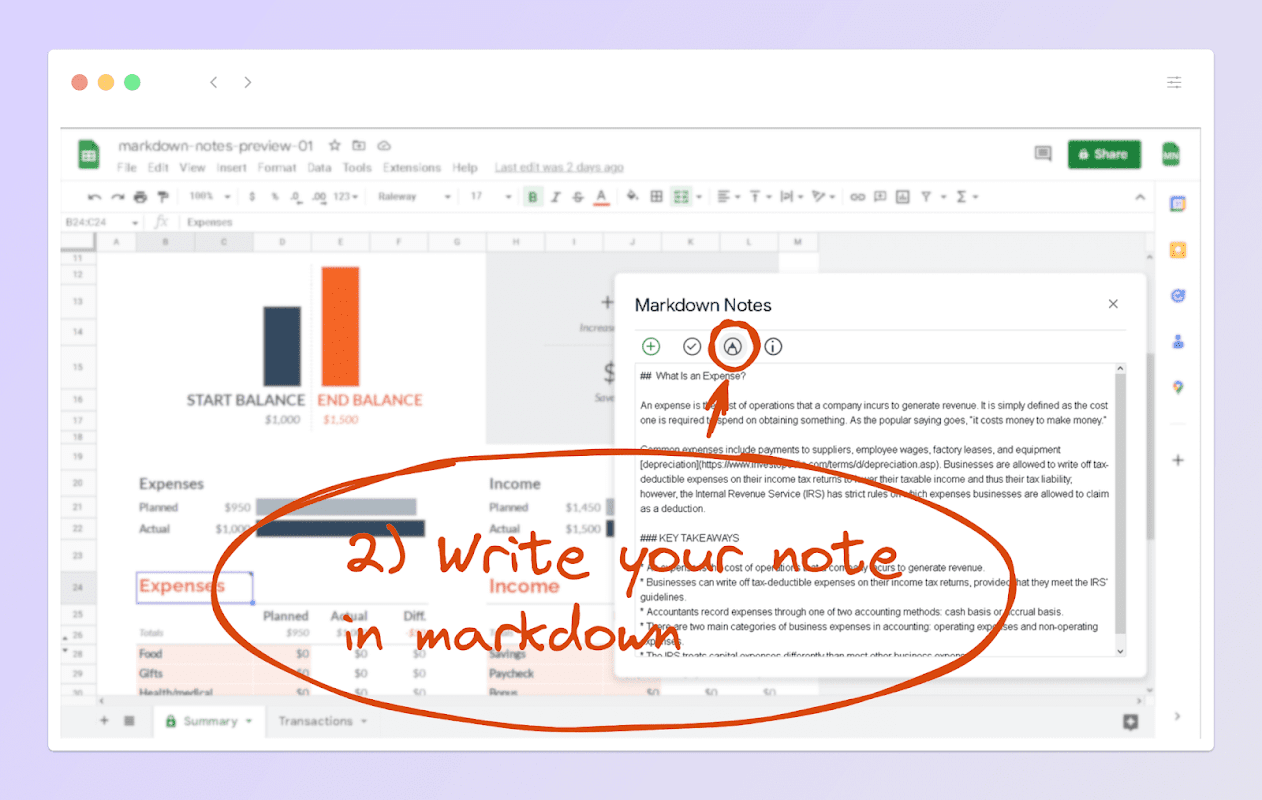
Write notes in markdown: The add-on supports all the basic formatting options of the markdown syntax, such as headings, bold and italic text, lists, links, tables, emojis, and code blocks. This makes it easy to create well-formatted notes that are easy to read and understand.

Store notes within the spreadsheet: All your notes are stored directly in the spreadsheet, so they are always accessible and can be shared with others. You don't have to worry about losing your notes if you close the add-on or switch to another tab.

No data ever leaves your spreadsheet: This add-on does not send any data to 3rd party servers to be processed, so you can be sure that all your data belongs to you.

Quick and easy access: The add-on adds a new menu item to the Google Sheets™ extension menu, so you can quickly access it from anywhere within the spreadsheet.

View notes within the spreadsheet: You can view your notes directly within the spreadsheet, so you don't have to switch to another tool to see them. The add-on automatically formats the notes to look great, with the markdown syntax transformed into HTML.

Markdown Notes is a must-have tool for anyone who needs to add notes to their Google Sheets™. Whether you're working on a project, keeping track of data, or just need a place to jot down some thoughts, this add-on makes it easy to do so in a simple and organized manner.
詳細情報




検索
検索をクリア
検索を終了
Google アプリ
メインメニュー