
Google Workspace Marketplace


Marketing Data Extractor
Extract Marketing and Social Media data directly into Google Sheets™. Posts, engagement, comments & more.
बनाने वाली कंपनी:
लिस्टिंग को पिछली बार अपडेट किया गया:7 जुलाई 2026
इनके साथ काम करता है:
कोई समीक्षा नहीं है
223




अवलोकन
Marketing Data Extractor helps you extract data from Instagram, TikTok, YouTube™, Google Maps™, Google Play Store™, Apple App Store, and Meta Ads Library directly inside Google Sheets™. No coding, no API keys, no manual copy-paste required.

SUPPORTED PLATFORMS
Instagram: profiles, hashtags, follower counts, 35+ fields
TikTok: creator profiles, video metrics, hashtag search
YouTube™: channels, video list, comments up to 500 per video, keyword search
Google Maps™: reviews, ratings, owner responses, up to 500 per location
Google Play Store™: app search, app details, user reviews, and similar app discovery
Apple App Store: app search, app details, and user reviews
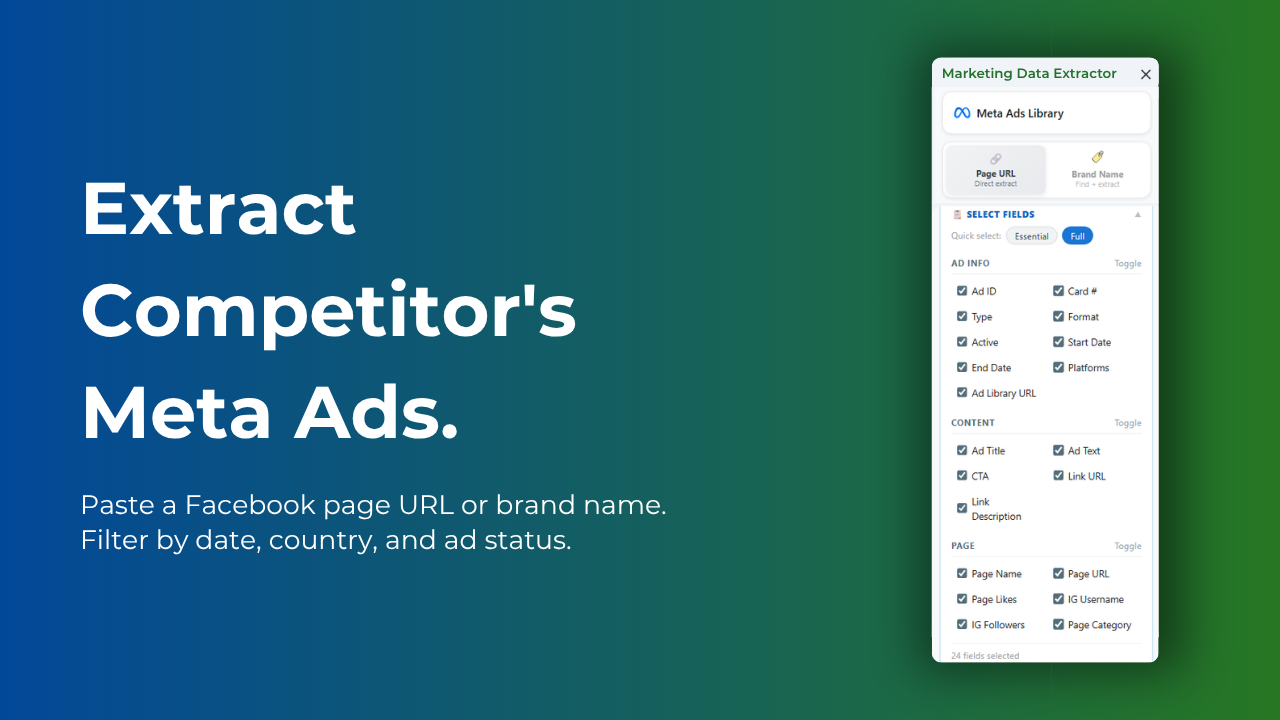
Meta Ads Library: active ads, creatives, ad copy, run dates, targeting by brand or page URL

HOW IT WORKS
Paste names, URLs, keywords, hashtags, or handles. Choose your fields or use ready-made presets. Click Extract and your data appears instantly in your sheet.

FEATURES
One-click extraction directly into Google Sheets™
Smart presets: Basic, Engagement, Media, Outreach, Full
Custom field selection across all platforms
Bulk processing to extract hundreds of profiles or URLs at once
Date filtering for recent posts and ads
Google Maps™: filter by star rating, sort by newest, extract review text, reviewer info, and owner responses
YouTube™: extract channel profile, video list, top comments, and keyword search
Google Play Store™: search apps by keyword, extract full app details, scrape user reviews, and discover similar apps - 4 extraction modes
Apple App Store: search apps by keyword, extract app details and metadata, and pull user reviews - 3 extraction modes
Meta Ads Library: extract by Page URL or Brand Name, filter by date, country, and ad status, 24 fields including ad copy, CTA, link URL, page info, and IG data
Zero technical setup: no API keys, no JSON config, no terminal, no developer accounts on any platform
Google Sheets™ native: data lands directly in your spreadsheet, not a separate dashboard
No reinstall needed as new platforms are added automatically

PRICING
Free to install with no credit card required. Every account includes 30 complimentary credits each month, automatically renewed. Need more? Purchase flexible, one-time credit packs and pay only for what you extract. No subscription required, and credits never expire.

Perfect for marketers, agencies, researchers, and creators who need reliable data from social media, paid advertising, local search, and app stores for reporting, competitive analysis, and growth.
अतिरिक्त जानकारी
sell
कीमतइस ऑफ़र में कुछ सुविधाएं बिना किसी शुल्क के उपलब्ध हैं, जबकि कुछ सुविधाओं के लिए पैसे चुकाने होंगे
code
डेवलपर
email
सहायता
lock
निजता नीति
description
सेवा की शर्तें
flag
शिकायत करेंआपत्तिजनक ऐप्लिकेशन की शिकायत करें




खोजें
खोज हटाएं
खोज बंद करें
Google ऐप
मुख्य मेन्यू