
Google Workspace Marketplace
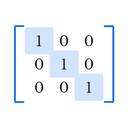

Matrix Inserter for Docs™
Insert properly-bracketed matrices into Google Docs™ — free & Premium, no equation editor needed.
Deweloper:
Pozycja zaktualizowana:24 sierpnia 2026
Współpracuje z:
150


Omówienie
Google Docs™ has no built-in way to properly draw matrix brackets. Getting one right usually means fighting the equation editor or hand-drawing brackets yourself.

Matrix Inserter fixes that. Open the sidebar, pick your size and bracket style, type your numbers, and insert a correctly-formatted matrix in seconds.

WHAT IT SHOWS
- 10 bracket styles: Square, Round, Curly, Pipe, Double Pipe, none, Angle, Floor, Ceiling, Double Bracket
- Matrices from 2×2 up to 12×12
- Live preview as you build your matrix
- Augmented matrices with a proper dashed divider, for systems of equations
- Fractions, square roots, subscripts, and superscripts inside any cell
- Paste a matrix straight from LaTeX or a spreadsheet — no retyping

HOW IT WORKS
Open any Google Docs™ document, go to Extensions → Matrix Inserter → Insert Matrix... Pick your size and bracket style, type your numbers, and click Insert — it drops straight into your document at the right size.

FREE TO START
Matrices up to 6×6, six bracket styles (Square, Round, Curly, Pipe, Double Pipe, none), and augmented-matrix dividers — no payment required.

PREMIUM — $9.99/YEAR
Unlocks matrices up to 12×12, all four remaining bracket styles, rich math notation (fractions, √, sub/superscripts), color highlighting, LaTeX and spreadsheet import, saved matrix templates, and higher-resolution export. Payments are processed by Gumroad.

PRIVACY FIRST
Your document content stays inside your own Google account. The only thing ever sent outside is a license key, and only when you activate Premium — used solely to verify your subscription with Gumroad.

Built by Structured Works — tools that work properly, nothing wasted.

Google Docs™ is a trademark of Google LLC. Matrix Inserter for Docs™ is not affiliated with or endorsed by Google LLC.
Dodatkowe informacje
sell
CenyBezpłatnie z płatnymi funkcjami
code
Deweloper
email
lock
Polityka prywatności
description
Warunki korzystania z usługi
flag



Szukaj
Wyczyść wyszukiwanie
Zamknij wyszukiwanie
Aplikacje Google
Menu główne