
Google Workspace Marketplace
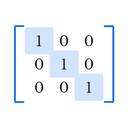

Matrix Inserter for Docs™
Insert properly-bracketed matrices into Google Docs™ — free & Premium, no equation editor needed.
Nhà phát triển:
Đã cập nhật trang thông tin:24 tháng 8, 2026
Hoạt động với:
150


Tổng quan
Google Docs™ has no built-in way to properly draw matrix brackets. Getting one right usually means fighting the equation editor or hand-drawing brackets yourself.

Matrix Inserter fixes that. Open the sidebar, pick your size and bracket style, type your numbers, and insert a correctly-formatted matrix in seconds.

WHAT IT SHOWS
- 10 bracket styles: Square, Round, Curly, Pipe, Double Pipe, none, Angle, Floor, Ceiling, Double Bracket
- Matrices from 2×2 up to 12×12
- Live preview as you build your matrix
- Augmented matrices with a proper dashed divider, for systems of equations
- Fractions, square roots, subscripts, and superscripts inside any cell
- Paste a matrix straight from LaTeX or a spreadsheet — no retyping

HOW IT WORKS
Open any Google Docs™ document, go to Extensions → Matrix Inserter → Insert Matrix... Pick your size and bracket style, type your numbers, and click Insert — it drops straight into your document at the right size.

FREE TO START
Matrices up to 6×6, six bracket styles (Square, Round, Curly, Pipe, Double Pipe, none), and augmented-matrix dividers — no payment required.

PREMIUM — $9.99/YEAR
Unlocks matrices up to 12×12, all four remaining bracket styles, rich math notation (fractions, √, sub/superscripts), color highlighting, LaTeX and spreadsheet import, saved matrix templates, and higher-resolution export. Payments are processed by Gumroad.

PRIVACY FIRST
Your document content stays inside your own Google account. The only thing ever sent outside is a license key, and only when you activate Premium — used solely to verify your subscription with Gumroad.

Built by Structured Works — tools that work properly, nothing wasted.

Google Docs™ is a trademark of Google LLC. Matrix Inserter for Docs™ is not affiliated with or endorsed by Google LLC.
Thông tin bổ sung
sell
GiáKhông mất phí khi dùng các tính năng có tính phí
code
Nhà phát triển
email
Hỗ trợ
lock
Chính sách quyền riêng tư
description
Điều khoản dịch vụ
flag
Báo cáoĐánh dấu là không phù hợp



Tìm kiếm
Xóa nội dung tìm kiếm
Đóng tìm kiếm
Các ứng dụng của Google
Trình đơn chính