
Google Workspace Marketplace


Mindmup
Collaborative mind mapping, integrates with Google Drive™ and Google Workspace™
정보 업데이트:2026년 5월 28일
호환 기기:
1062만+



개요
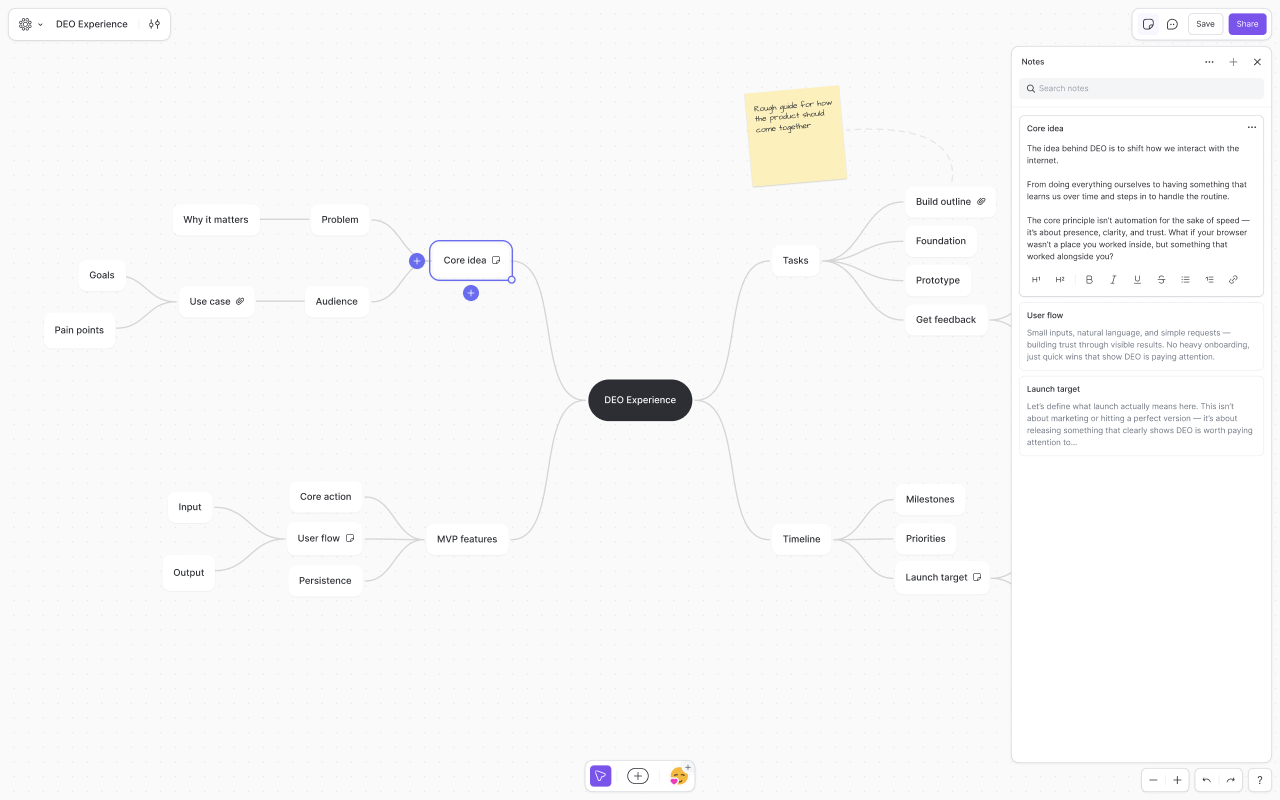
Mindmup is a fast, collaborative, zero-friction mind mapping app built for brainstorming, planning, and organizing ideas visually.

Mindmup for Google Drive™ requires an active Mindmup Starter, Team, or Organization subscription. Monthly and annual plans are available. Learn more at mindmup.com/pricing.

The new generation of Mindmup brings a redesigned experience with deeper Google Drive™ integration, and a cleaner, more intuitive interface designed to stay out of your way.

Highlights:

- Seamless Google Drive™ integration with support for familiar Drive workflows
- Lightweight, distraction-free interface focused on speed and simplicity
- Support for multiple Google™ accounts at the same time
- Drive previews for easier sharing and discovery
- Attach Google Drive™ files and images directly to map nodes
- Flexible layouts, themes, styling, and productivity features
- Easy publishing, exporting, and embedding
- Works instantly in the browser with no software installation required

“If you are looking to create a mind-map online, Mindmup is the app I would recommend the most. Mindmup is the sort of app everyone dreams of finding online.” – MakeUseOf

“Mindmup is super-simple, lightweight, and generally a joy to use.” – PC World

“What I like about Mindmup is that it is clean and simple. It allows for frictionless capture of ideas and projects. The UI stays out of your way and lets you get your ideas out.” – Time Management Ninja

“If you like to plan and brainstorm by creating mind maps to link together ideas, Mindmup is a great browser-based program that helps you get organized.” – LifeHacker

Google Drive™ and Google™ are trademarks of Google LLC.
추가정보


검색
검색어 지우기
검색 닫기
Google 앱
기본 메뉴