
Google Workspace Marketplace


NewsFinder
Find current news articles inside Google Docs™ and insert source links into your document.
Разработчик:
Данные обновлены:8 июля 2026 г.
Совместимо с:
2 тыс.+
Общие сведения
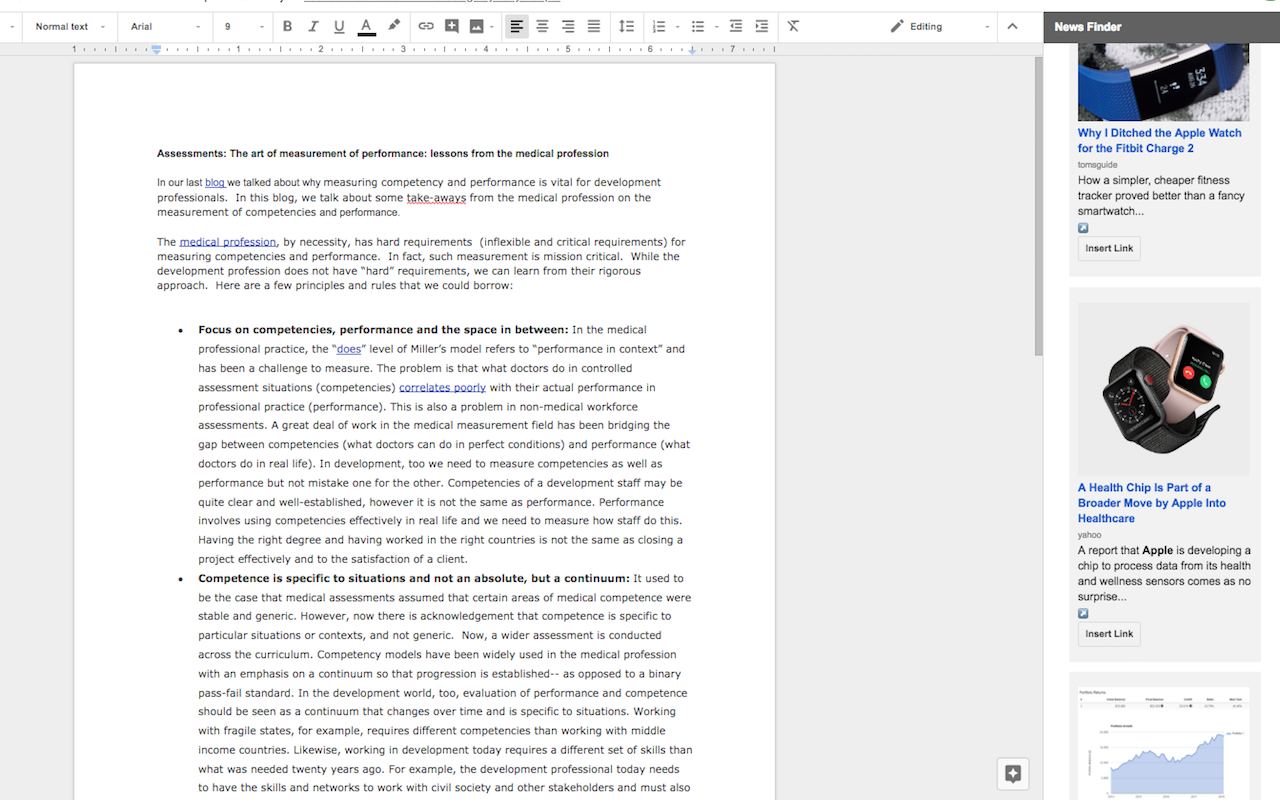
News Finder helps you quickly find relevant news articles while working in Google Docs™. The add-on opens in a side panel and displays recent news results with article images, headlines, sources, and short previews.

You can review articles without leaving your document, open the original source for more context, and insert article links directly into your Google Docs™ file. This is useful for research notes, briefings, newsletters, reports, school assignments, and other documents that need current news references.

Key features:

Search and browse recent news from within Google Docs™.

Preview article headlines, sources, images, and summaries in a clean sidebar.

Open the original article source before using it.

Insert article links directly into your document.

Reduce time spent switching between tabs while researching.

News Finder is designed to support faster research and better source tracking. Users remain responsible for reviewing source content, verifying accuracy, and ensuring that any quoted or referenced material is used appropriately.
Дополнительная информация
sell
ЦеныБесплатно
code
Разработчик
Не продавец
email
Поддержка
lock
Политика конфиденциальности
description
Условия использования
flag
ЖалобаПожаловаться



Поиск
Очистить поле поиска
Закрыть поиск
Приложения Google
Главное меню