
Google Workspace Marketplace


Optimization Solver
A tool that solves constrained optimization problems right inside of your Google Sheets™ spreadsheet models.
Ändrades senast:31 januari 2026
Fungerar med:
18 tn+


Översikt
It's time for spreadsheet solver software to be available on the web.


What is Optimization Solver?

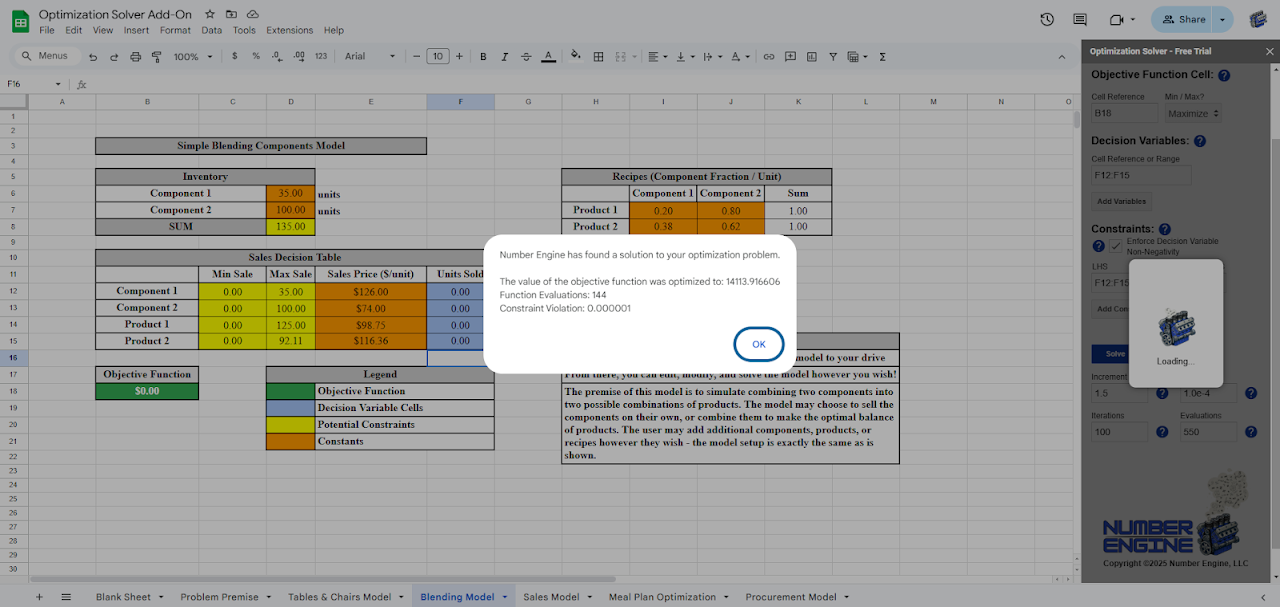
Optimization Solver is an add-on for Google Sheets™ that solves linear and nonlinear constrained optimization problems in your spreadsheet models. It boasts a sleek and simple user interface with built-in features to help users navigate the unique challenges of spreadsheet modeling. Optimization Solver is published by Number Engine, LLC: a new developer on the scene!

_____________________________________________________________________________________________________

How does it work?

Solving constrained optimization problems on web-based spreadsheets is a difficult task for many reasons; that's why so few add-ons have been developed to do it. Optimization solver leverages two solution methods: 'Linear', and 'Nonlinear'. The 'Linear' method is designed to provide you with global solutions to linear problems and has the option to solve mixed integer problems as well. The 'Nonlinear' method uses a linear approximation approach to give you a local solution to your nonlinear model. Both support models of up to 50 decision variables at this time.

_____________________________________________________________________________________________________

Why should you use Optimization Solver?

Other solutions on the market try to solve your models with outdated methods that are slow and ineffective, or they try to offload your model's data to an external web service solver. Here at Number Engine, we solved these problems with our very own proprietary methodology. The following are some reasons summarized from our website on why you should use Optimization Solver:

- The App's Internal Execution (via your sheet's own script)
- Our Commitment to Data Privacy
    - The permissions page mentions that we collect your personally
      identifiable information, but we do not store any of this information in
      accordance with our privacy policy. This scope is included by default in
      all add-ons.
- Customizable Settings
- Rigorously Tested Methods & Error Handling

_____________________________________________________________________________________________________

Pricing

A 7-day free trial is available automatically upon installing the app and launching the user interface for the first time. After this point, users may choose from one of two subscription plans to continue optimizing:

- A monthly plan, $2.99 per user per month
- A yearly plan, $29.99 per user per year

Subscriptions to these plans are managed through the Stripe payment platform. All you need to do is visit the respective payment link for the plan you've chosen, check out, and your access to the add-on will be automatically granted!Ytterligare information
sell
PriserKostnadsfri provperiod
code
Utvecklare
Inte säljare
email
Support
lock
Integritetspolicy
description
Användarvillkor
flag
RapportFlagga som olämplig




Sök
Rensa sökning
Stäng sökrutan
Googles appar
Huvudmeny