
Google Workspace Marketplace


Page Break Tools
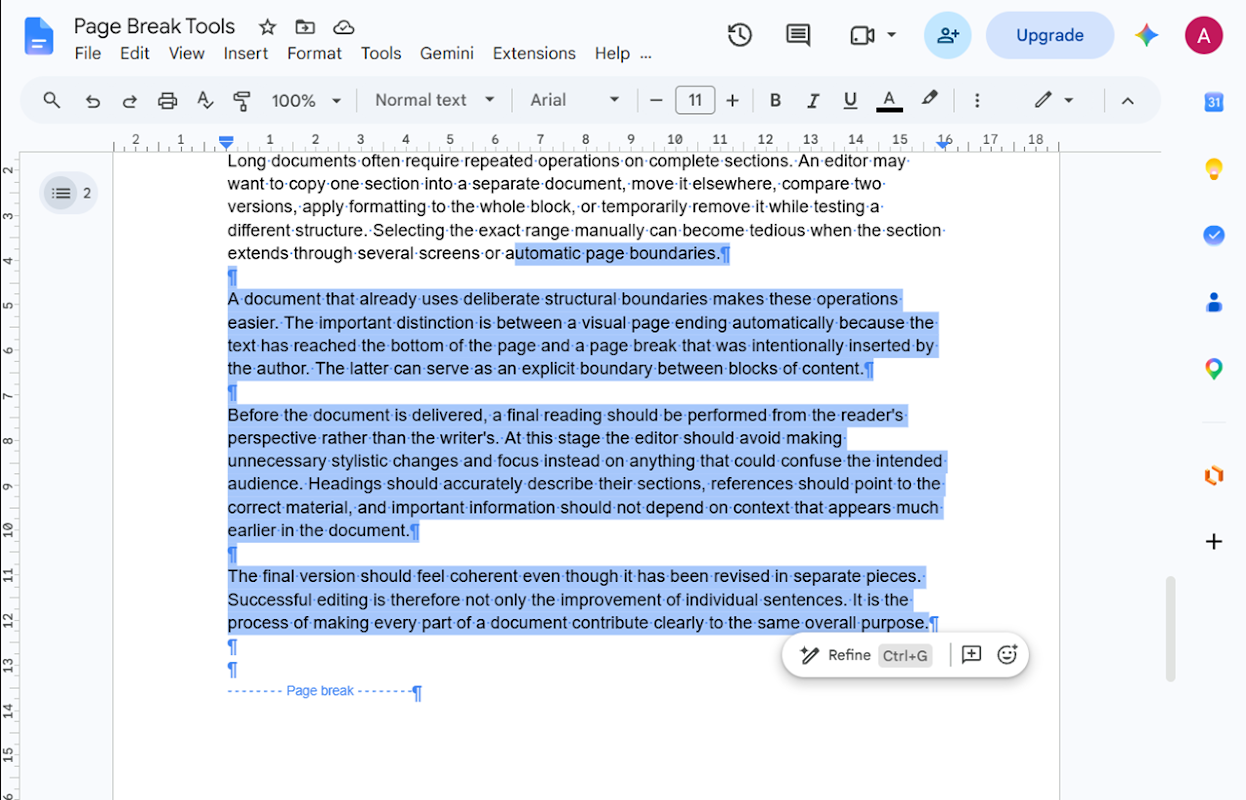
Free Google Docs™ add-on: select text between manual page breaks without dragging or finding both ends. Also select from the cursor to the previous or next manual page break.
Listing updated:October 21, 2026
Works with:
No reviews
6


Overview
Select long text blocks between manually inserted page breaks in Google Docs™, without dragging across pages or finding both ends by hand.

THREE COMMANDS
- Select Content Back to Previous Page Break: from the previous manual break to the cursor; shows a message if there is no previous break.
- Select Content Between Page Breaks: the block around the cursor; if a boundary is missing, uses the start or end of the active tab body.
- Select Content Up to Next Page Break: from the cursor to the next manual break; shows a message if there is no next break.

HOW TO USE
In the active tab body, place a text cursor inside the block, clear any existing selection, then choose Extensions > Page Break Tools and a command. Review the selection and copy normally with Google Docs.

LIMITS
Uses manual page breaks, not automatic page boundaries, headings or section breaks. Blocks may span several visual pages. Commands work in the active tab body, not headers or footers, and need selectable text. Delimiting breaks are excluded. The add-on selects text; it does not copy, paste or duplicate automatically.

PRICE AND ACCESS
Currently free of charge; no separate Page Break Tools account. Document access is used to locate the cursor and manual breaks and create selections. Google currently lists these permissions:
- View and manage documents that this application has been installed in
- See your primary Google Account email address
- See your personal info, including any personal info you've made publicly available

Guide: https://pagebreaktools.app/how-to-select-text-between-page-breaks-google-docs/
Privacy: https://pagebreaktools.app/privacy/
Support: https://pagebreaktools.app/support/

Google Docs™ is a trademark of Google LLC.
Additional information
sell
PricingFree of charge
code
Developer
email
Support
lock
Privacy policy
description
Terms of service
flag
ReportFlag as inappropriate


Search
Clear search
Close search
Google apps
Main menu