
Google Workspace Marketplace


ParseForMe
Automate data entry — parse PDFs straight into Google Sheets™. No typing.
정보 업데이트:2026년 9월 2일
리뷰 없음
3



개요
ParseForMe removes manual data entry. Upload a PDF or a scan, and it comes back
as clean, structured spreadsheet rows, written straight into Google Sheets™.

IT DOES NOT CARE WHAT THE DOCUMENT IS
Bank statements, invoices, receipts, utility bills, purchase orders, shipping
documents, resumes and payslips. Finance teams use it for statements and
invoices. Recruiters use it for bulk CV parsing. Operations use it for purchase
orders and shipping paperwork. Same three steps every time: upload, review,
export.

EVERY FIELD CARRIES A CONFIDENCE SCORE
Extraction is not magic and we do not pretend otherwise. Each field comes back
with a confidence score so you can see what needs checking, and you can correct
anything on the review screen before a single row is exported.

WHERE THE DATA GOES
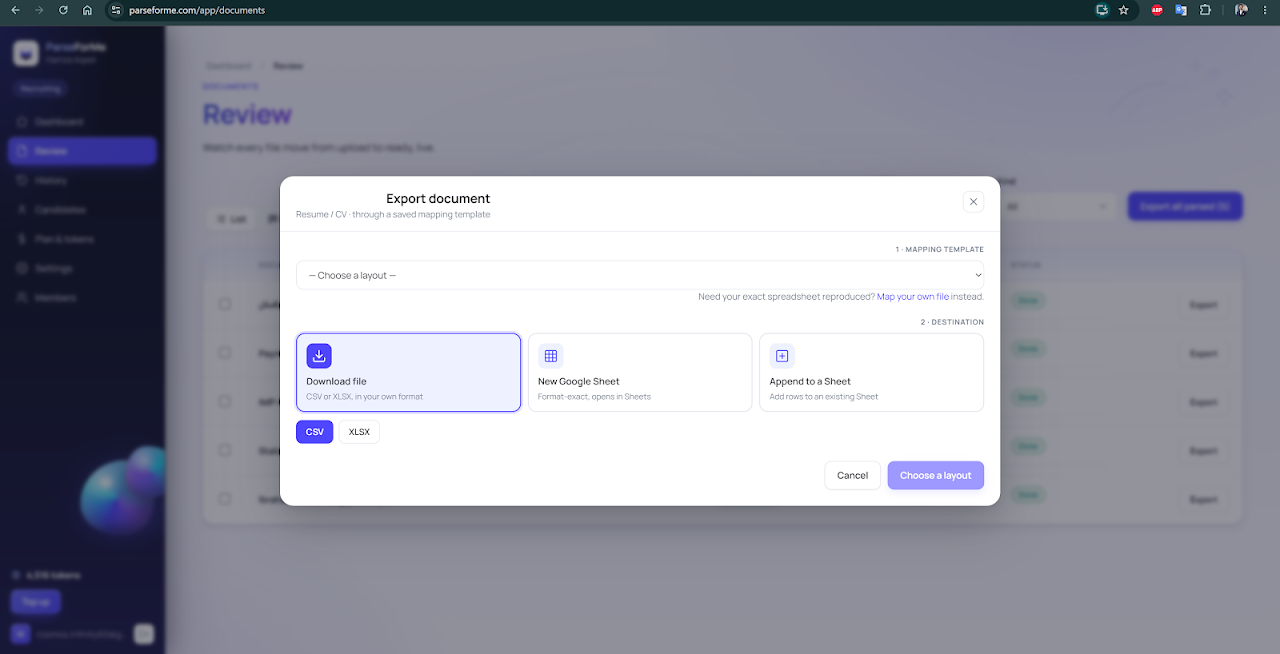
- Google Sheets™, in one click, into your own Google Drive™
- Excel and CSV
- QuickBooks and Xero (.qbo)

ABOUT THE PERMISSIONS WE ASK FOR
ParseForMe requests only the drive.file and userinfo.email OAuth scopes. The
drive.file scope grants access to files ParseForMe itself creates or that you
explicitly select. It cannot browse, list or read the rest of your Google
Drive™, and we deliberately did not request the broader Google Drive™ scopes
that would. Your Google user data is never sold, never shared for advertising,
and never used to train machine-learning models.

PRICING
30 free pages on signup, no card required. After that: Starter $19/month (500
pages), Growth $59/month (2,500 pages), Scale $199/month (10,000 pages).

Documents are processed and stored in the EU. Refresh tokens are encrypted at
rest with AES-256-GCM and are never written to logs.

Google Sheets™ and Google Drive™ are trademarks of Google LLC. ParseForMe is
not affiliated with, endorsed by, or sponsored by Google LLC. All other product
and company names mentioned are trademarks of their respective owners; their
use is descriptive only.
추가정보



검색
검색어 지우기
검색 닫기
Google 앱
기본 메뉴