
Google Workspace Marketplace


PDF Redact by cloudHQ
Permanently remove sensitive information from PDFs with one click. Redact multiple files in parallel, with results instantly saved to Google Drive™ or downloaded. No complex software required.
Listing updated:July 27, 2026
Works with:
5K+


Overview
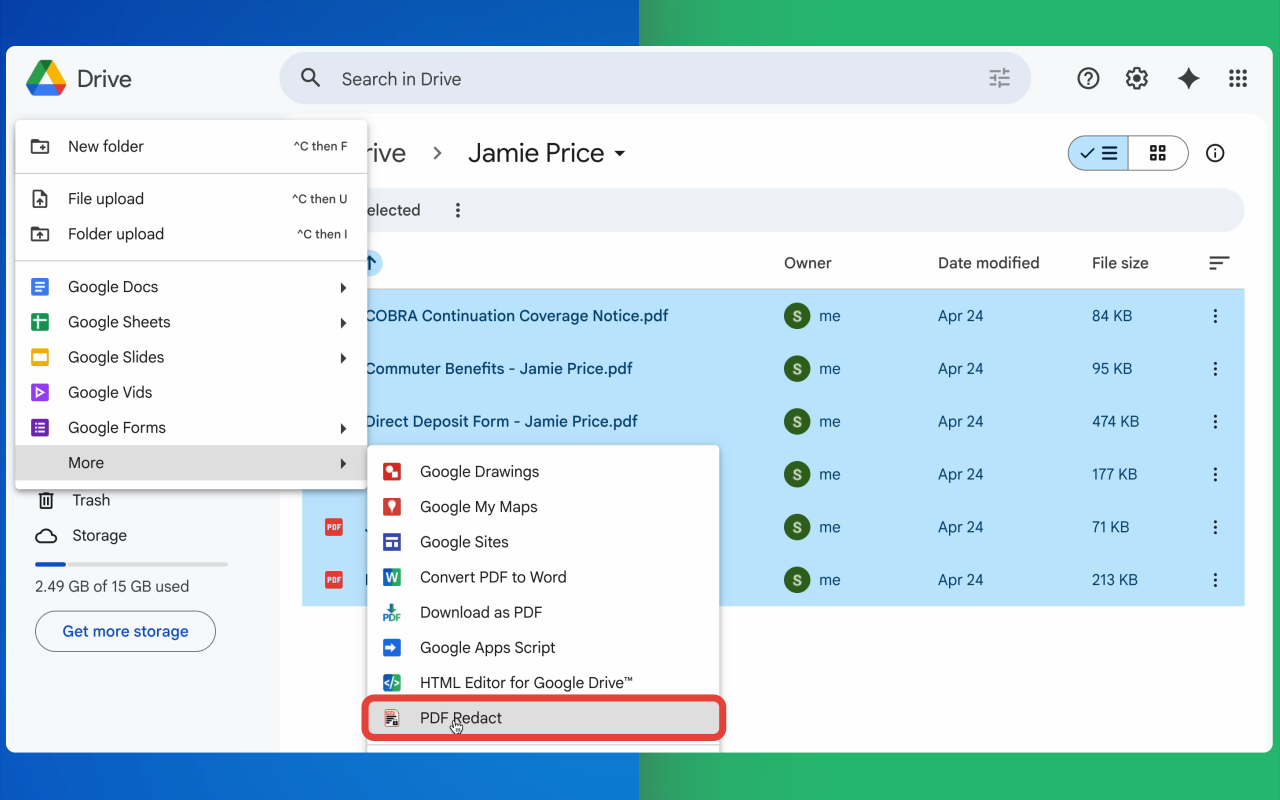
PDF Redact by cloudHQ helps you securely remove sensitive information from PDF documents in just a few clicks. Integrated directly with Google Drive™, it lets users redact files without installing complex desktop software.

The app uses smart detection to identify personal information, financial data, government IDs, medical details, and confidential business content, helping teams find what needs to be removed faster. Users can review suggested redactions, manually redact selected areas, and permanently sanitize documents before sharing them.

Unlike simple black-box overlays, PDF Redact performs irreversible redaction at the pixel level, helping ensure the original sensitive content cannot be recovered from hidden text layers or metadata. It also supports batch processing, so entire folders of PDFs can be redacted at once, making it useful for legal, healthcare, finance, HR, government, education, and other compliance-focused workflows.

Every redacted file is automatically saved to Google Drive™ and can also be downloaded to your computer for immediate use. The service is designed to work across desktop and mobile devices, and supports organization-wide deployment for Google Workspace™ administrators.

cloudHQ. Helping your productivity, 1 click at a time.

cloudHQ website: https://www.cloudhq.net/
App website: https://www.pdf-redact.ai/
Pricing: https://www.pdf-redact.ai/pricing
Support page: https://support.cloudhq.net/category/browser-extensions/pdf-redact/
Blog: https://blog.cloudhq.net

Google Shared Drive™, Google Drive™, and Google Workspace™ are trademarks of Google LLC. Use of these trademarks is subject to Google™ Permissions.

cloudHQ® is a trademark of cloudHQ LLC. https://www.cloudhq.net/trademark
Additional information
sell
PricingFree of charge trial
code
Developer
email
Support
lock
Privacy policy
description
Terms of service
flag
ReportFlag as inappropriate


Search
Clear search
Close search
Google apps
Main menu