
Google Workspace Marketplace


Pixel Art Activity
Allows educators/home school parents to create fun and interactive pixel art activities for their students/children in minutes.
बनाने वाली कंपनी:
लिस्टिंग को पिछली बार अपडेट किया गया:8 मई 2026
इनके साथ काम करता है:
59 हज़ार+




अवलोकन
Pixel Art Activity Add-on for Google Workspace™

Description:
Transform learning into a fun and interactive experience with our innovative Pixel Art Activity Add-on for Google Sheets™ in Google Workspace™! This unique add-on brings an engaging twist to educational exercises, perfect for teachers and educators looking to spice up their digital classrooms.

Features:

Customizable Content: Input your own questions and answers to tailor the learning experience to your curriculum needs.

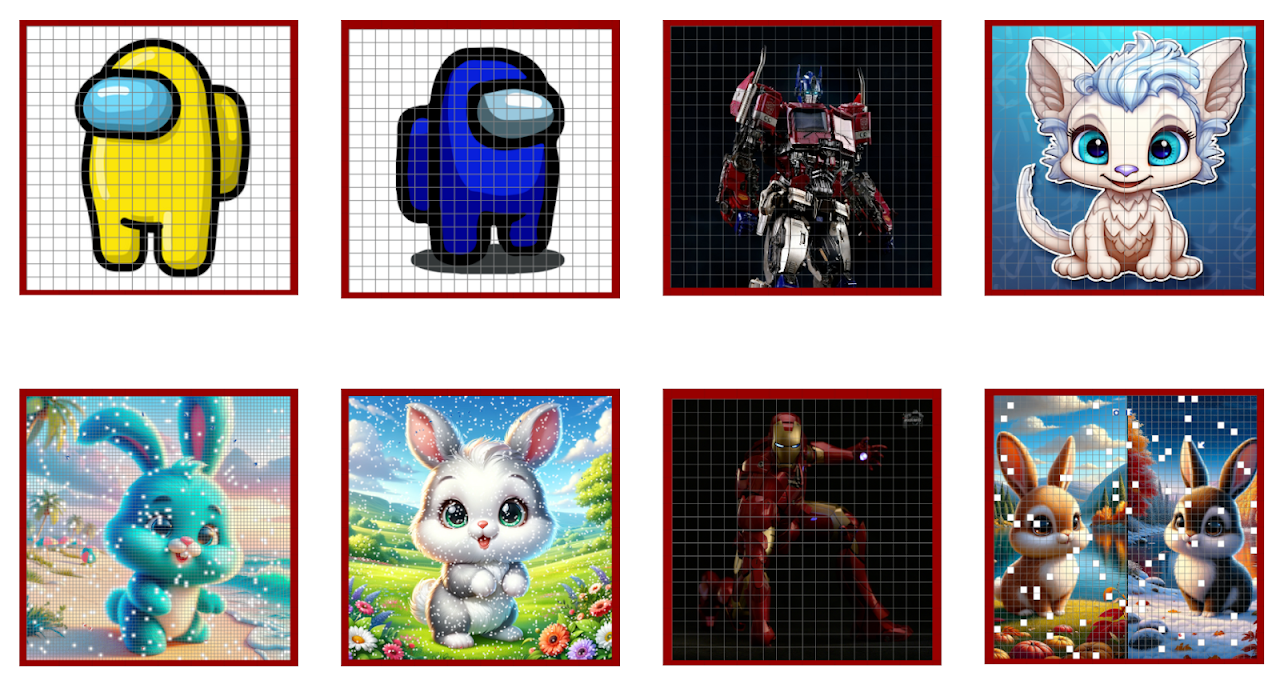
Image Integration: Provide any image, and our add-on will cleverly divide it into smaller squares, turning it into a pixel art puzzle.

Interactive Learning: As students answer questions correctly, conditional statements in the Google Sheet™ will gradually reveal the pixel art image mystery, adding an exciting visual reward to the learning process.

Easy Setup: No complicated procedures! Our user-friendly interface ensures a smooth and quick setup.

Sample Materials Included: Get started right away with our collection of sample questions and images, carefully designed to demonstrate the full potential of this educational tool.

Seamless Integration with Google Workspace™: Designed to work flawlessly within the Google Workspace™ ecosystem, ensuring compatibility and ease of use.

Applications:

Educational Enhancement: Ideal for educators seeking innovative methods to engage students in subjects ranging from math, science, to language arts.

Interactive Assignments: Create interactive assignments that blend learning with creativity and problem-solving.

Gamified Learning: Introduce a gamified element to your teaching, increasing student motivation and participation.

Other Use Cases:
- Use this to make/create pixel art mysteries in education.
- Use as pixel art maker in Google Sheets more efficient than a traditional cell by cell coloring.
- No need to create thousands of conditional formatting for your pixel art.
- Perfect for creating math pixel art.

How to Create Pixel Art Math Activity Using This Addon:
Step 1: Install Pixel Art Activity Addon to your Google Sheets™ then create a new Sheet.
Step 2: Paste Your 20 Questions and 20 Answers in any Sheet. Questions in Column A and Answers in Column B.
Step 3: Open Pixel Art Activity Addon through Extensions Menu
Step 5: Provide the Url of your Image (Can be PNG or JPG) (Can be Drive URL)
Step 6: Click Create Activity! - Done

Please check out hundreds of Pixel Art Activity on our TPT store:

Update: 2025 September 26, you are now able to use AI to generate images for your Pixel Art Activity.

https://www.teacherspayteachers.com/store/gamified-edutech/category-pixel-art-math-google-sheets-1250459
अतिरिक्त जानकारी
sell
कीमतइस ऑफ़र में कुछ सुविधाएं बिना किसी शुल्क के उपलब्ध हैं, जबकि कुछ सुविधाओं के लिए पैसे चुकाने होंगे
email
सहायता
lock
निजता नीति
description
सेवा की शर्तें
flag
शिकायत करेंआपत्तिजनक ऐप्लिकेशन की शिकायत करें





खोजें
खोज हटाएं
खोज बंद करें
Google ऐप
मुख्य मेन्यू