
Google Workspace Marketplace


Place Snippets
Place Snippet can be use to insert snippets / clauses for document template, document builder, knowledge management, clause management, contract management, document automation
วันที่อัปเดตข้อมูล:2 ตุลาคม 2564
ใช้งานได้กับ
1K+


ภาพรวม
Insert  Snippet to google doc in a click with Place Snippet. User can also build snippet database with google sheet which the sheet can be loaded to Place Snippet or share with friends and colleague.

Place Snippet's main features make powerful solution for Google Docs users:


    List all your snippets right next to your Google Doc, insert them into your docs with one click


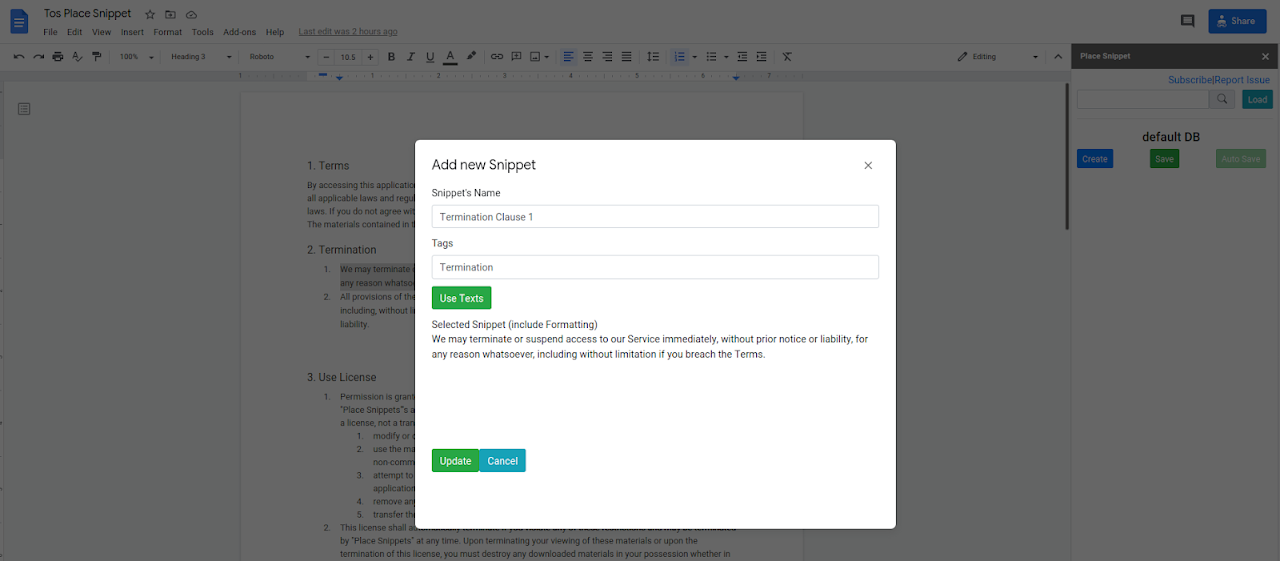
    Add new snippets with text selected in docs and retain its format


    Share snippet text across members of teams


Can be use as companion with apps : Placeholder , Clio

Place Snippets support selection save with format - url link, subscript/superscript and others text format.
Support multi lines (paragraph)* Beta
Support Insert from other google doc* Beta

NOTE: We do not store your snippets. Your snippets is save in googlesheets  in your google drive


Place Snippets has free trial of 14 days. After 14 days some function is restricted


Updates :
**2 Oct 2021**
Fix depreciated Bootstrap version
**9 April 2021**
- Add Google Doc File Snippet* Beta
- Add multi line (paragraph) support* Beta
- fix subscript/superscript supportข้อมูลเพิ่มเติม
sell
ราคาไม่พร้อมใช้งาน
code
นักพัฒนาซอฟต์แวร์
ไม่ได้ระบุสถานะผู้ค้า
email
การสนับสนุน
lock
นโยบายความเป็นส่วนตัว
description
ข้อกำหนดในการให้บริการ
flag



ค้นหา
ล้างการค้นหา
ปิดการค้นหา
แอป Google
เมนูหลัก