
Google Workspace Marketplace





개요
Let’s make Google Docs™ the best IDE for programming!

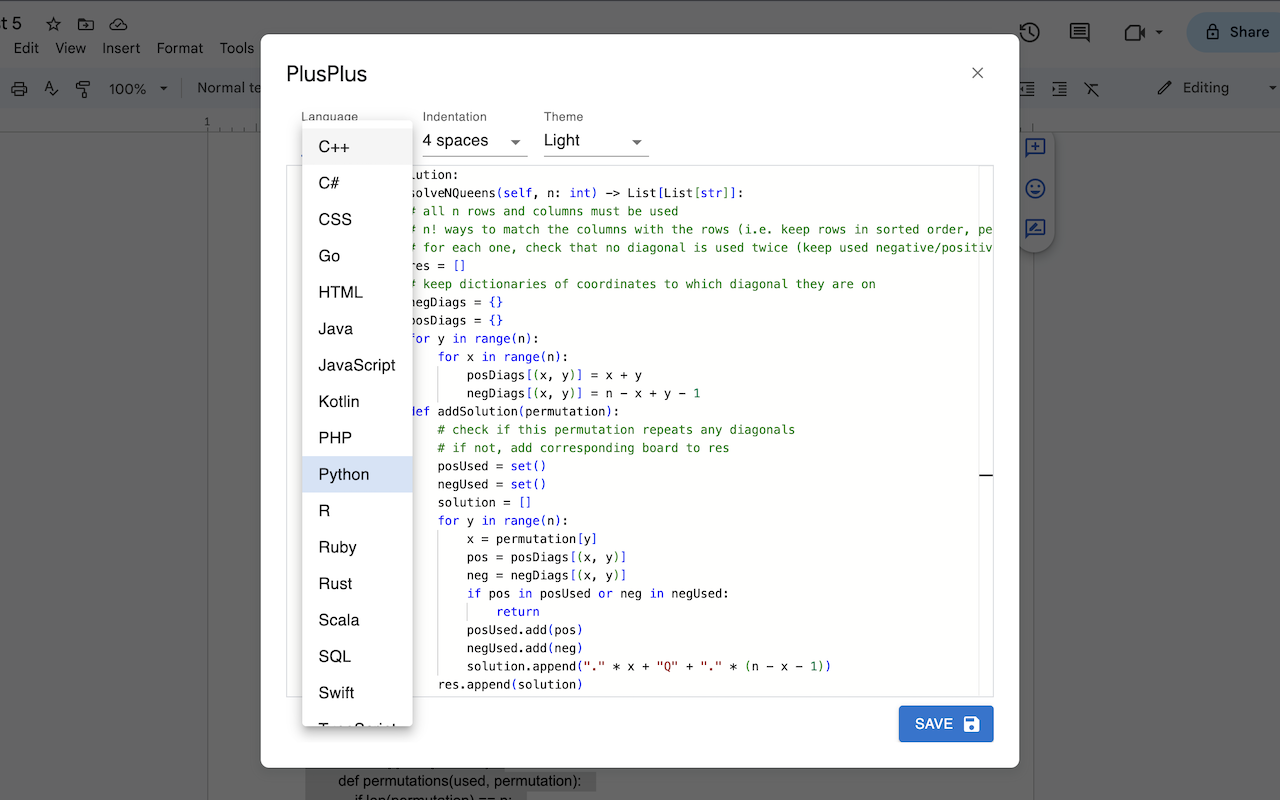
PlusPlus allows you to open a window right inside Google Docs™ to easily write code. It contains a text editor with many familiar features from the popular VS Code, such as auto-indentation, closing brackets, keyboard shortcuts, and support for over 15 of the most commonly used languages. Whether you are a beginner taking notes while learning to program, or a working professional embedding code into your documentation, PlusPlus is your all-in-one solution to coding inside Google Docs™.

USAGE:
Highlight text before opening PlusPlus to edit and replace your existing code
Or simply open PlusPlus to insert code at the position of your cursor
When you’re finished, press save or use the shortcut Ctrl/Cmd-S to apply your changes
If you encounter permission errors, try signing out of all Google accounts
추가정보




검색
검색어 지우기
검색 닫기
Google 앱
기본 메뉴