
Google Workspace Marketplace


PresEngage
AI-powered Q&A for Google Meet™ presentations. Audience members ask questions and get instant, slide-referenced answers from an AI trained on your presentation content.
Autor:
Ficha actualizada:12 de marzo de 2026
Compatible con:
169



Información general
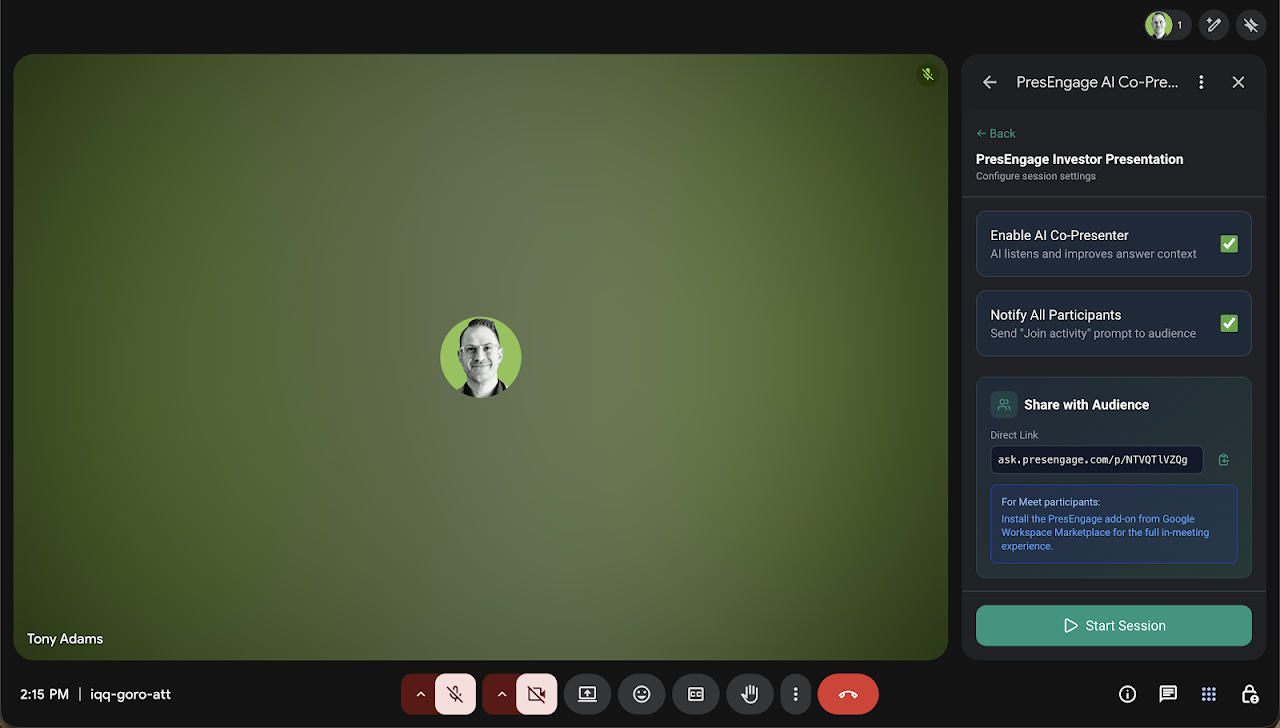
PresEngage™ adds an AI Co-Presenter to your Google Meet™ sessions that answers audience questions in real time using your presentation slides as context.

How it works: Upload your presentation to PresEngage™, start a live session in Google Meet™, and your audience can ask questions directly from the Meet™ side panel. The AI Co-Presenter responds instantly with accurate answers grounded in your slide content, including references to specific slides.

 Presenter features:
 - Start and manage live Q&A sessions from within Google Meet™
 - Moderate questions: star, approve, or hide submissions in real time
 - Star a question to display it on the main stage for all participants
 - Monitor live question and participant counts
 - Toggle the AI Co-Presenter on or off at any time
 - Share a direct link so people outside the meeting can also ask questions

 Audience features:
 - Ask questions and receive AI-generated answers with slide references
 - See featured questions highlighted by the presenter on the main stage
 - Join with Google Sign-In™ or just an email — no account required
 - Continue the conversation after the meeting ends via a follow-up link

PresEngage™ is built for teachers, trainers, conference speakers, and anyone who presents in Google Meet™ and wants to make Q&A easier and more engaging. Visit https://presengage.com to get started.
Información adicional
sell
PrecioSin coste
code
Desarrollador
No operador
email
Asistencia
lock
Política de privacidad
description
Términos del Servicio
flag
DenunciarMarcar como inapropiada


Búsqueda
Borrar búsqueda
Cerrar búsqueda
Aplicaciones de Google
Menú principal