Generate and insert professional QR codes directly into Gmailโ„ข, Google Driveโ„ข, and Google Sheetsโ„ข.
ืžืืช:
ื“ืฃ ื”ืืคืœื™ืงืฆื™ื” ืขื•ื“ื›ืŸ ื‘ืชืืจื™ืš:5 ื‘ืคื‘ืจื•ืืจ 2026
ื”ืืคืœื™ืงืฆื™ื” ืคื•ืขืœืช ืขื:
280
ืกืงื™ืจื” ื›ืœืœื™ืช
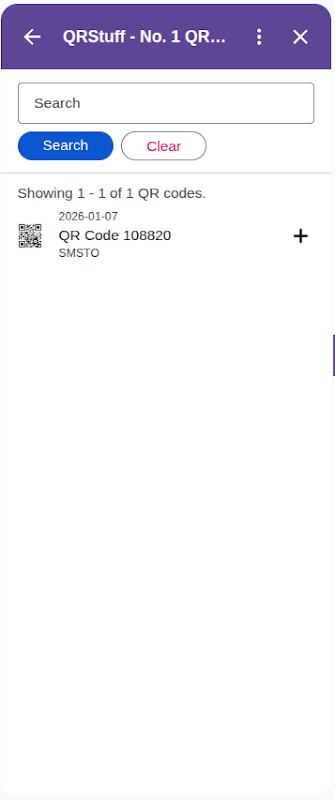
Take full control of your QR codes with the QRStuff Google Workspaceโ„ข Add-on. Use the world's most versatile QR code generator directly in Gmailโ„ข, Google Driveโ„ข, and Google Sheetsโ„ข.

        Key Features:
        - Create QR codes for 25+ data types (URLs, WiFi, V-Cards, Location, etc.)
        - Insert QR codes directly into your Gmailโ„ข messages and Google Sheetsโ„ข.
        - Generate and save QR code images directly to your Google Driveโ„ข (attempts to save in source folder, falls back to Root).
        - Dedicated 'Bulk Uploads' folder for sheet backups.
        - Full support for dynamic QR codes (requires QRStuff subscription).
        - High-resolution output for print and digital use.

Simplify your workflow and enhance your communications with professional QR codes from QRStuff.

Google Workspaceโ„ข, Gmailโ„ข, Google Driveโ„ข, and Google Sheetsโ„ข are trademarks of Google LLC
ืžื™ื“ืข ื ื•ืกืฃ
ืชืžื—ื•ืจื‘ื—ื™ื ื ืขื ืชื›ื•ื ื•ืช ื‘ืชืฉืœื•ื
ืžืคืชื—
ืžื“ื™ื ื™ื•ืช ื”ืคืจื˜ื™ื•ืช
ืชื ืื™ื ื•ื”ื’ื‘ืœื•ืช
ื”ืืคืœื™ืงืฆื™ื” QRStuff - No. 1 QR Code Generator ืชื‘ืงืฉ ืœืงื‘ืœ ืืช ื”ื”ืจืฉืื•ืช ืฉืžืคื•ืจื˜ื•ืช ืœืžื˜ื”. ืžื™ื“ืข ื ื•ืกืฃ
ื”ืืคืœื™ืงืฆื™ื” QRStuff - No. 1 QR Code Generator ืชืฆื˜ืจืš ื’ื™ืฉื” ืœื—ืฉื‘ื•ืŸ Google ืฉืœืš
ืคืขื•ืœื” ื–ื• ืชืืคืฉืจ ืœืืคืœื™ืงืฆื™ื” QRStuff - No. 1 QR Code Generator ืœื‘ืฆืข ืืช ื”ืคืขื•ืœื•ืช ื”ื‘ืื•ืช:
ื”ืฆื’ืช ื ืชื•ื ื™ื ื‘ืกื™ืกื™ื™ื ืœื’ื‘ื™ ืงื‘ืฆื™ื ืื• ืชื™ืงื™ื•ืช ืฉื™ื™ื‘ื—ืจื• ืขืœ ื™ื“ืš ื‘-Google Drive
ื”ืฆื’ื”, ืขืจื™ื›ื”, ื™ืฆื™ืจื” ื•ืžื—ื™ืงื” ืจืง ืฉืœ ื”ืงื‘ืฆื™ื ื”ืกืคืฆื™ืคื™ื™ื ื‘-Google Drive ืฉื‘ื”ื ื ืขืฉื” ืฉื™ืžื•ืฉ ื‘ืืคืœื™ืงืฆื™ื” ื”ื–ื•
ื”ืฆื’ื” ื•ื ื™ื”ื•ืœ ืฉืœ ื’ื™ืœื™ื•ื ื•ืช ืืœืงื˜ืจื•ื ื™ื™ื ืฉื‘ื”ื ื”ื™ื™ืฉื•ื ื”ื–ื” ืžื•ืชืงืŸ
ื ื™ื”ื•ืœ ื˜ื™ื•ื˜ื•ืช ื•ืฉืœื™ื—ืช ื”ื•ื“ืขื•ืช ืื™ืžื™ื™ืœ ื‘ืขืช ืื™ื ื˜ืจืืงืฆื™ื” ืขื ื”ืชื•ืกืฃ
ื”ืจืฆื” ื‘ืชื•ืจ ืชื•ืกืฃ ืœ-Gmail
ื”ืฆื’ืช ืžื˜ื ื ืชื•ื ื™ื ืฉืœ ื”ื•ื“ืขื•ืช ืื™ืžื™ื™ืœ ื›ืฉื”ืชื•ืกืฃ ืคื•ืขืœ
ื”ืชื—ื‘ืจ ืœืฉื™ืจื•ืช ื—ื™ืฆื•ื ื™
ื”ืชืจื” ืœืืคืœื™ืงืฆื™ื” ื”ื–ื• ืœืคืขื•ืœ ืœื ื‘ื ื•ื›ื—ื•ืชืš
ื”ืฆื’ืช ื”ืžื“ื™ื ื”, ื”ืฉืคื” ื•ืื–ื•ืจ ื”ื–ืžืŸ
ื”ืฆื’ืช ื›ืชื•ื‘ืช ื”ืื™ืžื™ื™ืœ ื”ืจืืฉื™ืช ื”ืžืฉื•ื™ื›ืช ืœื—ืฉื‘ื•ืŸ Google ืฉืœืš
ื”ืฆื’ืช ื”ืžื™ื“ืข ื”ืื™ืฉื™ ืฉืœืš, ื›ื•ืœืœ ืžื™ื“ืข ืื™ืฉื™ ืฉื”ื’ื“ืจืช ื›ืš ืฉื™ื”ื™ื” ื’ืœื•ื™ ืœื›ื•ืœื
ื‘ื™ืงื•ืจื•ืช
ืฉืคื”:
ืžื™ื•ืŸ ืœืคื™:
ื‘-Google ืœื ืžืืžืชื™ื ื‘ื™ืงื•ืจื•ืช ืื• ื“ื™ืจื•ื’ื™ื. ืžื™ื“ืข ื ื•ืกืฃ ืขืœ ื‘ื™ืงื•ืจื•ืช
ืื™ืŸ ืชื’ื•ื‘ื•ืช
ื—ื™ืคื•ืฉ
ื ื™ืงื•ื™ ื”ื—ื™ืคื•ืฉ
ืกื’ื™ืจืช ื”ื—ื™ืคื•ืฉ
ืืคืœื™ืงืฆื™ื•ืช Google
ื”ืชืคืจื™ื˜ ื”ืจืืฉื™