
Google Workspace Marketplace


Read My Document
Listen to any document read aloud, in voices that sound human.
วันที่อัปเดตข้อมูล:17 กันยายน 2569
ใช้งานได้กับ
ไม่มีรีวิว
ไม่มีผู้ใช้


ภาพรวม
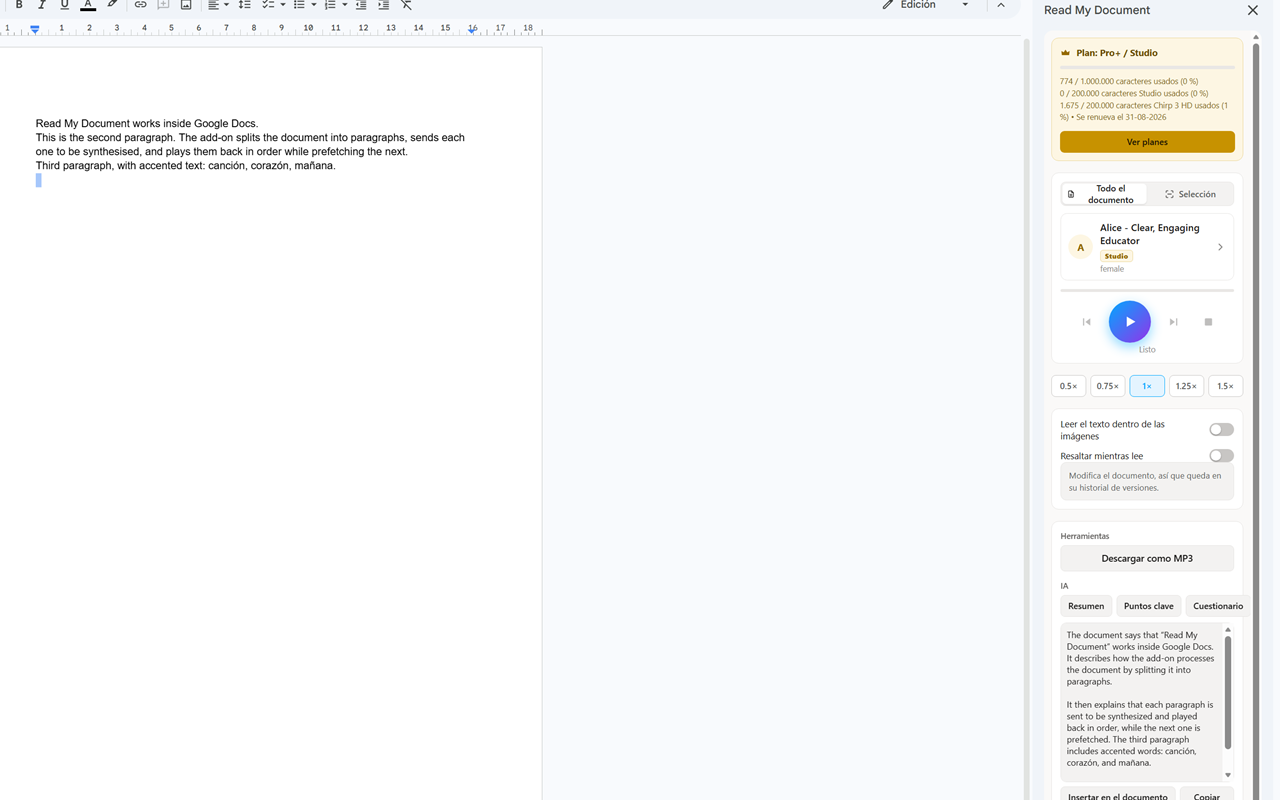
Read My Document reads your Google Doc out loud in voices that sound like a person, not a robot. Open the panel from Extensions → Read My Document and press play.

Free, no sign-in needed
- Built-in voices in more than 26 languages.
- Unlimited reading: the whole document, or just what you select.
- Speed control and skip between paragraphs.

With a paid plan
- Over 400 natural neural voices, plus studio voices (ElevenLabs, OpenAI, Google).
- Chirp 3 HD voices.
- Download the reading as an MP3 and listen anywhere.
- Summary, key points and a quiz generated by AI from your document.
- Reads the text inside images in the document.
- Pronunciation dictionary: teach it how to say names, acronyms and jargon, with support for the International Phonetic Alphabet.

Built for actually listening
- Pick a voice by language, tier or gender, save favourites, and hear a sample first.
- Optional highlighting of the paragraph being read.
- Interface in 39 languages, including right-to-left Arabic and Hebrew.

The same product exists for Microsoft Word. Each store's subscription is separate.
ข้อมูลเพิ่มเติม
sell
ราคาไม่มีค่าใช้จ่ายและมีฟีเจอร์แบบชำระเงิน
code
นักพัฒนาซอฟต์แวร์
email
การสนับสนุน
lock
นโยบายความเป็นส่วนตัว
description
ข้อกำหนดในการให้บริการ
flag



ค้นหา
ล้างการค้นหา
ปิดการค้นหา
แอป Google
เมนูหลัก