






Recurring - Out of office for Gmail™ A Gmail addon that helps you by marking when you are out of office and sends an auto reply message to everyone who sends you an email. It works in five easy steps:

- Select a day you want to set as out of office.
- Activate the periods you want. You can add or remove periods.
- Set the hours you will be away and click save.
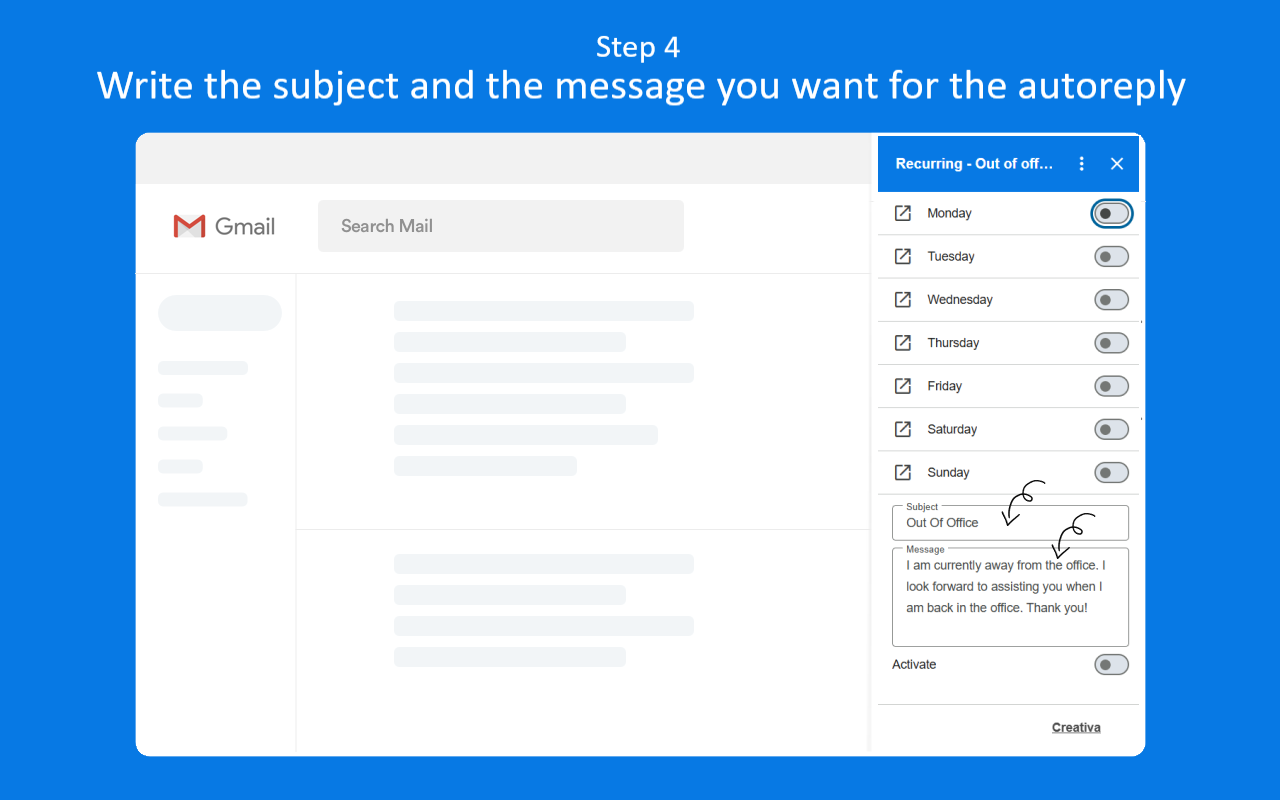
- Write the subject and the message you want to be sent automatically.
- Activate and deactivate Recurring - Out of office whenever you want.

Note: If you enable or disable a day without entering its settings, all the periods you have set for that day will be enabled when you turn it back on. Conversely, if you disable the day without accessing its settings, all periods will be disabled.
If you wish to manage specific periods for a day, you need to do so within the day’s settings and click Save to apply your changes.
Run as a Gmail add-onSee, edit, create, or change your email settings and filters in Gmail See and download any calendar you can access using your Google Calendar
 Allow this application to run when you are not presentConnect to an external service
 See your primary Google Account email addressSee your personal info, including any personal info you've made publicly available
Your review, profile name and photo will appear publicly in Google’s services. Your review must comply with the Google Workspace Marketplace Comment Guidelines and Review Policies. Learn More

- Report review
Your review, profile name and photo will appear publicly in Google’s services. Your review must comply with the Google Workspace Marketplace Comment Guidelines and Review Policies. Learn More

- Report reply

- Report review
Your review, profile name and photo will appear publicly in Google’s services. Your review must comply with the Google Workspace Marketplace Comment Guidelines and Review Policies. Learn More
- Report reply

- Report review
Your review, profile name and photo will appear publicly in Google’s services. Your review must comply with the Google Workspace Marketplace Comment Guidelines and Review Policies. Learn More

- Report review
Your review, profile name and photo will appear publicly in Google’s services. Your review must comply with the Google Workspace Marketplace Comment Guidelines and Review Policies. Learn More
- Report reply

- Report review
Your review, profile name and photo will appear publicly in Google’s services. Your review must comply with the Google Workspace Marketplace Comment Guidelines and Review Policies. Learn More

- Report review
Your review, profile name and photo will appear publicly in Google’s services. Your review must comply with the Google Workspace Marketplace Comment Guidelines and Review Policies. Learn More
- Report reply

- Report review
Your review, profile name and photo will appear publicly in Google’s services. Your review must comply with the Google Workspace Marketplace Comment Guidelines and Review Policies. Learn More

- Report review
Your review, profile name and photo will appear publicly in Google’s services. Your review must comply with the Google Workspace Marketplace Comment Guidelines and Review Policies. Learn More
- Report reply

- Report review
Your review, profile name and photo will appear publicly in Google’s services. Your review must comply with the Google Workspace Marketplace Comment Guidelines and Review Policies. Learn More
- Report reply

- Report review
Your review, profile name and photo will appear publicly in Google’s services. Your review must comply with the Google Workspace Marketplace Comment Guidelines and Review Policies. Learn More