
Google Workspace Marketplace


ReportPhish for Gmail™
Report suspicious emails directly from Gmail™ to your security team in one click.
Listing updated:May 28, 2026
Works with:
No reviews
4


Overview
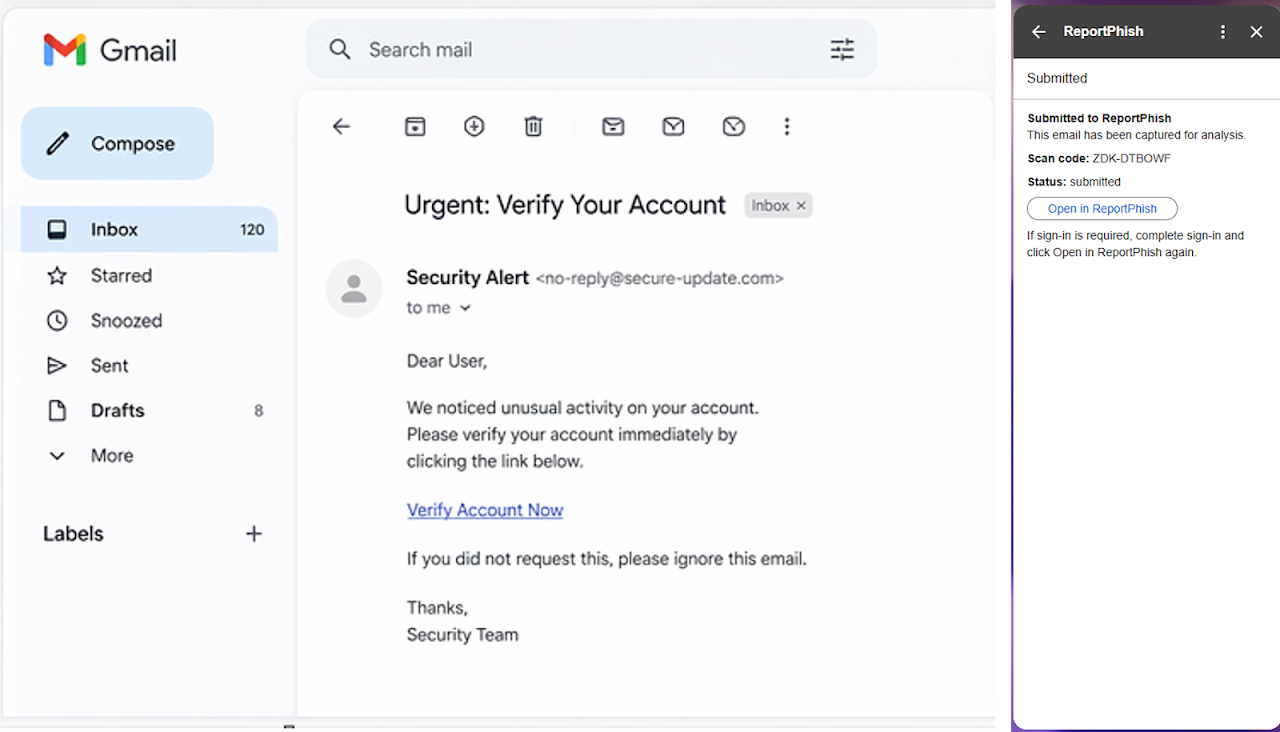
ReportPhish for Gmail™ allows users to quickly report suspicious emails directly from their inbox.

With one click, emails are securely submitted to the ReportPhish platform for analysis. The system extracts URLs, evaluates potential threats, and provides a clear verdict.

Key features:
• Report suspicious emails directly from Gmail
• Automatically extract and analyze embedded links
• Generate a scan with verdict and risk indicators
• Track and review reported emails in the ReportPhish dashboard
• Support phishing detection and incident workflows

What happens when you report an email:
• The email is securely transmitted to ReportPhish
• Links and content are analyzed for threats
• A scan record is created for review and follow-up actions

This add-on is designed for individuals and organizations looking to improve phishing detection and response.

Learn more: https://reportphish.ai
Gmail™ is a trademark of Google LLC.
Additional information
sell
PricingFree of charge
code
email
Support
lock
Privacy policy
description
Terms of service
flag
ReportFlag as inappropriate



Search
Clear search
Close search
Google apps
Main menu