
Google Workspace Marketplace


Scrape2Sheets: AI Document & Image Data Extractor
AI-powered OCR for PDFs, invoices & receipts into Google Sheets™ automatically.
بواسطة:
تم تحديث البيانات في:20 يوليو 2026
يتوافق مع:
2


نظرة عامة
Scrape2Sheets uses AI-powered OCR to turn documents into structured Google Sheets™ data — no copy-pasting, no code.

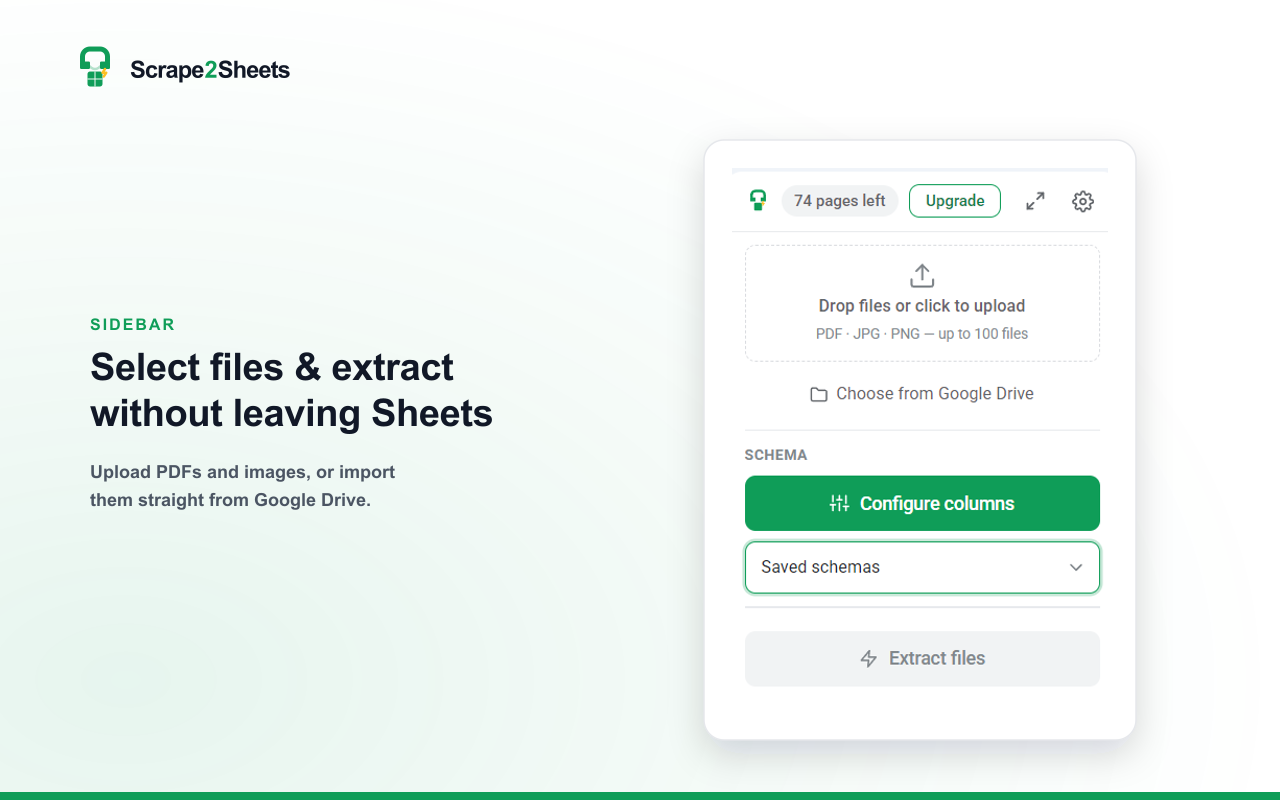
Extract fields from PDFs, invoices, receipts, bank statements, contracts, and scanned images directly inside Google Sheets™. Set the columns you need — or let AI auto-detect them from a sample document — then run a batch. Each row appears in your sheet as it finishes.

WHAT YOU CAN DO
• Extract data from PDF, JPG, and PNG files into clean rows and columns
• AI auto-detects the right columns from your sample documents
• Batch-process up to 100 documents at once, in parallel
• AI-powered OCR reads scanned pages, phone photos, and handwriting — and keeps the output structured, not just raw text
• Save extraction schemas once and reuse them across any spreadsheet
• Import files straight from Google Drive™ — no downloading to your computer
• Type-aware output: numbers, currency, and dates land formatted and ready to sum

BUILT FOR
• Finance & accounting — invoices, receipts, statements
• Bookkeeping — turn month-end data entry into minutes
• Recruitment & HR — CVs, applications, forms
• Legal & operations — contracts, purchase orders
• Any repetitive document-to-spreadsheet workflow

PRIVATE BY DESIGN
Your documents are processed in memory and never stored permanently. We never use your files to train AI models.


Google Sheets™ and Google Drive™ are trademarks of Google LLC.
معلومات إضافية
sell
الأسعارميزات بدون أي تكلفة مع ميزات مدفوعة
code
مطوّر برامج
email
lock
سياسة الخصوصية
description
بنود الخدمة
flag
الإبلاغوضع علامة كغير ملائم




بحث
محو البحث
إغلاق البحث
تطبيقات Google
القائمة الرئيسية