
Google Workspace Marketplace


Semrush SEO Writing Assistant
Optimize your copy for reader engagement and SEO with our smart writing editor
बनाने वाली कंपनी:
लिस्टिंग को पिछली बार अपडेट किया गया:28 नवंबर 2023
इनके साथ काम करता है:
3 लाख+


अवलोकन
For your content to be successful, it needs to be visible and engaging. SEO Writing Assistant—our smart editor tool—ensures that your text ticks both of these boxes by providing recommendations and improvements in real time.

The tool integrates seamlessly with Google Docs and offers key readability and SEO suggestions based on the best-performing content in Google’s SERPs. Whether you’re writing your own copy or editing someone else’s, SEO Writing Assistant makes the end product as impactful and effective as possible—for readers and search engines.

Key Features
- Readability: Use the Flesch-Kincaid score to assess and improve your text’s readability
- Recommended Keywords: Receive semantically related keyword suggestions that can help boost your visibility
- Tone of Voice: Ensure that your tone is smooth and consistent across your text
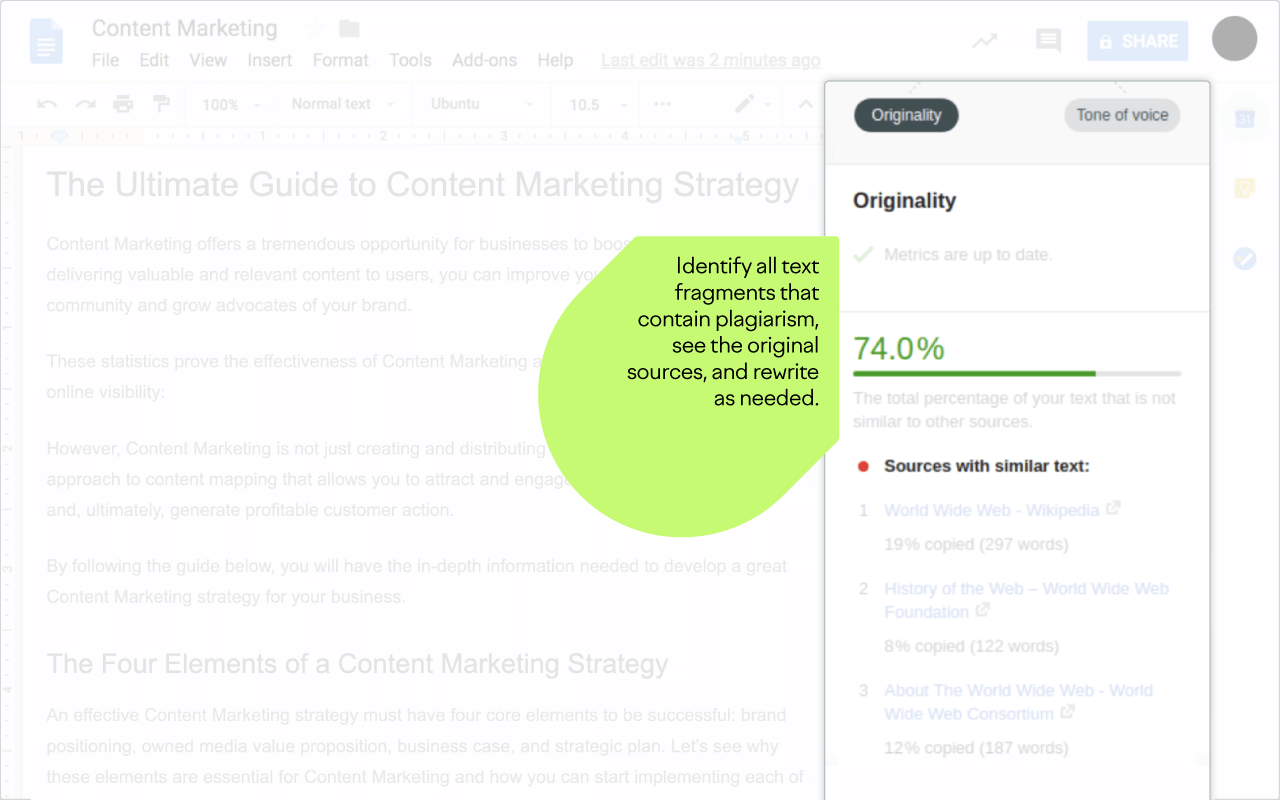
- Plagiarism Check: Verify that your writer has submitted original content and avoid penalization
- Rephraser: Rework pieces of text to improve quality, target different channels, or overcome writer’s block
- Overall Score: Evaluate and maximize the SEO potential of your text based on key on-page factors

How Does It Work?
The SEO Writing Assistant add-on allows you to write, assess, and edit your text in Google Docs.

To set it up, click “Install” and select your Google account when prompted (you will need to log in if you haven’t already). You’ll be notified when the installation is complete.

You can then use the tool in any Google Docs file under the “Add-ons” tab. Whenever you open a file, simply select “Show” and the tool will pop up as a sidebar in the document.

Limits
To use SEO Writing Assistant, you need to first specify your target keywords. This requires a Semrush account.

With a Free or Pro Semrush account, you can create one recommendation set (tied to a document) for a lifetime. Higher tier accounts have different keyword budgets depending on the subscription plan, as well as full access to the powerful Semrush Content Marketing Platform.

Note that your writer does not need to have a Semrush account to use the SWA template that you have created.

About Semrush
Semrush is a leading digital marketing toolkit for SEO, PPC, SMM and Content Marketing professionals worldwide. With over 25 tools within the software, search data for 140 countries and seamless integration with Google services, Semrush provides solutions for in-house marketing teams and agencies working with clients in any industry.

In its niche and pricing segment, Semrush is an absolute leader in the number of tools available from one account and the richness of its data. By ensuring an easy workflow between marketing team members, Semrush helps them become frontrunners in their industries.
अतिरिक्त जानकारी
sell
कीमतउपलब्ध नहीं
code
डेवलपर
email
सहायता
lock
निजता नीति
description
सेवा की शर्तें
flag
शिकायत करेंआपत्तिजनक ऐप्लिकेशन की शिकायत करें



खोजें
खोज हटाएं
खोज बंद करें
Google ऐप
मुख्य मेन्यू