
Google Workspace Marketplace

Send Email Notification & Poll Flow
Send automated email notifications and collect responses through polls.
Gawa ng:
Na-update ang listing noong:Hulyo 17, 2026
Gumagana sa:
95K+

Pangkalahatang-ideya
Whether you're sending status updates, collecting votes on proposals, polling availability, gathering quick yes/no decisions, or notifying customers about order updates, this add-on lets you orchestrate everything from a single sheet. Define recipients, compose your message, send notifications in bulk, and poll responses flow back into your sheet automatically.

####COMMON USECASES####
✅ HR: Poll team availability, collect PTO confirmations, send onboarding reminders.
✅ Operations: Notify vendors of order status, poll suppliers on delivery dates.
✅ Sales & CS: Send follow-up emails, gather customer satisfaction quick polls.
✅ Project management: Notify stakeholders of milestones, poll teams for go/no-go decisions.
✅ Events: Send invites, collect RSVPs, poll attendees on session preferences.
✅ Internal comms: Run quick team polls, broadcast announcements, collect feedback.

####KEY FEATURES####

✅ Send personalized emails to recipients listed in your sheet, using row data as merge fields (name, amount, date, custom fields) to mail.
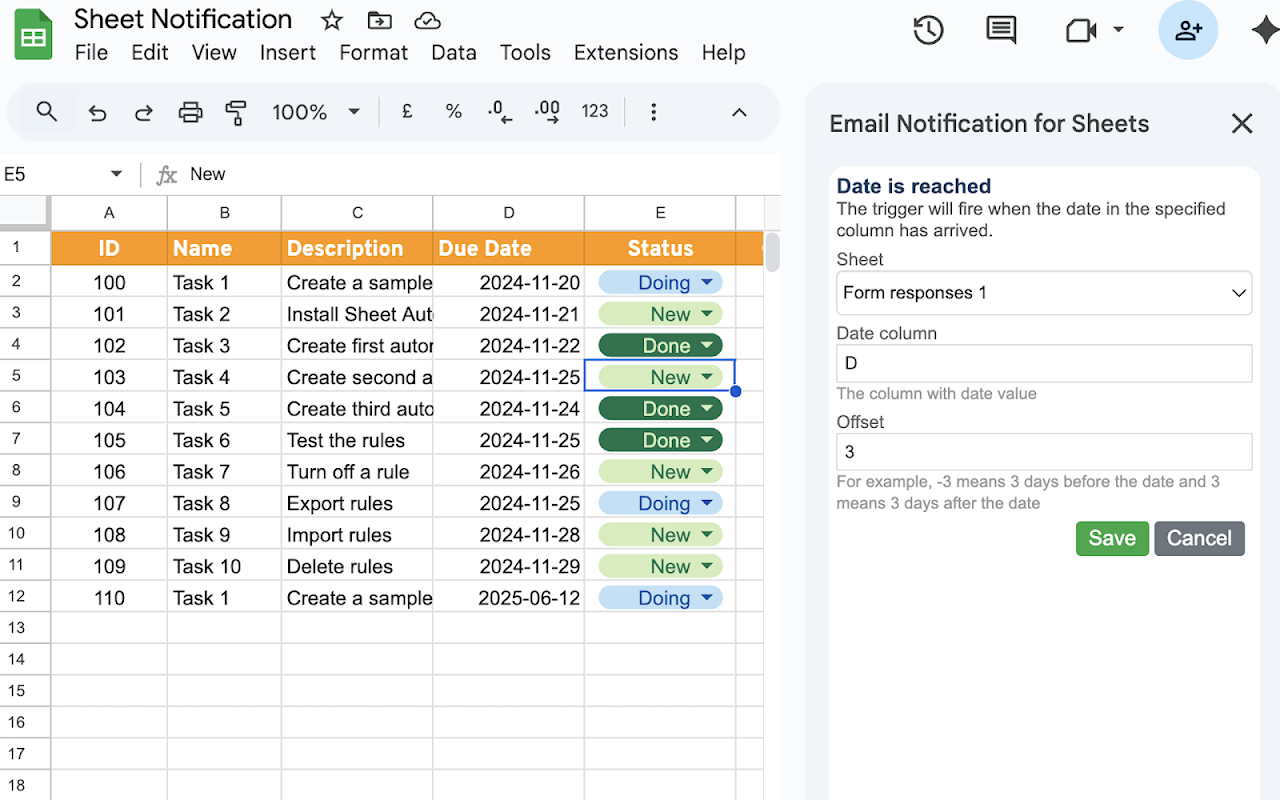
✅ Trigger notifications on demand or automatically when a row meets a condition (status change, new entry, threshold crossed).
✅ Use rich HTML templates or plain text, with subject lines and body content driven by your spreadsheet.
✅ Schedule sends when due date has arrived
✅ Send poll questions to recipients with one-click response buttons (Yes/No, Approve/Reject, multiple choice, or custom options).
✅ Responses are captured back into your sheet automatically.
✅ Run single-question polls or multi-step poll flows where the next question depends on the previous answer.

####WORKS WITH SHEET AUTOMATION####
Already using Sheet Automation? Flow is designed to complement it. Use Sheet Automation for instant triggers and actions (send an email, update a cell, call a webhook). Use Flow when you need processes that span multiple steps, multiple people, and multiple days.

You can also use Flow as a standalone add-on — no prior Sheet Automation installation required.

From the team behind Sheet Automation — trusted by thousands of Google Sheets™ users for reliable spreadsheet automation.

Support: sheetautomation.com/contact.html

Google Sheets™ is a trademark of Google LLC
Karagdagang impormasyon
sell
PagpepresyoLibre na may mga bayad na feature
code
Developer
Hindi trader
email
Suporta
lock
Patakaran sa privacy
description
Mga tuntunin ng serbisyo
flag





Search
I-clear ang paghahanap
Isara ang paghahanap
Mga app ng Google
Pangunahing menu