
Google Workspace Marketplace


Sheet.Cal: 2-Way Sheets™ to Calendar™ Sync
Reliable 2-way sync for Google Sheets™ & Calendar™. Bulk create, update, and delete events with a "Safety Net" preview. Supports guests, Meet™ links, and recurring events.
Listing updated:December 27, 2025
Works with:
25K+


Overview
Stop "hoping" your sync worked. Start managing your schedule with confidence. 🛡️

Sheet.Cal is the professional-grade Google Workspace™ add-on for Project Managers, Educators, and Business Owners who need a reliable "Source of Truth" for their Google Calendar™. Unlike other tools that sync blindly, Sheet.Cal gives you total control, transparency, and safety.

Turn your spreadsheet into a powerful calendar command center. Whether you are managing a complex project timeline, a class syllabus, or a team roster, Sheet.Cal keeps your data perfect, everywhere.

🌟 WHY CHOOSE SHEET.CAL?

1. The "Safety Net" Preview (Zero Data Loss) 🛡️
Most sync tools are a black box—you click a button and pray. Sheet.Cal is different. Before any changes are made, we show you a Safety Net Preview:

See exactly how many events will be Created.

See exactly how many events will be Updated.

See exactly how many events will be Deleted.

Confirm with confidence. No accidental mass deletions. No duplicates.

2. True 2-Way Synchronization 🔄
Don't just push data; keep it in sync.

Sheet to Calendar: Add rows in Google Sheets™, and they appear on your Calendar instantly.

Calendar to Sheet: Drag and drop an event to a new time in Google Calendar™, and Sheet.Cal will update your spreadsheet automatically on the next sync.

3. The "Forever" Audit Log 📝
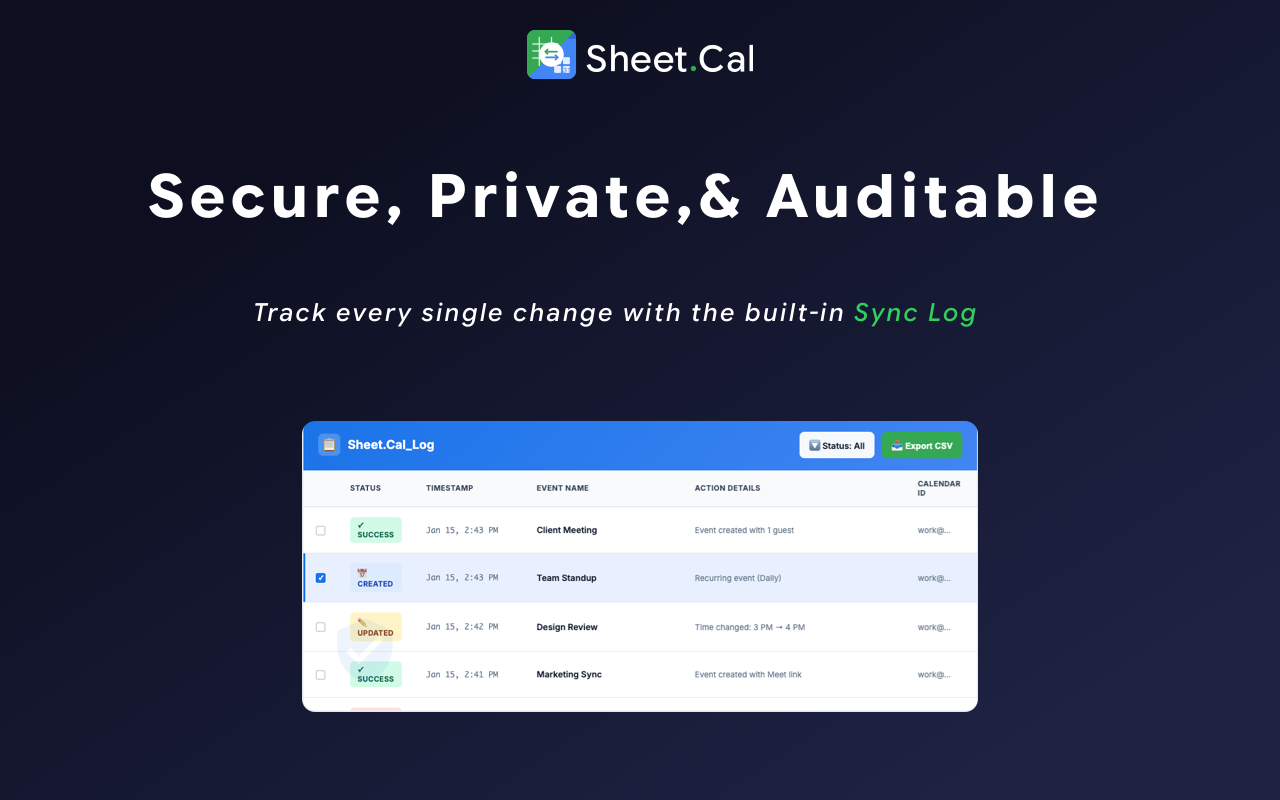
Need accountability? Sheet.Cal automatically creates a Log Sheet in your file. Every single create, update, and delete action is timestamped and recorded. You will always know who changed what and when.

⚡ POWERFUL FEATURES FOR PROS

🚀 Bulk Create Calendar Events: Create hundreds of events in seconds. Perfect for semester schedules, marketing content calendars, and shift rosters.

✉️ Send Guest Invites: Simply add a column for "Guests" and enter comma-separated email addresses. Sheet.Cal handles the invitations automatically.

🎥 Auto-Add Google Meet™: Just type "Y" or "Yes" in the "Meet" column, and we’ll instantly generate a unique video conference link for that event.

🗑️ Smart "DELETE" Sync: Need to cancel? Just type "DELETE" in the status column of your sheet, and the event is removed from your calendar. Clean, simple, and fast.

🔁 Recurring Events: Create repeating schedules (e.g., "Weekly on Tuesday" or "Daily") directly from text in your spreadsheet.

🎓 PERFECT FOR...

Project Managers: Sync milestones, deadlines, and team meetings from your master project tracker.

Teachers & Educators: Instantly populate your class calendar with the entire semester's syllabus, assignments, and office hours.

Agencies & Service Businesses: Manage client appointments and staff rosters from a single, central sheet.

Personal Productivity: Plan your entire month in a spreadsheet and push it to your calendar in one click.

💰 SIMPLE, TRANSPARENT PRICING

We believe reliability should be free. Advanced power features are for Pros.

🟢 FREE TIER (Forever Free)

Unlimited 2-Way Sync (Create & Update).

Full Safety Net Preview (Dry Run).

Full Audit Log access.

Limit: Syncs events within a +/- 30 day window.

🔵 PRO TIER

Unlimited Sync Horizon: Plan years into the future.

Guest Management: Invite attendees from the sheet.

Google Meet: Auto-generate video links.

Bulk Delete: Remove events using the "DELETE" keyword.

Recurring Events: Create repeating series.

Priority Support: 24-hour response guarantee.

🏢 TEAM / DOMAIN PLAN

All Pro features for your entire school department or company team (up to 30 users).

Centralized billing and concierge setup.

🔒 PRIVACY & SECURITY

Your data is yours. Sheet.Cal operates with strict privacy standards:

We do not sell your data.

We do not store your calendar events on our servers.

The add-on runs directly within your Google Workspace™ environment.

Ready to take control of your schedule?

👉 Click Install to start your first sync in 60 seconds.

Google Sheets™ and Google Calendar™ are trademarks of Google LLC.
Additional information
sell
PricingFree of charge with paid features
code
Developer
email
Support
lock
Privacy policy
description
Terms of service
flag
ReportFlag as inappropriate






Search
Clear search
Close search
Google apps
Main menu