
Google Workspace Marketplace


SheetGen: ChatGPT Inside Sheets™
With SheetGen you can call ChatGPT directly inside your spreadsheets cells: process your data faster and smarter using ChatGPT formulas.
デベロッパー:
リスト更新日:2024年8月6日
対応デバイス:
2097+


概要
With SheetGen you can call ChatGPT directly in you spreadsheet cells. Unlock endless possibilities with SheetGen AI-driven formulas: =GEN, =GEN_CHAT, and =GEN_LIST. Enhance your productivity, streamline your workflows, and inject creativity into your tasks with seamless ChatGPT integration.

💡 Transform your spreadsheets experience with full AI capabilities:

➡️ The =GEN() formula:
With this formula with can generate concise, precise responses directly in your spreadsheet cells. Perfect for quick answers, extracting information, or formatting outputs. Use it to quickly summarize articles or extract key points to use in blog posts. Generate meta descriptions or keywords from content. Get concise product descriptions or headlines.

➡️ The =GEN_CHAT() formula:
Generate full conversational capabilities with the =GEN_CHAT() function. Create engaging content and responses just like you're chatting with ChatGPT. Create compelling ad copy and social media captions. Generate professional and empathetic responses to customer reviews. Develop in-depth articles and product descriptions.

➡️ The =GEN_LIST() formula:
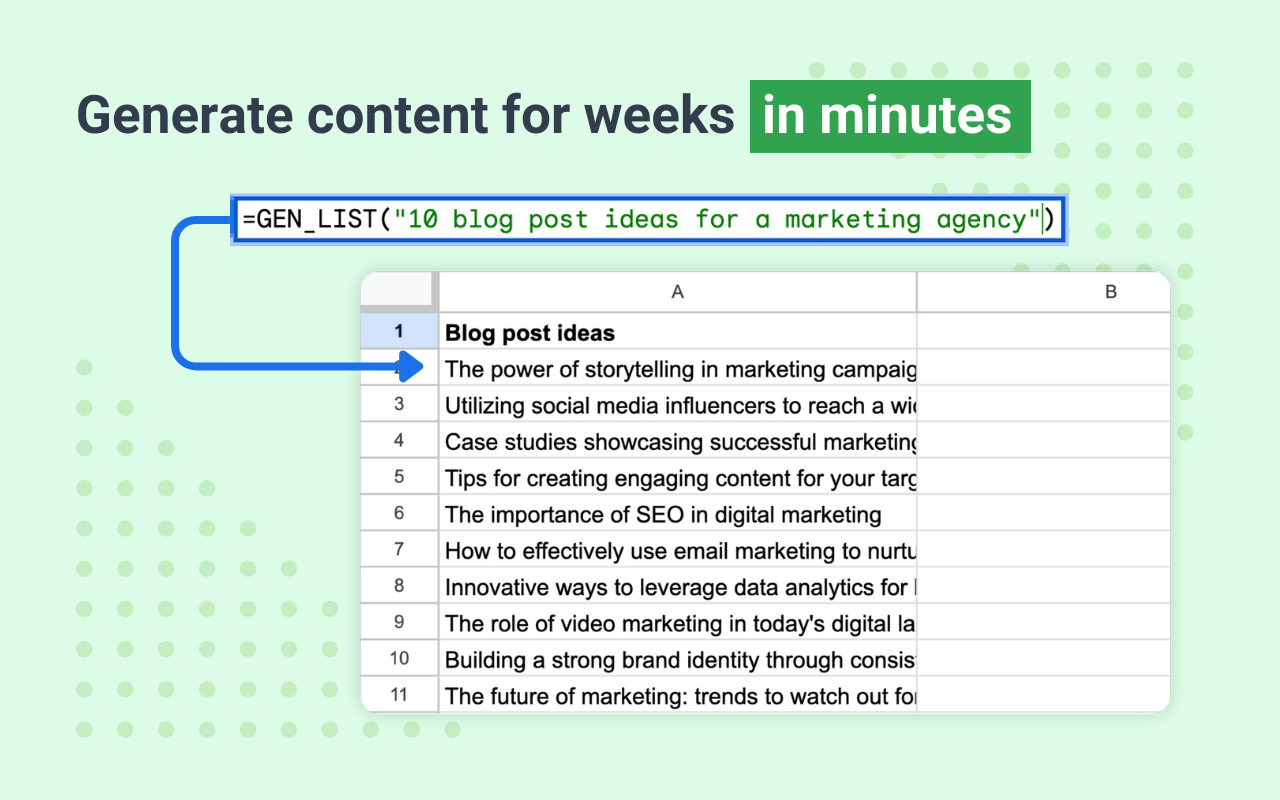
AI-Generated lists in a column format with the =GEN_LIST() function. Ideal for brainstorming and organizing information. Generate lists of potential marketing strategies or campaign ideas. Create organized lists of key data points or insights. Compile lists of sources, references, or study points.


💡Multiple use cases for AI powered formulas:

⚡️Blog Writing: Use GEN_LIST to brainstorm blog topics or headings. Use GEN_CHAT to elaborate on brief points, creating detailed sections.

⚡️SEO: Quickly extract and compile keywords from content using GEN. Generate keyword-rich descriptions and titles with GEN_CHAT and GEN_LIST.

⚡️Copywriting: Create multiple headline options with GEN_LIST. Use GEN_CHAT to draft persuasive and engaging ad content.

⚡️Advertising: Brainstorm ad campaign themes and strategies using GEN_LIST. Generate engaging posts and captions optimized for specific keywords with GEN_CHAT.

⚡️Data Formatting & Processing: Summarize large datasets into key points with GEN. Generate structured lists of data insights or action items with =GEN_LIST.

⚡️Educational Use: Create lists of key study points or summary notes with GEN_LIST. Generate detailed explanations or summaries for complex topics using GEN_CHAT.

✅ Seamless Integration: Easily integrates with Google Sheets™ for a smooth user experience.
✅ AI-Powered Efficiency: Leverages the advanced capabilities of ChatGPT to enhance your workflows.
✅ Versatile Applications: Suitable for various fields including marketing, education, data analysis, and much more.


🚀 Get Started Today
Unlock the full potential of your Google Sheets™ with SheetGen. Simplify tasks, boost productivity, and bring creativity to your spreadsheets with our AI-powered formulas.


Google Sheets™ is a trademark of Google LLC. SheetGen is not affiliated with OpenAI™.
詳細情報




検索
検索をクリア
検索を終了
Google アプリ
メインメニュー