
Google Workspace Marketplace


SheetNova AI
AI-powered Google Sheets™ add-on to automate tasks, clean data, & AI content creation.
Autor:
Ficha actualizada:26 de septiembre de 2026
Compatible con:
58
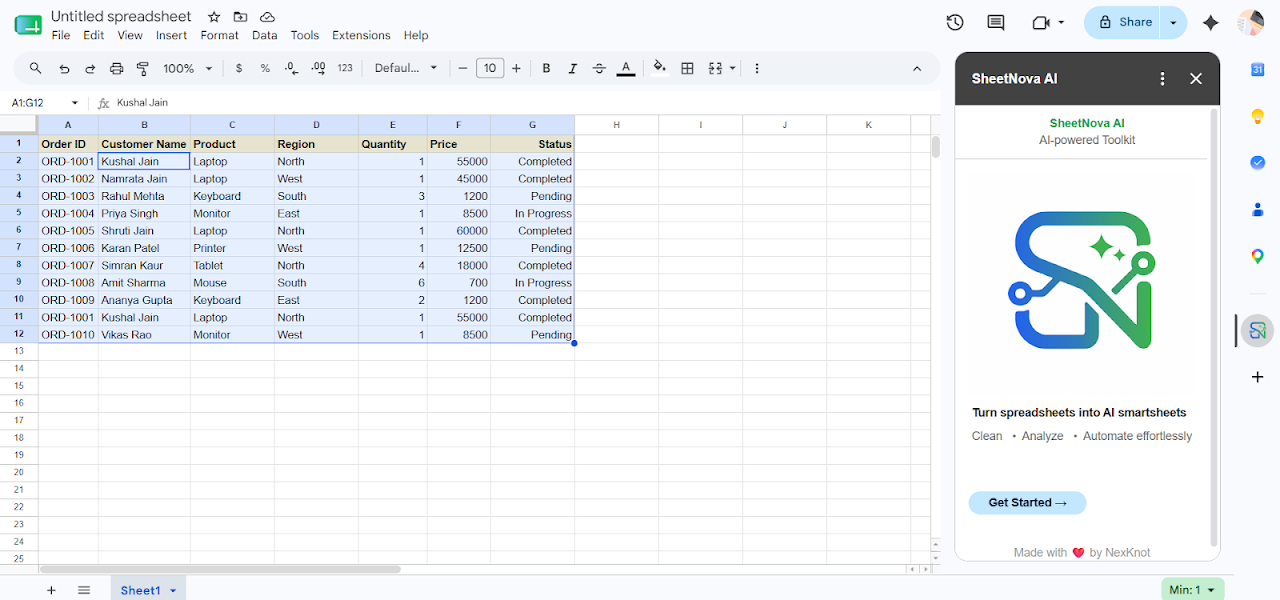


Información general
SheetNova AI is an all-in-one AI-powered productivity toolkit for Google Sheets™ that helps professionals, analysts, marketers, and teams automate spreadsheet workflows, clean data, and generate AI content directly inside Google Sheets™.

With SheetNova AI, you can manage bulk data, perform deep cleaning, analyze numbers, build formulas, and execute 1-click AI tasks seamlessly via a simple sidebar interface.

━━━━━━━━━━━━━━━━━━━━━
⚡ WHAT'S NEW IN VERSION 2.0
━━━━━━━━━━━━━━━━━━━━━
• 14 AI-Powered Productivity Tools.
• E-Commerce & SEO Content Generators (Product Descriptions, Titles, Meta Tags, Keywords).
• Smart Text Processing (Summarize, Extract, Classify, Sentiment Analysis, Fact Finder).
• 30-Day Full Premium Free Trial 🎁 with automated license management.

━━━━━━━━━━━━━━━━━━━━━
KEY FEATURES
━━━━━━━━━━━━━━━━━━━━━

🤖 1. AI Content & Text Tools:
• Product Description Generator: Create compelling e-commerce descriptions.
• Product Title & Ad Content Generator: High-converting copy for campaigns.
• SEO Suite: Meta Description Generator, Keywords & Misspellings Generator.
• Text Extractor & Classifier: Categorize and parse unstructured text in bulk.
• Text Summarizer & Rewriter: Condense long text and polish tone.
• Sentiment Analysis & Fact Finder: Analyze sentiment and verify data points.
• Q&A Generator & Task Executor: Automate custom prompt workflows.

📊 2. Data Management:
• Merge & Consolidate Sheets
• Compare Sheets & Ranges
• 1-Click Duplicate Removal

🧼 3. Data Cleaning & Formatting:
• Advanced Find & Replace
• Color-Based Sorting & Functions
• Text Trimming, Case Formatting, & Custom Filtering

📈 4. Data Analysis & Formulas:
• Statistical Analysis (Sum, Avg, Median, StdDev, Variance, Min/Max, Frequency)
• Instant Formula Generation for complex calculations
• Pivot & Summary Helpers

━━━━━━━━━━━━━━━━━━━━━
HOW TO GET STARTED
━━━━━━━━━━━━━━━━━━━━━
1. Click "Install" to add SheetNova AI to your Google Workspace™.
2. Open any Google Sheets™ spreadsheet.
3. Go to Right Side Panel (companion bar) → SheetNova AI → Launch Sidebar.
4. Select your data range and run any tool with a single click.

🔒 PRIVACY & SECURITY
• SheetNova AI strictly adheres to the Google API Services User Data Policy, including Limited Use requirements.
• We do NOT store your raw spreadsheet cell contents or personal files on external databases.
• All spreadsheet modifications run locally inside your active sheet container.

━━━━━━━━━━━━━━━━━━━━━
TRADEMARK ATTRIBUTION
━━━━━━━━━━━━━━━━━━━━━
Google Workspace™ and Google Sheets™ are trademarks of Google LLC.
Información adicional
sell
PrecioPrueba sin coste adicional con funciones de pago
code
Desarrollador
email
Asistencia
lock
Política de privacidad
description
Términos del Servicio
flag
DenunciarMarcar como inapropiada





Búsqueda
Borrar búsqueda
Cerrar búsqueda
Aplicaciones de Google
Menú principal