
Google Workspace Marketplace


SheetPro - ChatGPT Gemini Deepseek Perplexity Grok
Use multi AI Provider like ChatGPT, Gemini™, Perplexity, Deepseek, Grok & more, directly in cells for smart data analysis.
Listing updated:December 11, 2025
Works with:
86


Overview
Transform your Google Sheets™ with AI-powered data analysis

SheetProAI brings the power of multiple leading AI models directly into your spreadsheets, making data analysis faster and more insightful than ever before.

Multiple AI Models Support:
• OpenAI (GPT 5 models)
• Google Gemini™
• DeepSeek
• Claude (Anthropic)
• Perplexity

Key Features:
• Smart Functions: Use AI directly in cells with functions like =GPT_4O(), =GEMINI(), =CLAUDE()
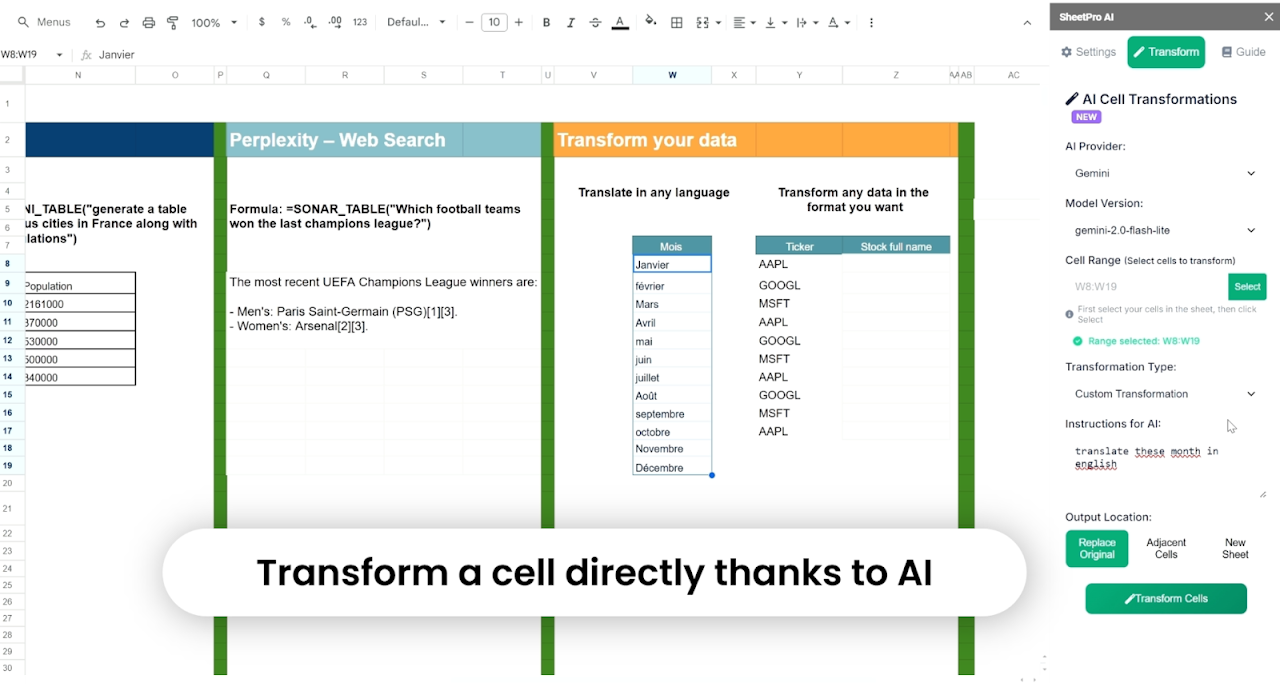
• Data Transformation: Clean, format, and transform your data using natural language
• Web Search Integration: Get real-time information with search-enabled AI models like perplexity
• Multiple Output Formats: Get results as text, lists, or formatted tables

Free to Use:
SheetProAI is completely free. You only pay for your own AI API usage directly to the providers.

Perfect For:
• Data analysts and researchers
• Business professionals
• Students and educators
• Anyone working with spreadsheets

🔒 Privacy & Security:
• Your data stays in your Google Sheets™
• Secure API connections
• Compliant with Google™ Limited Use policies
• No data storage on external servers

How It Works:
1. Install the extension
2. Add your AI API keys in settings
3. Use AI functions directly in cells: =GPT_4O("Analyze this data")
4. Generate charts and insights instantly


Transform your spreadsheet workflow today with SheetProAI!

**Trademark Notice:** Google™, Google Sheets™, Google Gemini™ are trademarks of Google LLC. SheetProAI is not affiliated with Google LLC.Additional information
sell
PricingFree of charge
code
Developer
Non-trader
email
Support
lock
Privacy policy
description
Terms of service
flag
ReportFlag as inappropriate




Search
Clear search
Close search
Google apps
Main menu