
Google Workspace Marketplace


SignalZen
Manage website live chats and customer emails in Google Chat™. Reply, assign, close, and track support conversations without leaving your workspace.
Listing updated:6. mája 2026
Works with:
No reviews
3 tis.+

Prehľad
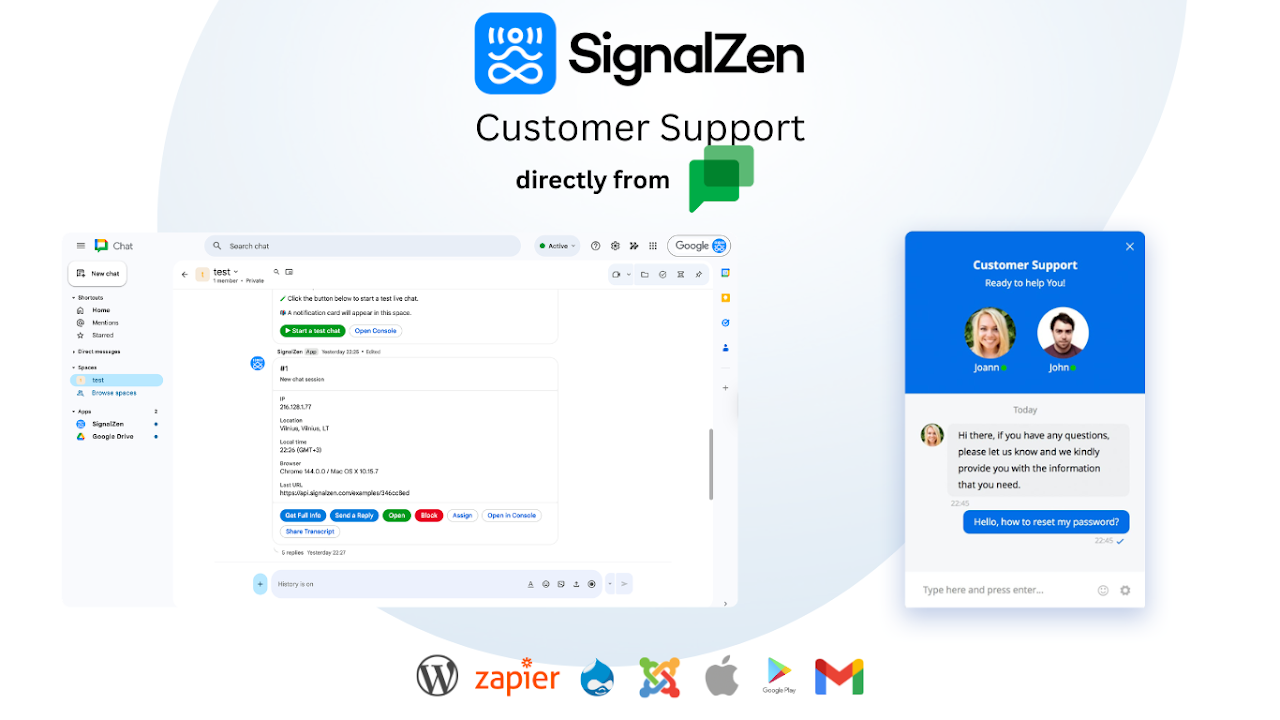
SignalZen brings customer support directly into Google Chat™. When a visitor starts a chat on your website or sends an email to your support address, a notification card appears in your designated Google Chat™ space — your team can reply, assign, and resolve conversations without ever leaving Google Chat™.

HOW IT WORKS

Add the SignalZen bot to your Google Chat™ space. Every new customer conversation opens as a dedicated thread with a rich card showing visitor details and action buttons. Your entire team sees incoming requests in real time and can jump in immediately.

WHAT YOU CAN DO FROM GOOGLE CHAT™

— Reply to visitors and customers directly from the card
— Use saved reply shortcuts to respond faster
— Assign conversations to specific team members
— Close and reopen chat sessions
— Block or unblock visitors
— Toggle AI copilot work per conversation
— Email a full transcript to the customer
— View visitor details, browsing history, and custom attributes

SLASH COMMANDS

Use /on and /off to show or hide your website chat widget. Use /online and /offline to control your team's availability status. Use /close and /open to manage individual chat sessions. Type /help inside any space to see the full command reference.

GETTING STARTED

Install SignalZen, add the bot to your support space, and a welcome message walks you through the setup. A test conversation is sent automatically so you can see the full experience before your first real customer arrives. Additional configuration — live chat widget, email integration, and team management — is available in the SignalZen Console at console.signalzen.com.

ALSO AVAILABLE

Live chat widget for any website and email integration to route support emails into the same workflow. All channels are managed from one place.
Additional information
sell
PricingFree of charge trial
code
Developer
email
Podpora
lock
Pravidlá ochrany súkromia
description
Zmluvné podmienky
flag
NahlásiťFlag as inappropriate



Vyhľadávanie
Vymazať vyhľadávanie
Zavrieť vyhľadávanie
Aplikácie Googlu
Hlavná ponuka