
Google Workspace Marketplace


Sign.UseWise™ Gmail™ Add-on for email signatures
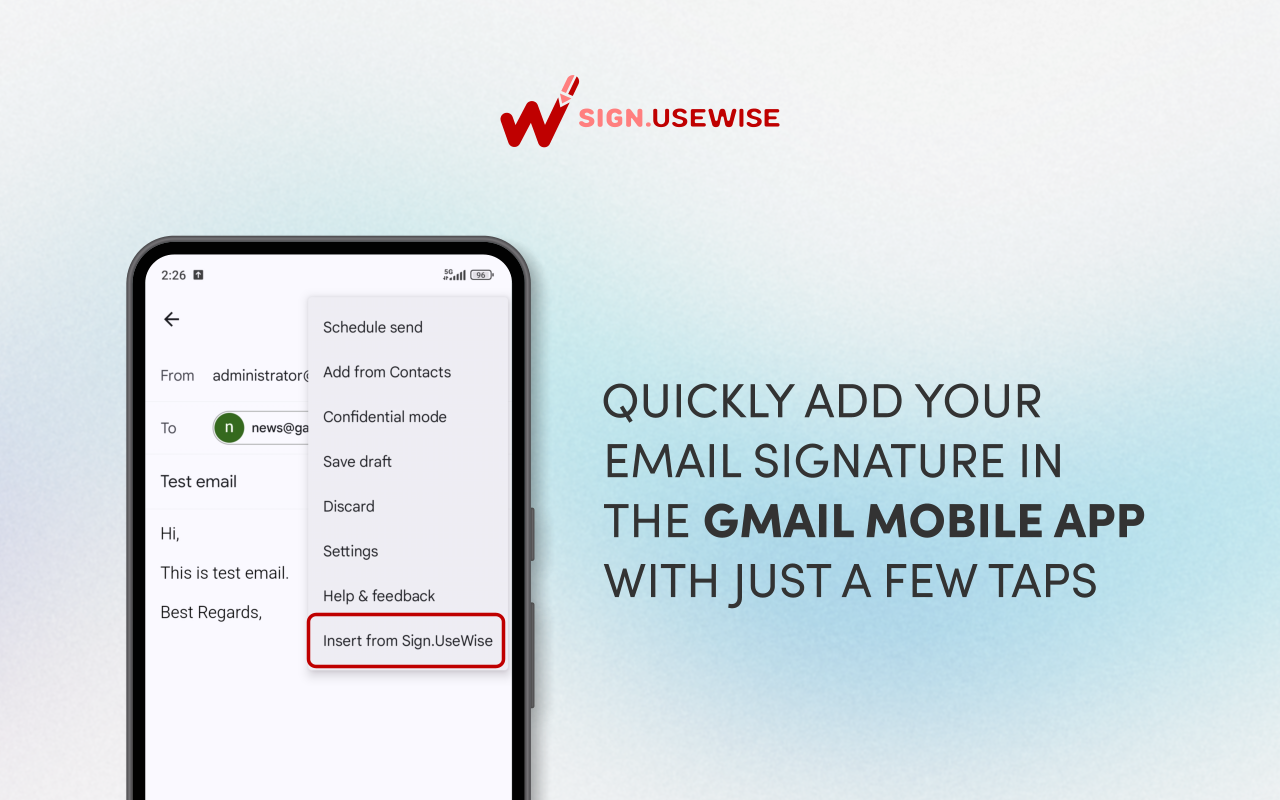
With Sign.UseWise® add-on, you can insert email signatures to emails sent from the Gmail™ app on your Android or iOS mobile phone. The add-on is integrated with Sign.UseWise® email signature solution.
デベロッパー:
リスト更新日:2026年1月30日
対応デバイス:
レビューはありません
8248+



概要
The Sign.UseWise® add-on brings professional email signatures from your desktop to your mobile. Easily add your existing Gmail™ signatures to emails you send from the Gmail™ app on your Android or iOS device.

Who can use it?

The Sign.UseWise® add-on is available to anyone with a Gmail™ account, whether it's for business or personal use (consumer account).

How to use it?

Simply open the Gmail™ app on your phone, start composing an email, and insert your desktop email signature from the settings in the upper right corner.

Here are the videos demonstrating how the add-on works on both Android and iOS phones:

Android demo https://youtu.be/1jT_M5yC6KU

iOS demo https://youtu.be/_HkhPSPUchw

This add-on is available as part of Sign.UseWise® email signature management solution and will work perfectly with your paid Sign.UseWise® subscription.

Key features of Sign.UseWise® add-on:

- Centralized management: Signatures are centrally managed within Sign.UseWise® dashboard and deployed to all users using the Gmail™ add-on
- Support for Send As/alias addresses: Users can easily switch between signatures for different addresses associated with their account
- Real-time updates: Your signatures are always up-to-date. Any updates made in the Sign.UseWise® app are reflected in the mobile add-on for every user.

Key benefits:

- Signature Consistency: Ensure a uniform brand presence by using the same signature set in Gmail™ on the web.
- Brand Consistency: Strengthen your brand identity with every email, no matter which mobile device you use.
- Enhanced Communication: Make a positive impact with professional, standardized email signatures across all devices.

Ready to transform your company’s email branding? If your organization isn't using Sign.UseWise® yet, ask your Google Workspace™ Administrator to visit usewise.app/sign-usewise/ to start a 15-day free trial.

Using Gmail.com or a personal account? You can still use the Sign.UseWise® add-on for free! Individual users (for Google Workspace™ and Gmail.com users) can enjoy professional mobile signatures with a small "Powered by Sign.UseWise®" banner included at the bottom.

-------------------------------------------------------------------------------------------------
Gmail™ is a registered trademark of Google LLC
Android™ is a registered trademark of Google LLC
Google Workspace™ is a registered trademark of Google LLC
UseWise® is a registered trademark of Miadria LLC
Sign.UseWise® is a registered trademark of Miadria LLC
詳細情報



検索
検索をクリア
検索を終了
Google アプリ
メインメニュー