
Google Workspace Marketplace


Sign.UseWise™ Gmail™ Add-on for email signatures
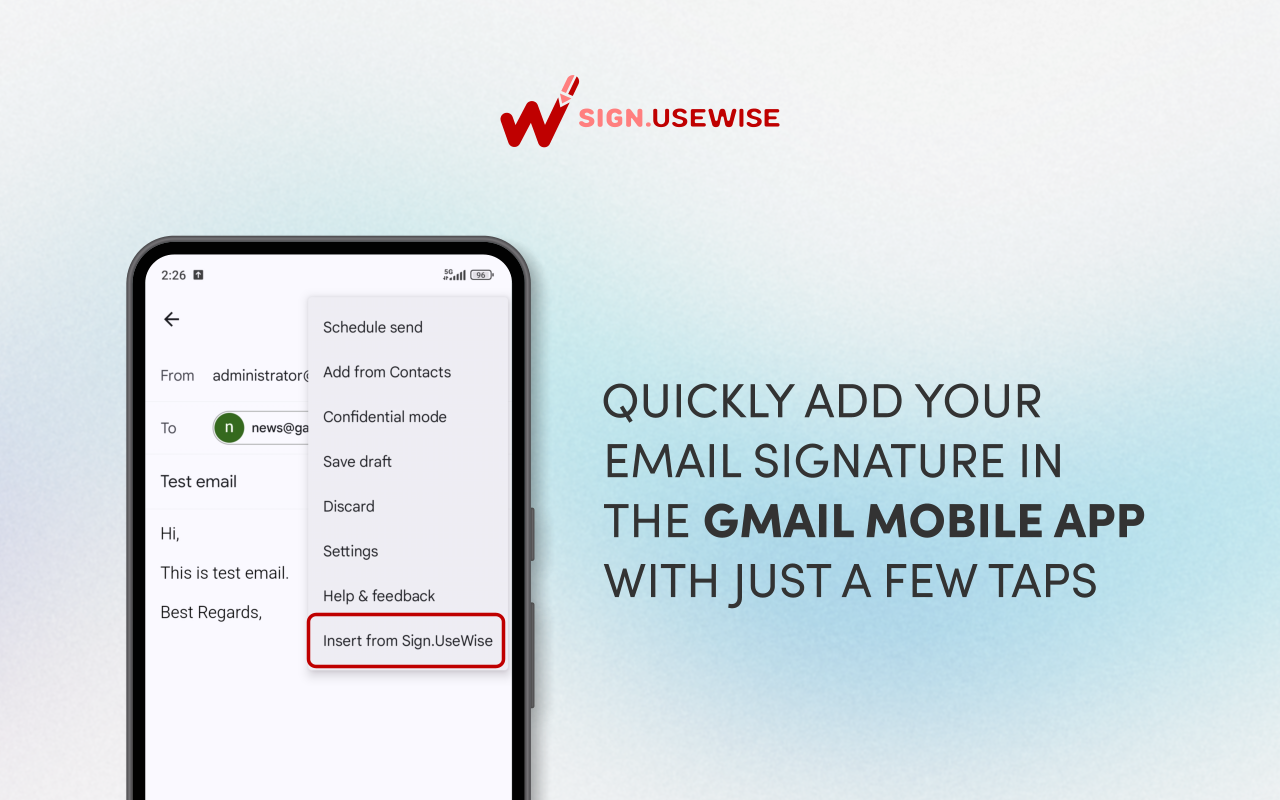
With Sign.UseWise® add-on, you can insert email signatures to emails sent from the Gmail™ app on your Android or iOS mobile phone. The add-on is integrated with Sign.UseWise® email signature solution.
Informações atualizadas:30 de janeiro de 2026
Compatível com:
Nenhuma avaliação
8 mil+



Visão geral
The Sign.UseWise® add-on brings professional email signatures from your desktop to your mobile. Easily add your existing Gmail™ signatures to emails you send from the Gmail™ app on your Android or iOS device.

Who can use it?

The Sign.UseWise® add-on is available to anyone with a Gmail™ account, whether it's for business or personal use (consumer account).

How to use it?

Simply open the Gmail™ app on your phone, start composing an email, and insert your desktop email signature from the settings in the upper right corner.

Here are the videos demonstrating how the add-on works on both Android and iOS phones:

Android demo https://youtu.be/1jT_M5yC6KU

iOS demo https://youtu.be/_HkhPSPUchw

This add-on is available as part of Sign.UseWise® email signature management solution and will work perfectly with your paid Sign.UseWise® subscription.

Key features of Sign.UseWise® add-on:

- Centralized management: Signatures are centrally managed within Sign.UseWise® dashboard and deployed to all users using the Gmail™ add-on
- Support for Send As/alias addresses: Users can easily switch between signatures for different addresses associated with their account
- Real-time updates: Your signatures are always up-to-date. Any updates made in the Sign.UseWise® app are reflected in the mobile add-on for every user.

Key benefits:

- Signature Consistency: Ensure a uniform brand presence by using the same signature set in Gmail™ on the web.
- Brand Consistency: Strengthen your brand identity with every email, no matter which mobile device you use.
- Enhanced Communication: Make a positive impact with professional, standardized email signatures across all devices.

Ready to transform your company’s email branding? If your organization isn't using Sign.UseWise® yet, ask your Google Workspace™ Administrator to visit usewise.app/sign-usewise/ to start a 15-day free trial.

Using Gmail.com or a personal account? You can still use the Sign.UseWise® add-on for free! Individual users (for Google Workspace™ and Gmail.com users) can enjoy professional mobile signatures with a small "Powered by Sign.UseWise®" banner included at the bottom.

-------------------------------------------------------------------------------------------------
Gmail™ is a registered trademark of Google LLC
Android™ is a registered trademark of Google LLC
Google Workspace™ is a registered trademark of Google LLC
UseWise® is a registered trademark of Miadria LLC
Sign.UseWise® is a registered trademark of Miadria LLC
Informações adicionais
sell
PreçosSem custo financeiro com recursos pagos
code
Desenvolvedor
email
Suporte
lock
Política de Privacidade
description
Termos de Serviço
flag
RelatórioSinalizar como impróprio



Pesquisa
Limpar pesquisa
Fechar pesquisa
Google Apps
Menu principal