
Google Workspace Marketplace


Simple CRM For Gmail™
The CRM for small businesses that don't want a CRM. No setup. Manage customers, follow-ups, notes, and tasks using Gmail™ and Google™ tools.
Vermelding geüpdatet:25 augustus 2026
Werkt met:
33


Overzicht
🚀 THE CRM FOR SMALL BUSINESSES THAT DON'T WANT A CRM

Simple CRM for Gmail™ gives you everything you need to manage customers, leads, deals, follow-ups, and relationships — without the complexity of a traditional CRM.

✨ NO SETUP. NO DATA MIGRATION. NO NEW ECOSYSTEM TO LEARN.

It works directly inside Gmail™ and uses the Google™ tools you already know.

⚡ START MANAGING CUSTOMERS IN MINUTES

There's no complicated implementation or empty database to build.

Simple CRM for Gmail™ opens with your existing Google Contacts™, so you can start managing the people you're already communicating with.

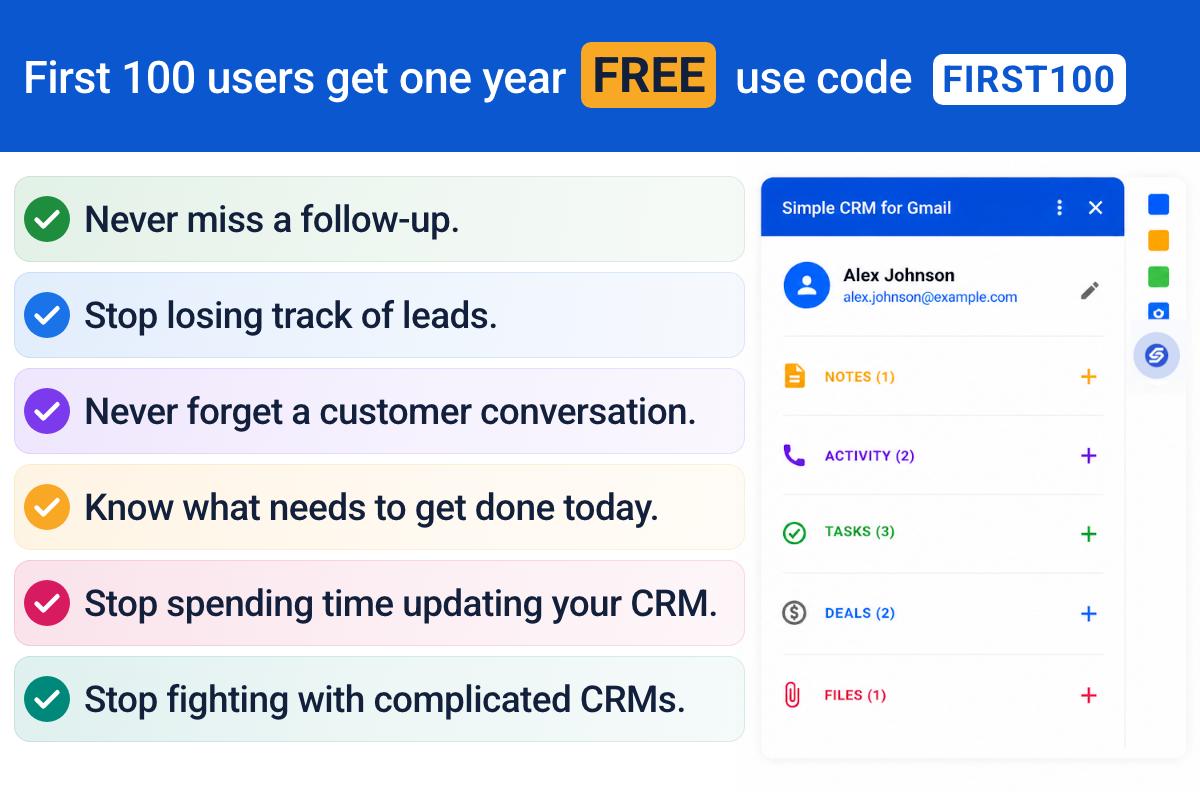
Open an email. See the contact. Add notes. Create a follow-up. Schedule a meeting. Keep the relationship organized.

You don't need to become a CRM expert to use it.

📧 YOUR CRM, INSIDE GMAIL™

Keep your customer information where you're already doing business.

• 👥 Contacts & Companies — Manage customers, prospects, and businesses, with deals rolled up by company.

• 💰 Deals & Sales — Track opportunities through your own pipeline. Rename "Deal" to Opportunity, Project, Bid, or whatever fits your business.

• ✅ Tasks & Follow-Ups — Create and manage follow-ups using Google Tasks™.

• 📝 Notes & Activity — Log calls, emails, meetings, and notes so you always know what happened.

• 📅 Meetings — Schedule meetings directly from a customer record using Google Calendar™.

• 📁 Files — Attach files from the email you're viewing or select them from Google Drive™. Your files stay in your Drive; the CRM simply keeps the link.

• 🔎 Search — Find contacts, companies, deals, notes, or tasks from one search box.

🤖 LET AUTOMATIONS DO THE ADMIN

Stop manually keeping your CRM up to date.

Turn on simple automations that handle repetitive work for you:

• New deal → create a first-contact task
• Deal stage changes → log the change
• Deal stage changes → create a follow-up task
• Deal won or lost → log the result and value
• Deal without a close date → create a task to set one

Each automation is a simple switch. For deadline-based automations, choose how many days you want.

Less CRM administration. More time running your business.

🎯 MAKE IT FIT YOUR BUSINESS

Your business doesn't have to fit someone else's CRM.

• Rename, hide, add, or delete fields
• Create your own deal stages
• Choose your default deal stage
• Reorder or hide sections on your home page
• Customize Notes, Activity, and Tasks
• See what's happening today, your open pipeline value, and your top deals

Use the terminology and workflow that actually make sense for your business.

🔒 YOUR DATA STAYS IN YOUR GOOGLE™ ACCOUNT

Simple CRM for Gmail™ is built around the Google™ tools you already use.

Your CRM data is stored in your own Google Sheets™. Files stay in your own Google Drive™. Contacts use Google Contacts™. Tasks use Google Tasks™. Meetings use Google Calendar™.

• CRM data → Your Google Sheets™
• Files → Your Google Drive™
• Contacts → Google Contacts™
• Tasks → Google Tasks™
• Meetings → Your Google Calendar™

Your business data stays in the Google™ ecosystem you already use instead of being locked into a separate proprietary CRM database.

🪄 NOTHING TO SET UP

Forget the typical CRM implementation.

• No importing contacts
• No building an empty database
• No hours of configuration

Your existing Google Contacts™ are already there.

Install Simple CRM for Gmail™, open Gmail™, and start working.

🧠 NOTHING NEW TO LEARN

You already know Gmail™.

You already know Google Calendar™.

You already know Google Contacts™.

You already know Google Tasks™.

You already know Google Drive™.

You already know Google Sheets™.

Simple CRM for Gmail™ connects these tools into a simple customer management system instead of asking you to learn an entirely new ecosystem.

👤 BUILT FOR SOLO ENTREPRENEURS & SMALL BUSINESSES

You don't need the complexity of a CRM designed for a 50-person sales department.

You need to know:

Who are my customers?
What opportunities do I have?
Who do I need to follow up with?
What happened last time we spoke?
What's happening today?

Simple CRM for Gmail™ focuses on the core things a small business actually needs.

Manage your:

• Contacts
• Companies
• Deals
• Tasks
• Follow-ups
• Notes
• Activity
• Meetings
• Files

Everything you need to stay on top of your customers. Nothing you don't.

💵 TRY IT FREE

$15/month or $149/year

Students: $49 one-time payment covering 6 years with a .edu address.

🎁 14-DAY FREE TRIAL

Try Simple CRM for Gmail™ free for 14 days.

No credit card required.

See how much easier customer management can be when your CRM works with the tools you already use.

Gmail™, Google Contacts™, Google Tasks™, Google Calendar™, Google Drive™, Google Sheets™ and Google Workspace™ are trademarks of Google LLC. Simple CRM for Gmail is not endorsed by or affiliated with Google LLC.
Meer informatie
sell
KostenKosteloze proefperiode
code
Ontwikkelaar
Geen handelaar
email
Support
lock
Privacybeleid
description
Servicevoorwaarden
flag
RapportMarkeren als ongepast






Zoeken
Zoekopdracht wissen
Zoekfunctie sluiten
Google-apps
Hoofdmenu