
Google Workspace Marketplace


SimpliLink
Link emails and attachments to contracts and tag them as documents to the respective contract within the SimpliContract CLM platform.
วันที่อัปเดตข้อมูล:21 มิถุนายน 2567
ใช้งานได้กับ
ไม่มีรีวิว
78



ภาพรวม
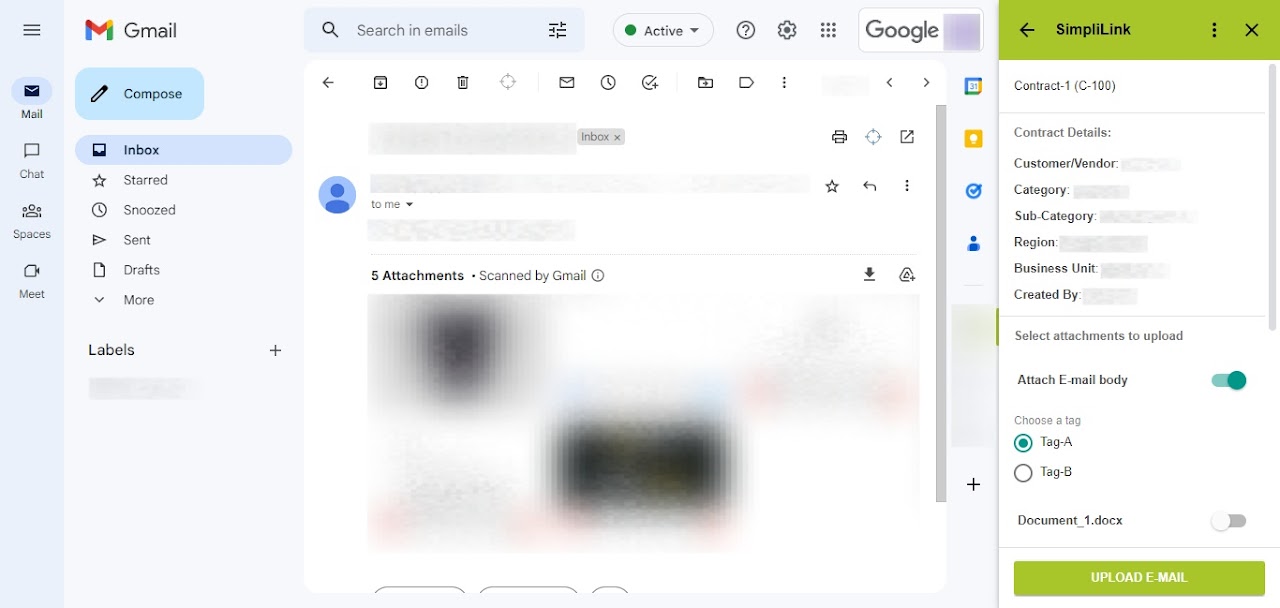
The SimpliLink add-in enables easy addition of important email correspondence and email attachments to relevant contracts, enabling better management of contract documents and tracking of their development history. With SimpliLink, users can quickly and easily add important email correspondence and associated attachments to the relevant contracts in the CLM platform, allowing them to better manage their contract documents and track the history of the contract's development.

This is designed for professionals who work with contracts and use a CLM system, such as legal departments, procurement teams, sales teams, and finance teams. The app is especially useful for those who frequently correspond with other parties via email during the contract negotiation process, as it allows them to easily attach relevant emails and attachments to the corresponding contract document.

Why SimpliLink:

- Seamless linking of emails and attachments to relevant contracts

- Access to all contract related documentation in one place

- Enhanced transparency and accountability, as all parties involved in the contract negotiation process can easily see the email correspondence that led to the final contract terms

- Integration with Google Workspace makes it easy to use for those already familiar with the platform, and its user-friendly interface ensures a smooth experience for users of all skill levels

Get started:

- Click Install

- Grant the required permissions

- Launch the add-in from the right sidebar in Gmail™

- Login with SimpliContract credentials

- Search for a contract and start linking
ข้อมูลเพิ่มเติม
sell
ราคาไม่มีค่าใช้จ่าย
code
นักพัฒนาซอฟต์แวร์
email
การสนับสนุน
lock
นโยบายความเป็นส่วนตัว
description
ข้อกำหนดในการให้บริการ
flag



ค้นหา
ล้างการค้นหา
ปิดการค้นหา
แอป Google
เมนูหลัก