
Google Workspace Marketplace


SiteCurb Leads
Copy the inquiries from your SiteCurb real estate website into Google Sheets™, and keep the sheet updated every hour.
بواسطة:
تم تحديث البيانات في:2 أكتوبر 2026
يتوافق مع:
ليست هناك مراجعات
ليس هناك مستخدمون

نظرة عامة
SiteCurb Leads brings the inquiries from your SiteCurb website into Google Sheets™.

SiteCurb (sitecurb.com) is a website builder for individual real estate agents. Every contact form message, listing question and "new listings first" sign-up on your SiteCurb site becomes one row in a tab called SiteCurb inquiries.

How it works
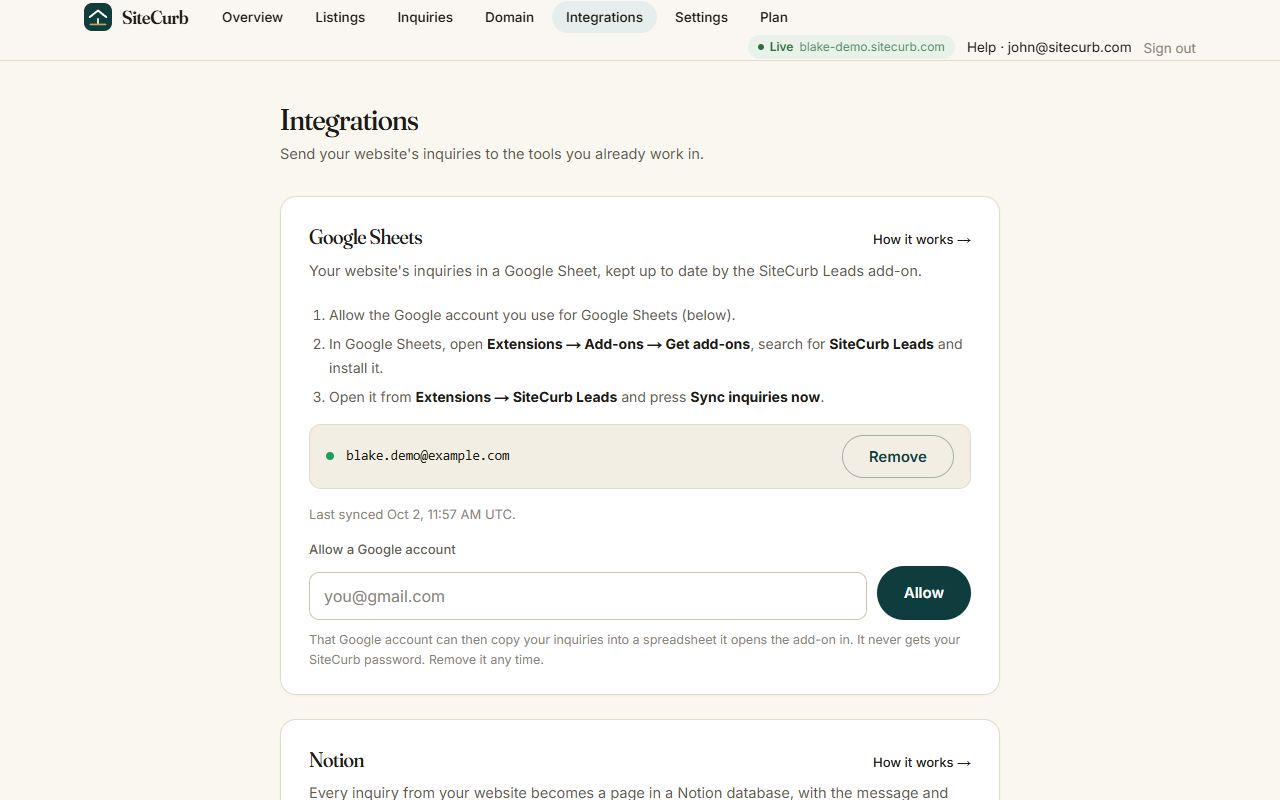
1. In SiteCurb, open Dashboard > Integrations > Google Sheets™ and allow the Google account you use for Sheets.
2. In Google Sheets™, open Extensions > SiteCurb Leads > Open and press "Sync inquiries now".
3. Tick "Keep this sheet updated" to check for new inquiries every hour.

What goes in the sheet
- One row per inquiry: when it arrived, name, email, phone, message, the listing it was about, and where it came from.
- New inquiries are added at the bottom. Rows and columns you add or edit are never changed.
- If you move the columns, the add-on finds them by their headings.
- Anything a visitor typed that could run as a formula is written as plain text.

Privacy
- The add-on works only on the spreadsheet you open it in.
- It never sends the contents of your sheet to SiteCurb.
- From your Google account it uses only your email address, to match you to your SiteCurb site. You never type a SiteCurb password into the add-on.

You need a SiteCurb site to use this add-on. Create one at sitecurb.com.

Google Sheets™ is a trademark of Google LLC.
معلومات إضافية
sell
الأسعارمجانًا
code
مطوّر برامج
email
lock
سياسة الخصوصية
description
بنود الخدمة
flag
الإبلاغوضع علامة كغير ملائم




بحث
محو البحث
إغلاق البحث
تطبيقات Google
القائمة الرئيسية