
Google Workspace Marketplace


SiteCurb Leads
Copy the inquiries from your SiteCurb real estate website into Google Sheets™, and keep the sheet updated every hour.
Eintrag aktualisiert:2. Oktober 2026
Kompatibel mit:
Keine Rezensionen
Keine Nutzer

Überblick
SiteCurb Leads brings the inquiries from your SiteCurb website into Google Sheets™.

SiteCurb (sitecurb.com) is a website builder for individual real estate agents. Every contact form message, listing question and "new listings first" sign-up on your SiteCurb site becomes one row in a tab called SiteCurb inquiries.

How it works
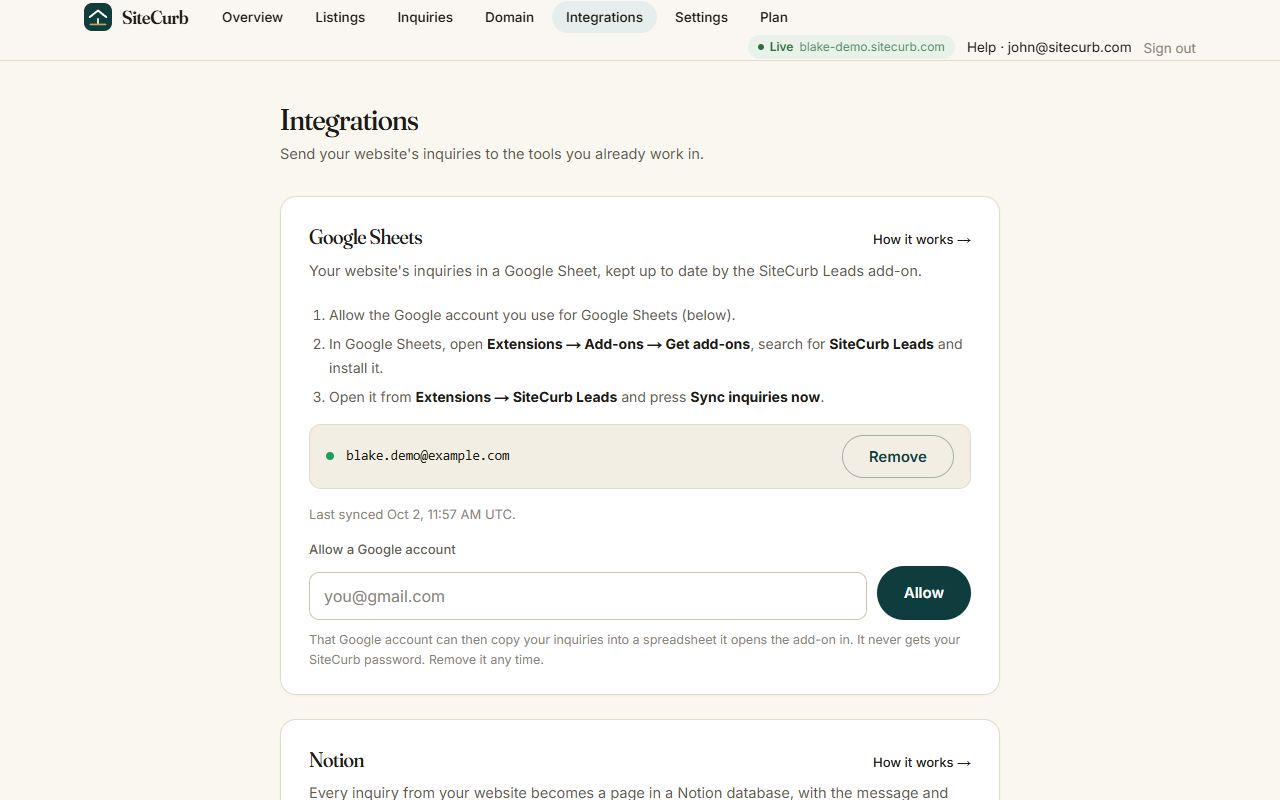
1. In SiteCurb, open Dashboard > Integrations > Google Sheets™ and allow the Google account you use for Sheets.
2. In Google Sheets™, open Extensions > SiteCurb Leads > Open and press "Sync inquiries now".
3. Tick "Keep this sheet updated" to check for new inquiries every hour.

What goes in the sheet
- One row per inquiry: when it arrived, name, email, phone, message, the listing it was about, and where it came from.
- New inquiries are added at the bottom. Rows and columns you add or edit are never changed.
- If you move the columns, the add-on finds them by their headings.
- Anything a visitor typed that could run as a formula is written as plain text.

Privacy
- The add-on works only on the spreadsheet you open it in.
- It never sends the contents of your sheet to SiteCurb.
- From your Google account it uses only your email address, to match you to your SiteCurb site. You never type a SiteCurb password into the add-on.

You need a SiteCurb site to use this add-on. Create one at sitecurb.com.

Google Sheets™ is a trademark of Google LLC.
Weitere Informationen
sell
PreiseKostenlos
code
Entwickler
email
lock
Datenschutzerklärung
description
Nutzungsbedingungen
flag
MeldenAls unangemessen melden




Suche
Suche löschen
Suche schließen
Google-Apps
Hauptmenü